


Contributor I
November 27, 2024
Solved

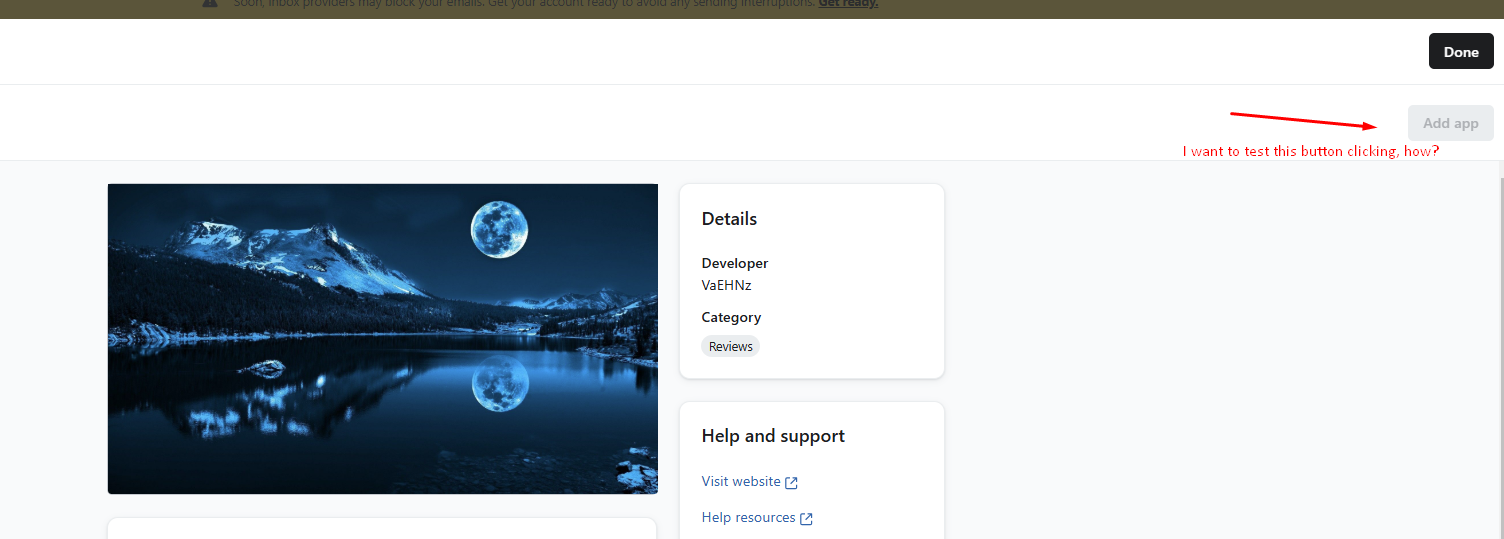
How to test the "Install" button in an oauth application's listing page in Klaviyo's integration page

  • November 27, 2024
  • 4 replies
  • 65 views

I am developing an OAuth app for integration with Klaviyo. I can easily test the case where a user integrates with Klaviyo from my Shopify embedded app by redirecting them to the redirect_uri specified in the app setup. However, when it comes to the case where a user initiates the integration from Klaviyo to our app, I am unable to test it properly since our app is not yet listed on the Klaviyo app directory. Is there any possible solution for this issue? Please help me.



    This topic has been closed for replies.
    Best answer by ChristianPaget

    Essentially the way identification works when authorizing from the Klaviyo end is that the user is redirected to your website’s login page, and then you check to see if the user is logged into your site/app using the method you use to track this information. If they are, you can the redirect them to the Klaviyo authorize URL automatically, and if not, they need to log in prior to getting redirected. 

    I think this article is relevant to your question, but basically, we’re not passing any identifiers from our end, and identification needs to be done on your site.

    4 replies

    ChristianPaget
    Klaviyo Employee
    Klaviyo Employee
    November 27, 2024

    Hi there,

    There currently is not a way to test this button prior to publishing the app, but so long as the ‘OAuth Installation URL’ in the Listing Details is pointing to the correct URL, then you should be good to go. The “Add App” button is basically just a redirect button to the URL you’ve input for Installation.

    Contributor I
    November 28, 2024

    Hi ChristianPaget, thank for your answer. From my app, i can detect who is clicking that button. But when the request is from Klaviyo, i don’t know how to detect the user, which params will you pass in that ‘OAuth Installation URL’ or could you help me how to detect the user. Thanks.

    ChristianPaget
    Klaviyo Employee
    Klaviyo Employee
    November 29, 2024

    Essentially the way identification works when authorizing from the Klaviyo end is that the user is redirected to your website’s login page, and then you check to see if the user is logged into your site/app using the method you use to track this information. If they are, you can the redirect them to the Klaviyo authorize URL automatically, and if not, they need to log in prior to getting redirected. 

    I think this article is relevant to your question, but basically, we’re not passing any identifiers from our end, and identification needs to be done on your site.

    Contributor I
    December 9, 2024

    thank you ​@ChristianPaget, your answer help a lot