

Contributor IV
February 12, 2025
Solved

How to chage {% web_view %} text color and remove underline

  • February 12, 2025
  • 7 replies
  • 180 views

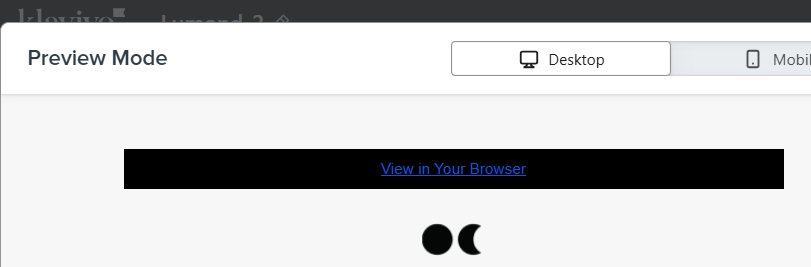
I want to chage the color and remove the underline view in browser link - {% web_view %}. I tried change text color but no use
 

    Best answer by bluesnapper

    Hi ​@Bharani 

    In the text box source code for the web link, add the following:

    <div style="text-align: center;"><a href="{% web_view_link %}" style="color: #0171bb !important;">View in Your Browser</a></div>

    Amend the hex colour to what you want and also the visible text - both in bold above. This works for me but please also test!

    And to remove the underline use:

    <div style="text-align: center;"><a href="{% web_view_link %}" style="color: #0171bb !important; text-decoration: none !important;">View in Your Browser</a></div>

    Hope that helps

    Regards

    Andy

    7 replies

    annasophiefc
    Partner - Platinum
    2025 Champion
    February 12, 2025

    Hi ​@Bharani 


    Thank you for posting in the Community!


    In the styles section of the editor you can edit the way links are displayed:


    I hope this helps!

    Champion & Klaviyo Partner based in Aarhus, Denmark. It is all about communicating the right message to the right people at the right time!
    BharaniAuthor
    Contributor IV
    February 12, 2025

    Hi ​@annasophiefc above your response its changing all links color. i want to keep one link in blue with underline and another link should white color without under line. I am using {% web_view %} and {% unsubscribe %}

    bluesnapper
    Partner
    Champion & Partner
    February 12, 2025

    Hi ​@Bharani 

    In the text box source code for the web link, add the following:

    <div style="text-align: center;"><a href="{% web_view_link %}" style="color: #0171bb !important;">View in Your Browser</a></div>

    Amend the hex colour to what you want and also the visible text - both in bold above. This works for me but please also test!

    And to remove the underline use:

    <div style="text-align: center;"><a href="{% web_view_link %}" style="color: #0171bb !important; text-decoration: none !important;">View in Your Browser</a></div>

    Hope that helps

    Regards

    Andy

    https://bluesnapper.com - Klaviyo Champion '24 & Partner
    BharaniAuthor
    Contributor IV
    February 13, 2025

    Hi ​@bluesnapper 

    I used your code in template and send Campaigns and clicked that link email but its showing Placholder.

    The code I used:

    <div style="text-align: center;"><a href="{% web_view_link %}" style="color: #FFFFFF !important; text-decoration: none !important;">View in Your Browser</a></div>  

    Please let me know what to do?

    Thanks


    bluesnapper
    Partner
    Champion & Partner
    February 13, 2025

    Hi ​@Bharani 

    That is to be expected as the link is personalised to the recipient and you’re using the preview send.

    If you want to see a live example, create and send a campaign to one or more of your test email addresses.  The web view link in that test email will then open the web view of the sent email.

    Regards

    Andy

    https://bluesnapper.com - Klaviyo Champion '24 & Partner
    BharaniAuthor
    Contributor IV
    February 13, 2025

    Hi ​@bluesnapper 

    Thanks. its working now

    bluesnapper
    Partner
    Champion & Partner
    February 14, 2025

    Hi ​@Bharani 

    Apolgies for my late reply. Glad it’s now working. I was going to say that you need to send an actual live campaign for the web view to display not the placeholder.

    Regards

    Andy 

    https://bluesnapper.com - Klaviyo Champion '24 & Partner

