



I already tried to set up dynamic coupon code but it’s working. When I set a CALL TO ACTION button, this link redirects me to another page! It’s not going to my Shopify Chackout page and not apply the dynamic coupin code automatically!

Solved
Can I setup dynamic coupon code for shopify in Klaviyo FREE plane?
Best answer by retention
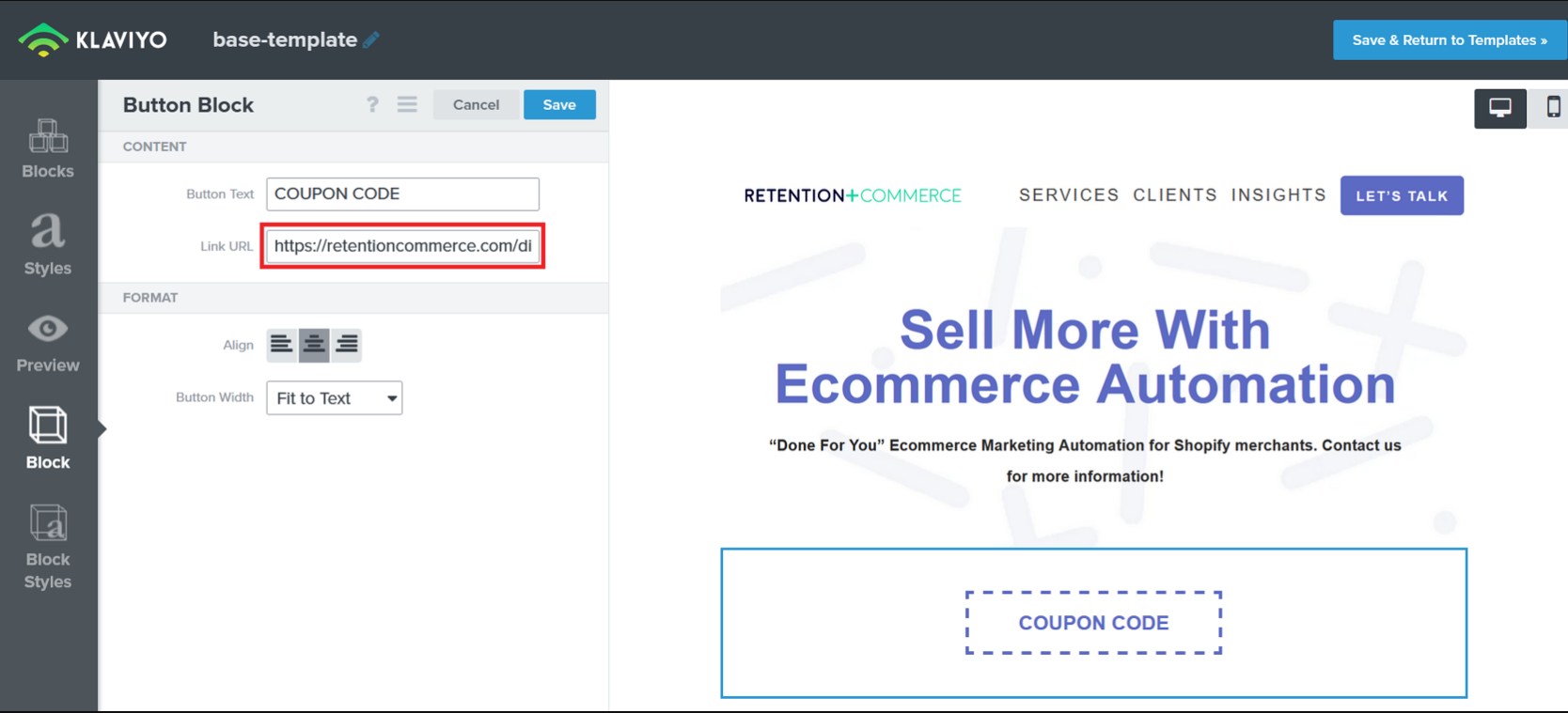
Then, you have to use the “Coupon Name” as part of the link to apply the dynamic coupon like this:
https://shopifystore.com/discount/{% coupon_code 'example_coupon_code' %}If you want it to go to your checkout page, you have to add the redirect to the checkout, depending on which Flow Metric you’re using, you can typically use this URL:
{{ event.extra.responsive_checkout_url }}
Here’s a few additional resources to help you with more detail:
- How to Add a Link that Applies a Unique Coupon Code
-
How To Add A Link To Apply A Dynamic Coupon Code On Shopify Checkout
Hope this helps!




Log in to the Community
Use your Klaviyo credentials
Log in with Klaviyo
Use your Klaviyo credentials
Log in with KlaviyoEnter your E-mail address. We'll send you an e-mail with instructions to reset your password.