
Answer

Create Event API call 401 error

  • November 30, 2022
  • 5 replies
  • 1890 views

Forum|alt.badge.img+2

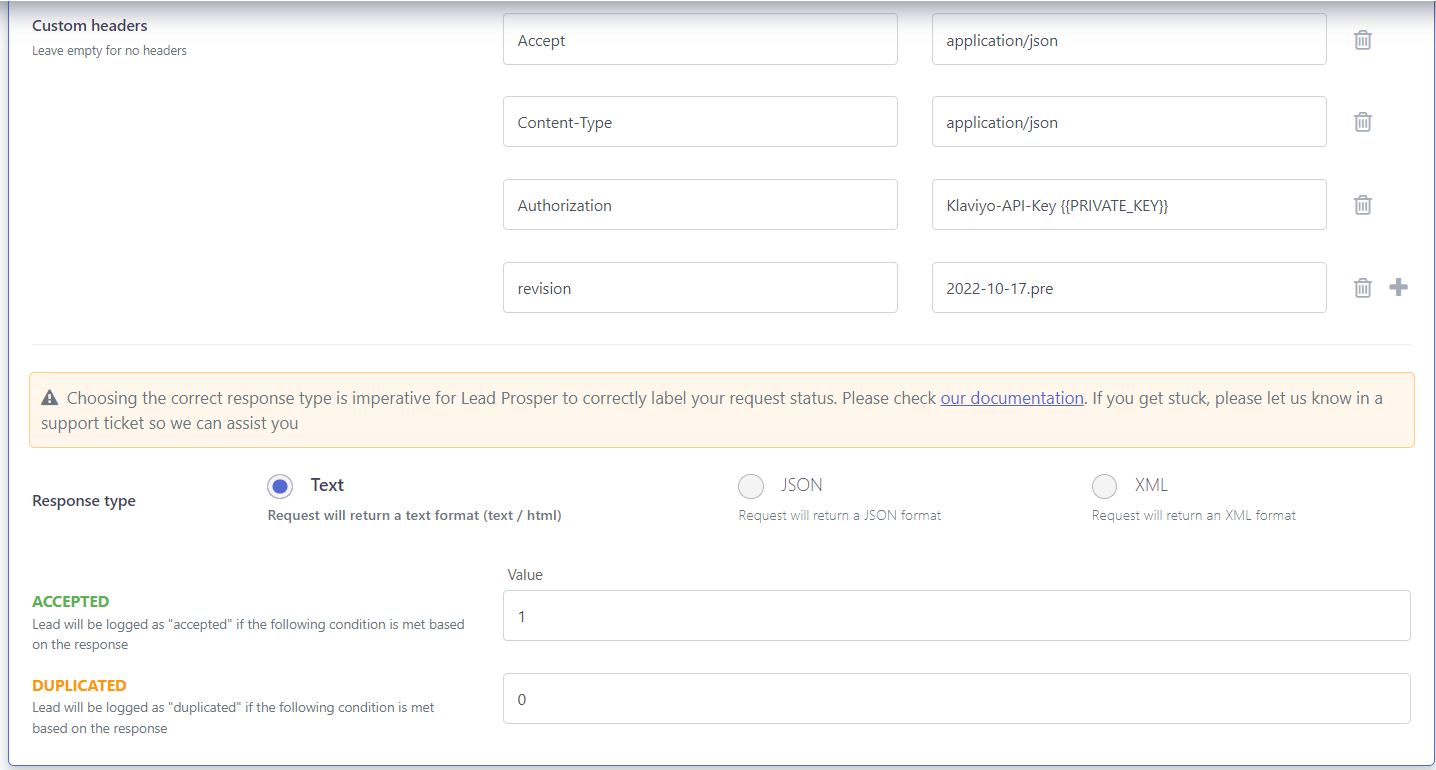
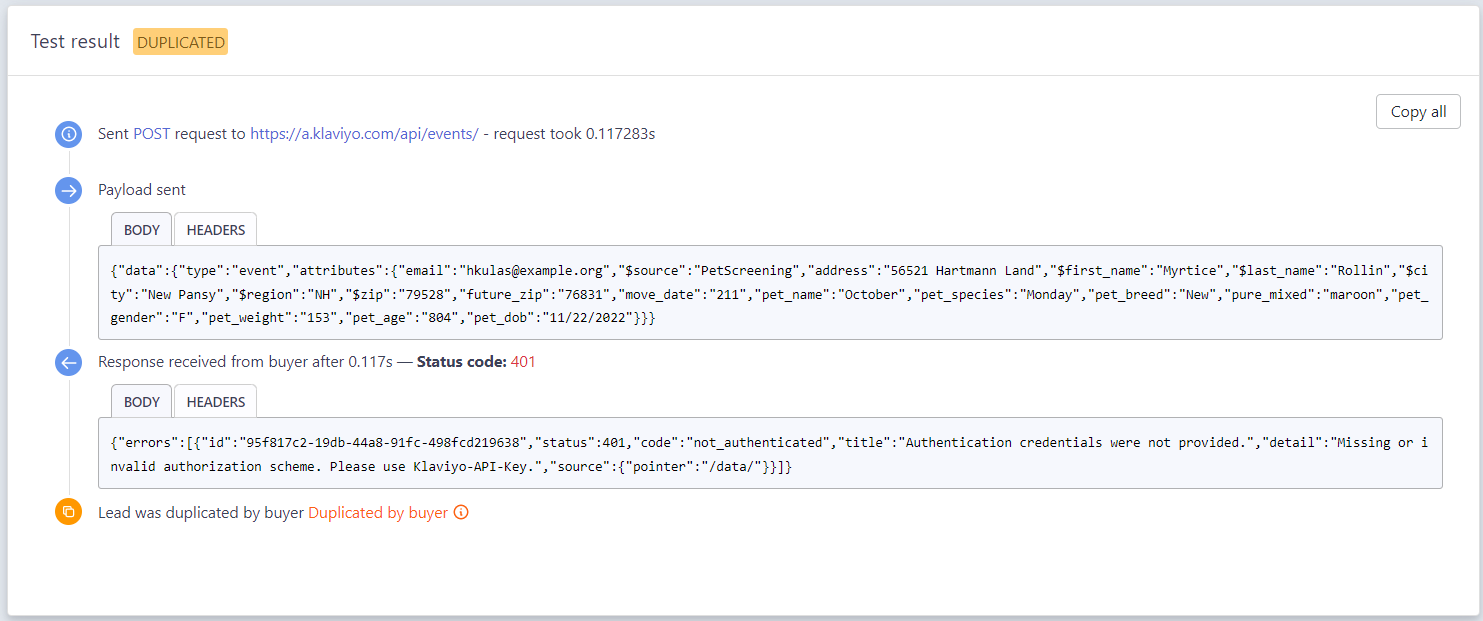
I’m trying to get the create event api working but as soon as I send a request, it gives me a 401 error with a message saying Authentication credentials were not provided. details: missing or invalid authorization scheme. Please use Klaviyo-API-Key. So I have the private key set up as PRIVATE_KEY and have been trying various different custom headers such as Authorization: PRIVATE_KEY and Authorization: Klaviyo-API-Key {{PRIVATE_KEY}}. But, it seems nothing is working. I have also added revision:”string” but still nothing. Any suggestions as to what I should be doing? 
 

Best answer by Brian Turcotte

Hi @Esalvador13 and welcome to the Community!


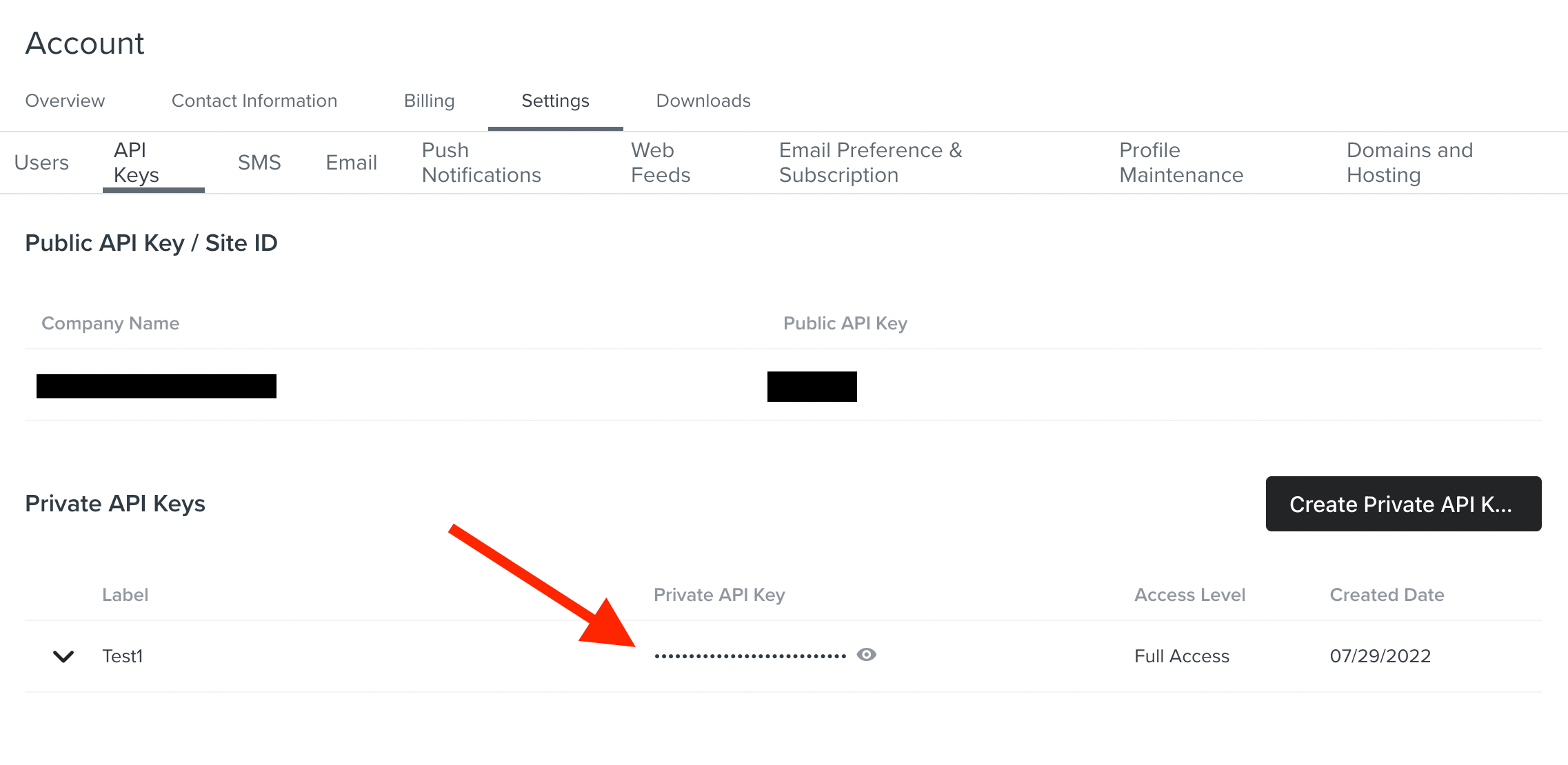
The correct syntax should be 'Authorization: Klaviyo-API-Key your-private-api-key', where you’d substitute your-private-api-key for the API Key you can generate from Settings > API Keys:
 

Just to clarify the issue, can you confirm that you’re making sure to substitute the Private Key here and not the Public Key?


Thanks,

-Brian

5 replies

Brian Turcotte
Forum|alt.badge.img+37
  • Klaviyo Alum
  • Answer
  • December 1, 2022

Hi @Esalvador13 and welcome to the Community!


The correct syntax should be 'Authorization: Klaviyo-API-Key your-private-api-key', where you’d substitute your-private-api-key for the API Key you can generate from Settings > API Keys:
 

Just to clarify the issue, can you confirm that you’re making sure to substitute the Private Key here and not the Public Key?


Thanks,

-Brian


Forum|alt.badge.img+3
  • Active Contributor II
  • January 18, 2023

Tips are given below-

Look for Errors in the URL.
Clear Your Browser's Cache.
Flush Your DNS.
Deactivate Your WordPress Plugins.
Check the WWW-Authenticate Header Response.


Regards,

Rachel Gomez


Forum|alt.badge.img+2
  • Problem Solver I
  • March 5, 2023

I am facing the same problem, how to solve it using the private key only


Forum|alt.badge.img+2

Hi @Esalvador13 and welcome to the Community!


The correct syntax should be 'Authorization: Klaviyo-API-Key your-private-api-key', where you’d substitute your-private-api-key for the API Key you can generate from Settings > API Keys:
 

Just to clarify the issue, can you confirm that you’re making sure to substitute the Private Key here and not the Public Key?


Thanks,

-Brian

Hi @Brian Turcotte, for the new events API, can we make it work with public key or is it compulsary that we need private key in order to send events?


Brian Turcotte
Forum|alt.badge.img+37

Hi @manojkannekanti1!


Public API keys cannot be used to access any account data, so you would have to use a private API key in order to create events. Public API Keys are only used to track people and events in client-side JavaScript code.


Hope this helps!

- Brian