Contributor II
May 25, 2023
Solved

How to check if user is subscribed or not from a hosted preferences page

  • May 25, 2023
  • 4 replies
  • 669 views

Hi,

I have a hosted preferences page. If someone unsubscribes and comes back to the hosted preferences page it will show their interests checked off even though they unsubscribed. So In my code I would like to do  an if statement that says if they are unsubscribed uncheck the interest checkboxes.

Is there away for me to pull  the user’s email subscription status ? I tried  {{ consent }}  but it doesn’t work.

Thanks

    This topic has been closed for replies.
    Best answer by Brian Turcotte

    Hi @sherbert!
     

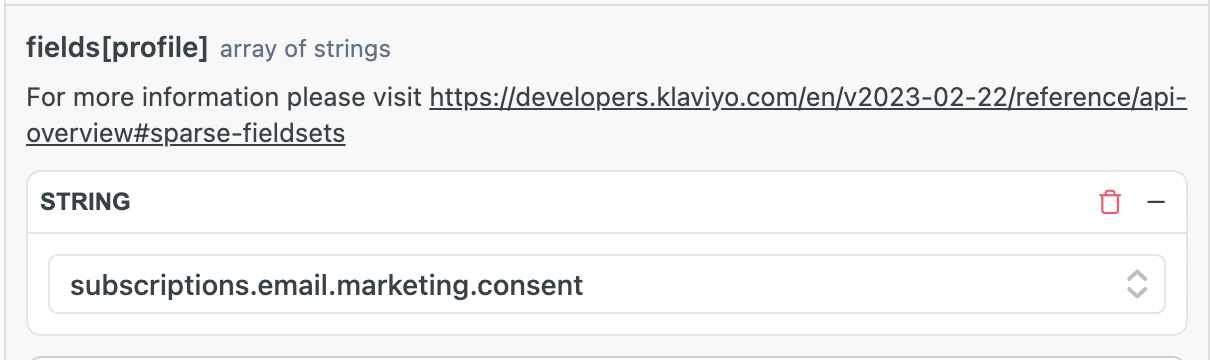
    It will depend on how your hosted page/integration is set up, but you could potentially accomplish this by making an API call to the Get Profile endpoint, which can return a profile’s subscription status:


    I hope this helps get you started!

    - Brian

    4 replies

    Brian Turcotte
    Klaviyo Alum
    May 25, 2023

    Hi @sherbert!
     

    It will depend on how your hosted page/integration is set up, but you could potentially accomplish this by making an API call to the Get Profile endpoint, which can return a profile’s subscription status:


    I hope this helps get you started!

    - Brian

    sherbertAuthor
    Contributor II
    June 1, 2023

    Thanks Brian!

    I am using a custom hosted preference page template from within Klaviyo. Am I able to make API calls from that ?

    Thanks

    Brian Turcotte
    Klaviyo Alum
    June 6, 2023

    Hi @sherbert!

    It’s theoretically possible, but it would likely require significant development effort. Here is a Community thread where a member established another custom workaround for a similar use case:


    If you’re looking for further development help for your custom preference page, you can always reach out to one of our wonderful Official Klaviyo Partners!


    Best,

    Brian

    sherbertAuthor
    Contributor II
    June 21, 2023

    Thanks Brian I’m checking into it!