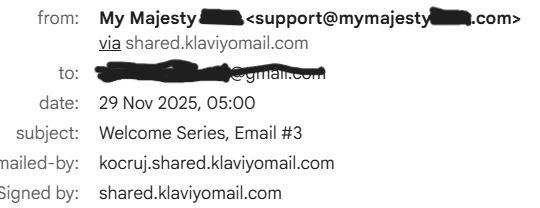
1) I tried to simulate as a new newsletter reader for my online store. However, all the emails come into my spam (gmail). Additionally, the content in the spam is not fully displayed (as on the picture). Does anyone has the same problem and how to solve it ?
1) I tried to simulate as a new newsletter reader for my online store. However, all the emails come into my spam (gmail). Additionally, the content in the spam is not fully displayed (as on the picture). Does anyone has the same problem and how to solve it ?
Thanks for help,
Hi,
Yeah, Gmail can be tricky sometimes. Even if everything looks fine on your end, emails can still land in spam or get clipped. A few things I’d check:
Sender setup
Make sure your sending domain is verified and properly authenticated. Gmail trusts emails more when this is done right.
Email content
Too many images, heavy formatting, or missing text can trigger Gmail’s spam filters.
Spam triggers
Watch out for overly promotional phrases, lots of links, or ALL CAPS these can make Gmail suspicious.
Whitelisting
Encourage new subscribers to add your email to their contacts or mark your email as “Not Spam.” This goes a long way for future delivery.
Testing
Tools like GlockApps or Mail-Tester can help you see if your emails are likely to end up in spam.
Most of the time, fixing the sender setup and keeping emails balanced with text and images solves both spam and clipping problems.
Sorry you’re dealing with the welcome series landing in spam that can really impact your engagement and results. Sometimes deliverability issues like this come down to things like domain reputation, list hygiene, and how inbox providers are filtering messages, so hopefully you find a solution soon!
1) I tried to simulate as a new newsletter reader for my online store. However, all the emails come into my spam (gmail). Additionally, the content in the spam is not fully displayed (as on the picture). Does anyone has the same problem and how to solve it ?
Thanks for help,
Hi,
Yeah, Gmail can be tricky sometimes. Even if everything looks fine on your end, emails can still land in spam or get clipped. A few things I’d check:
Sender setup
Make sure your sending domain is verified and properly authenticated. Gmail trusts emails more when this is done right.
Email content
Too many images, heavy formatting, or missing text can trigger Gmail’s spam filters.
Spam triggers
Watch out for overly promotional phrases, lots of links, or ALL CAPS these can make Gmail suspicious.
Whitelisting
Encourage new subscribers to add your email to their contacts or mark your email as “Not Spam.” This goes a long way for future delivery.
Testing
Tools like GlockApps or Mail-Tester can help you see if your emails are likely to end up in spam.
Most of the time, fixing the sender setup and keeping emails balanced with text and images solves both spam and clipping problems.