Answer

Bug with borders in table blocks

  • September 14, 2021
  • 10 replies
  • 970 views

Forum|alt.badge.img+2

Hi everyone, 

I’m currently trying to work on a new email templates. Until now, I was using columns to create grid of products, but as I now want to have my template working both on desktop and mobile, I transformed it into a table block in order to keep the grid layout with two columns on mobile too.

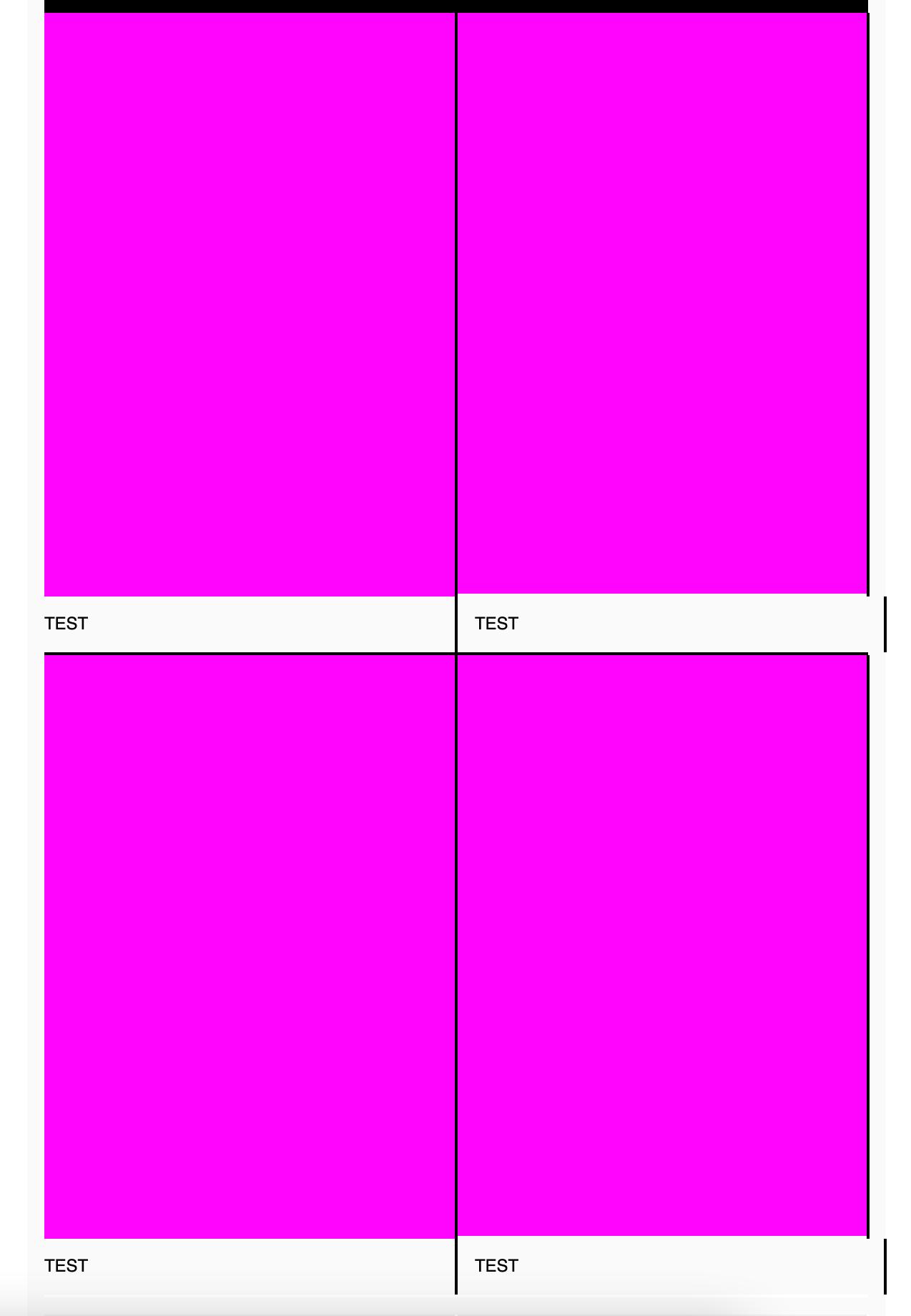
In this table block, I want to add a thin white border between my cells, which seems to be done with the border-right and border-top options. Unfortunately, even though the border-right of the last cell doesn’t appear in the preview (which is obviously the right behaviour), it appears on the preview that I send to my email address, creating some really strange design.

It looks like a bug in the table block, or I just don’t understand how it’s supposed to work.

Thanks in advance!

Best answer by stephen.trumble

Hey @quentin-f451 

Just wanted to follow up on this post to find a solution for you. Due to the fact that there are numerous reasons why the border is not functioning correctly I would suggest contacting Klaviyo support  as they will be able to look into your account and troubleshoot the actual template you are working on. This will give you a solution a lot faster!

Thank you again!

10 replies

Mailbox Manny
Partner - Silver
Forum|alt.badge.img+38
  • Partner - Silver
  • September 14, 2021

Hi! Welcome to the community.


That’s odd, I just tested borders on my end and it looks good.  Can you send a screenshot of what’s happening and also a screenshot of your Block Styles setting. 


Thanks!


Forum|alt.badge.img+2
  • Author
  • Contributor II
  • September 14, 2021

Hi Manny,

Here are some screenshots:

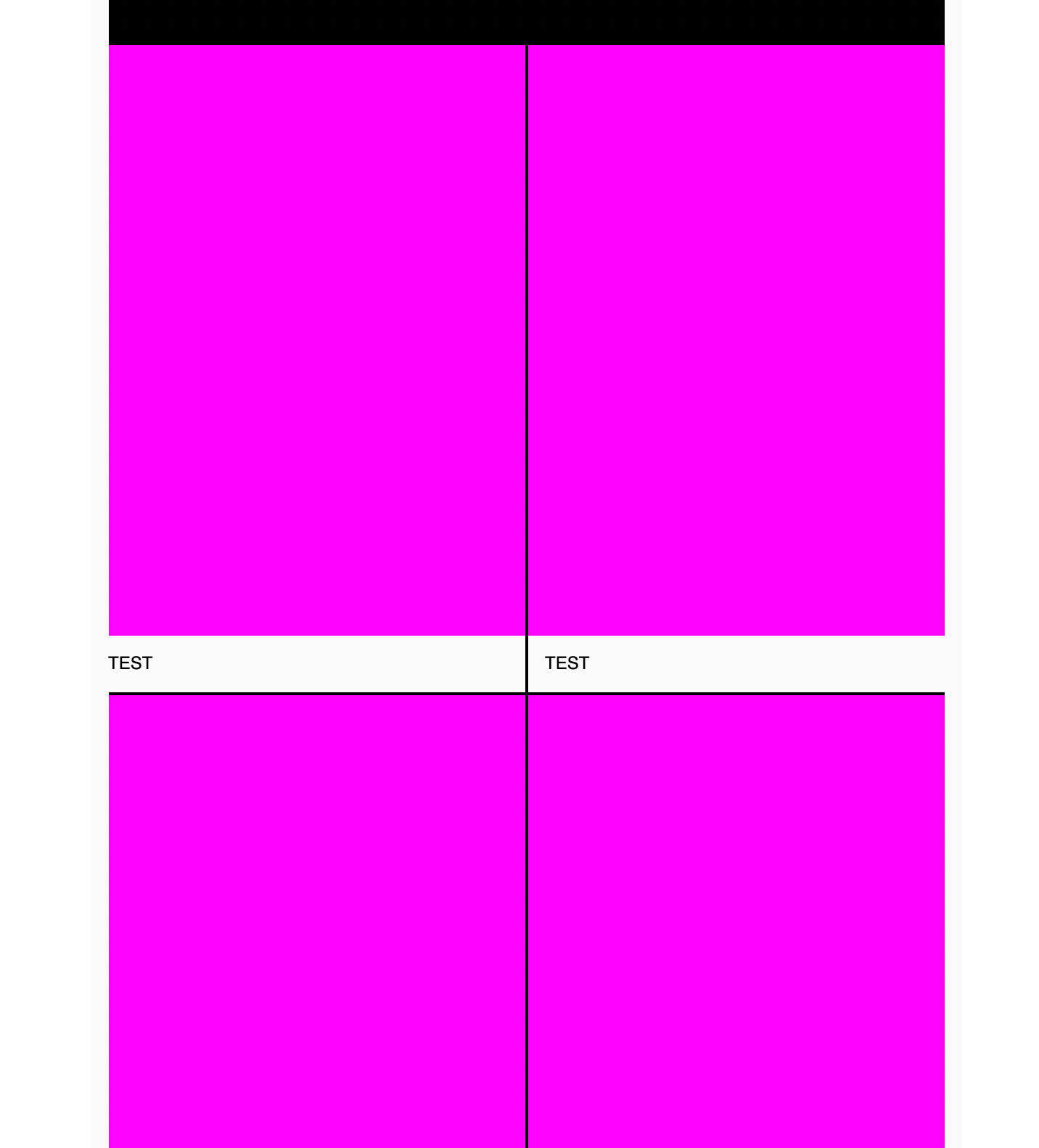
First, what I see in Klaviyo, everything works perfectly fine:


Second, what I receive at my email address, the borders on the right side shouldn’t be there:

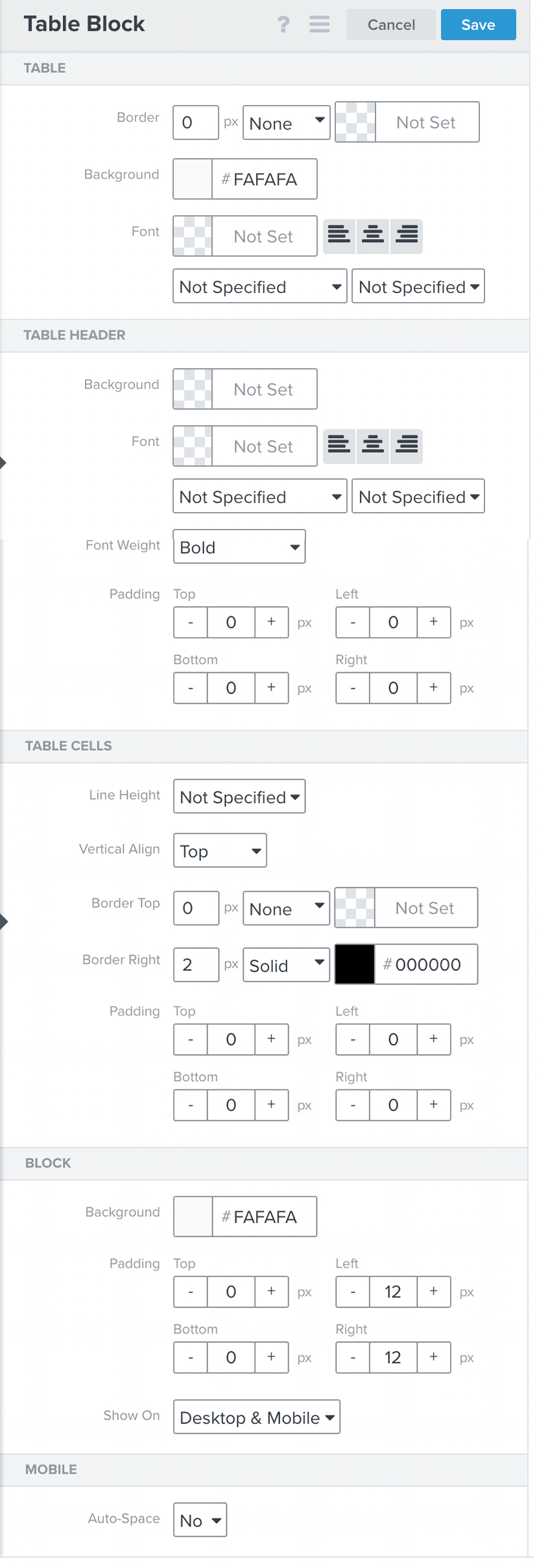
And finally, my block styles:

Thanks for your help!

Quentin


Mailbox Manny
Partner - Silver
Forum|alt.badge.img+38
  • Partner - Silver
  • September 15, 2021

That’s so odd.  Not sure what’s happening there. Curious, what’s the coloured blocks? Images?


Forum|alt.badge.img+2
  • Author
  • Contributor II
  • September 15, 2021

Yes, exactly, these are images


Mailbox Manny
Partner - Silver
Forum|alt.badge.img+38
  • Partner - Silver
  • September 15, 2021

Interesting, what happens if you replace the images with text to test it out? same behaviour? Then it can be pinpointed down to the images.


stephen.trumble
Forum|alt.badge.img+60

Hey @quentin-f451 

Thank you for reaching out the the Klaviyo Community for help with this and thank you so much @Mailbox Manny for jumping in to help out! We truly appreciate your collaboration!

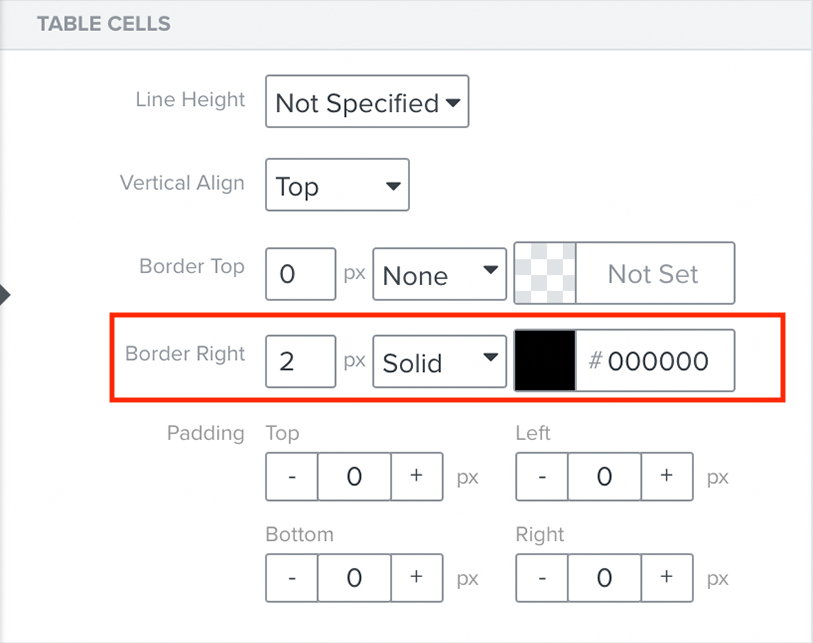
I tried to recreate this table block in my own test account and was not able to reproduce the extra border on the right side. However, in the Table Cell Block Styles section the Border Right has 2px Solid Black, if you took that away does it remove the extra border? 

Also this may have something to do with how your text block within the table is set up and coded. There may be something in the code that is copied over or in the HTML that didn’t update or change properly causing the extra border on the right side.

Hope this helps get you back on track!


Forum|alt.badge.img+2
  • Author
  • Contributor II
  • September 15, 2021

You can see in the image that I send that I tested it also with text, but the border is still there (not at the same place because the padding are different, but still there though).


If I remove the border right, yes, it remove the border but obviously it also removes the one I want, between my cells.


stephen.trumble
Forum|alt.badge.img+60
  • Klaviyo Alum
  • Answer
  • September 17, 2021

Hey @quentin-f451 

Just wanted to follow up on this post to find a solution for you. Due to the fact that there are numerous reasons why the border is not functioning correctly I would suggest contacting Klaviyo support  as they will be able to look into your account and troubleshoot the actual template you are working on. This will give you a solution a lot faster!

Thank you again!


Forum|alt.badge.img+2
  • Author
  • Contributor II
  • September 20, 2021

Hey, 

Okay, no problem, I will contact the support, yes. Thanks for your help!


Forum|alt.badge.img+1
  • Contributor I
  • October 15, 2021

Same thing happening to me fyi, all text, no html error. Seems to be a bug on klaviyo’s end

Pics for reference. @stephen.trumble 

Lily