
svado
Contributor I
Contributor I
November 24, 2021
Solved

Templates: event filters with arrays

  • November 24, 2021
  • 5 replies
  • 631 views

Hi

How I can filter an specific field into an array collection?

Example I need to filter all ItemNames in the PlaceOrder event that contains 'COSTA RICA’?


    This topic has been closed for replies.
    Best answer by Dov

    Hi @svado,

    Thank you for sharing this with the Community.

    The format would be “name of item” in “name of variable you’re looking to target”. 

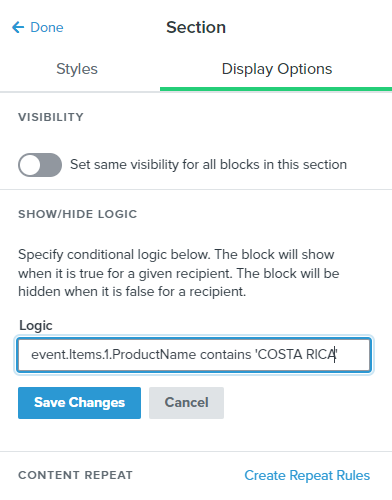
    "COSTA RICAN" in event.Items

    This statement says to show the block if the item name contains “COSTA RICAN”.

    Moreover, to break down the format (the why, behind it):

    “name of item” = COSTA RICAN

    “in” = telling the template where to “look” to find this item name

    event.Items = the place where we’re ultimately grabbing the name from to tell us when to populate it or when to hide it

    You would need to include the actual full item name so “COSTA RICAN” rather than “COSTA RICA”. 

    Hope that helps!

    5 replies

    Dov
    DovAnswer
    Klaviyo Alum
    November 26, 2021

    Hi @svado,

    Thank you for sharing this with the Community.

    The format would be “name of item” in “name of variable you’re looking to target”. 

    "COSTA RICAN" in event.Items

    This statement says to show the block if the item name contains “COSTA RICAN”.

    Moreover, to break down the format (the why, behind it):

    “name of item” = COSTA RICAN

    “in” = telling the template where to “look” to find this item name

    event.Items = the place where we’re ultimately grabbing the name from to tell us when to populate it or when to hide it

    You would need to include the actual full item name so “COSTA RICAN” rather than “COSTA RICA”. 

    Hope that helps!

    DD
    svado
    Contributor I
    svadoAuthor
    Contributor I
    November 26, 2021

    Thanks Dov,


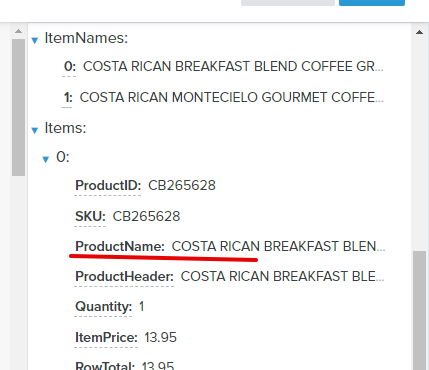
    But my idea is for search an string in the array items, for example:

    "COSTA RICAN” in event.Items.0.ProductName


    How I can search "COSTA RICA” in all array items, not only in an especific array index ?


    Dov
    Klaviyo Alum
    December 1, 2021

    Hi @svado,

    Thank you for your reply.

    I assume by all array items you’re referring to ProductName, ProductHeader, etc? If so, i’m afraid it’s not possible to search through all array items to identify a specific item name in a catch-all filter.

    As an alternative, you can set up a trigger filter on your flow to only include users with ItemNames = COSTA RICAN ORGANIC COFFEE. You can separate multiple criteria by OR to expand who qualifies for the flow. For example, say you want to include users with two types of costa rican coffee. Let’s assume your trigger is placed order, the trigger filter would be defined like the following: ItemNames contains COSTA RICAN ORGANIC COFFEE 1 OR contains COSTA RICAN ORGANIC COFFEE 2. On the flip side, you can exclude certain ItemNames from the flow by using an “AND” separator. For example, ItemNames doesn’t contain COSTA RICAN ORGANIC COFFEE 1 AND doesn’t contain COSTA RICAN ORGANIC COFFEE 2. We cannot reliably filter on a partial name, so if you just included ItemNames= “COSTA RICA” the trigger filter wouldn’t pick-up on all item names with “COSTA RICA” in it.

    For more information for AND/OR logic, I recommend checking out our guide here.

    I hope that is helpful.

    DD
    svado
    Contributor I
    svadoAuthor
    Contributor I
    December 1, 2021

    Great, thanks Dov

    Dov
    Klaviyo Alum
    December 1, 2021

    Hi @svado,

    You were quick :) I just updated my reply with a bit more info/context and examples just wanted to post again here so you see the updated version. Hope that is helpful!

    DD