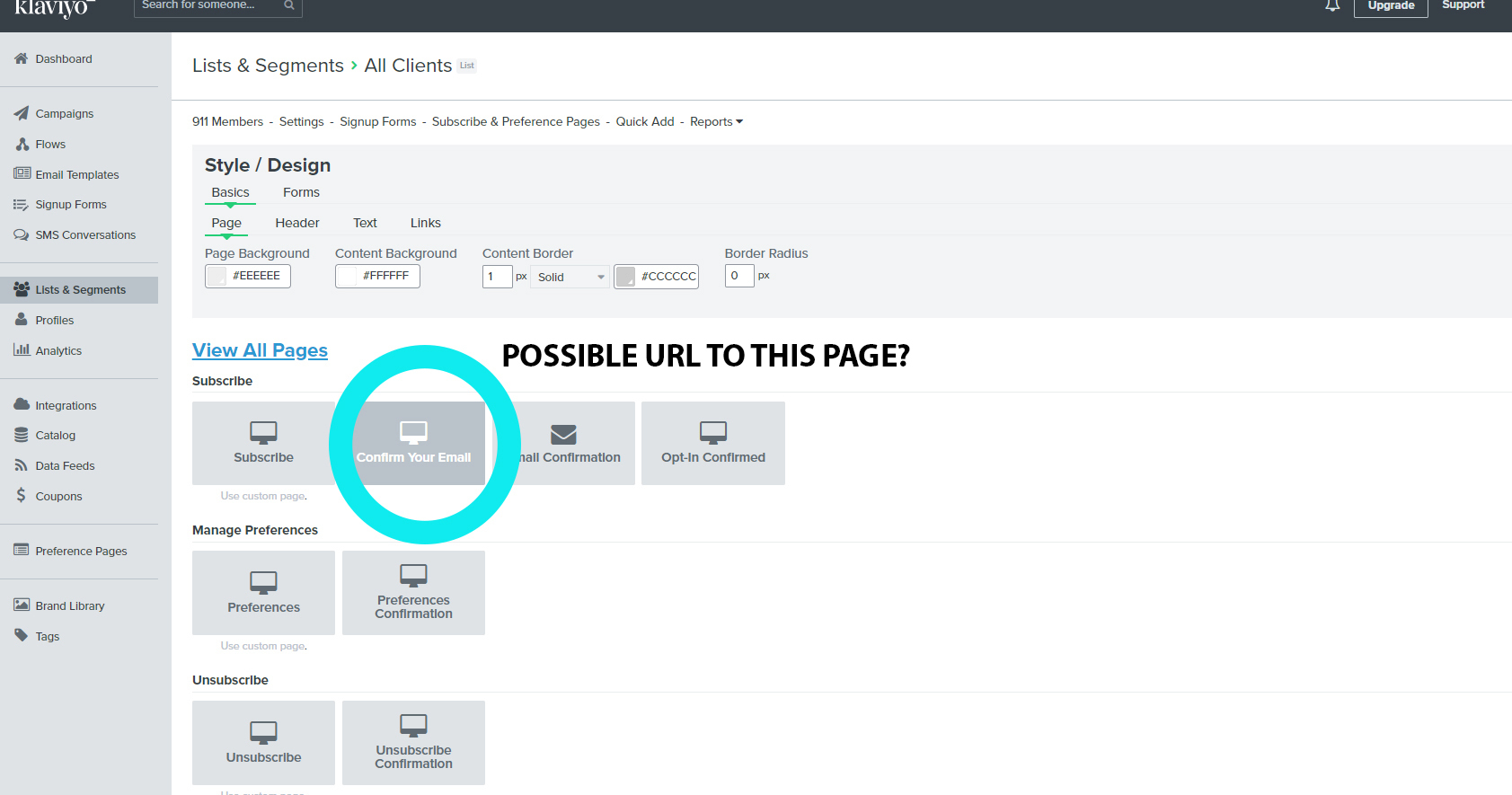
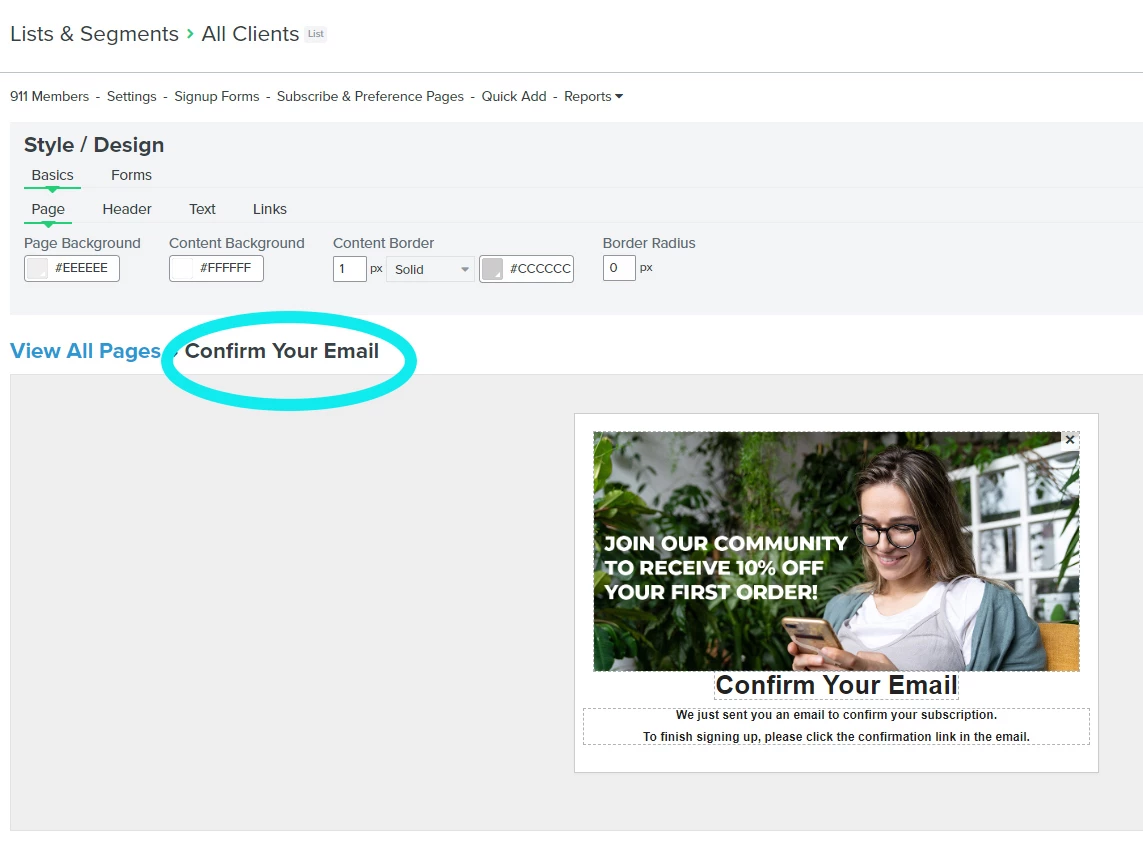
My advertising team has asked for a URL to track their sign-ups. I have created a totally dedicated page on my Shopify website using the an embedded Subscribe & Preference Pages.
I have the overall URL for the signup page but they are asking for a URL after a client submits their details.
Is this possible? I have attached images of what I mean.
This topic has been closed for replies.
Best answer by Dov
Hi @Chalet Boutique,
Thanks for sharing this question with our community.
While we do not have a “default” URL for the “Confirm Your Email” email like we do for our subscribe pages, it sounds like your team may be looking for a way to identify users who subscribe to a certain list. If that is indeed the case, there are a number of different ways to track sign-ups to a list.
One method is to use the list growth report tool. This report includes a source chart that will tell you where the user came from when they joined the list.
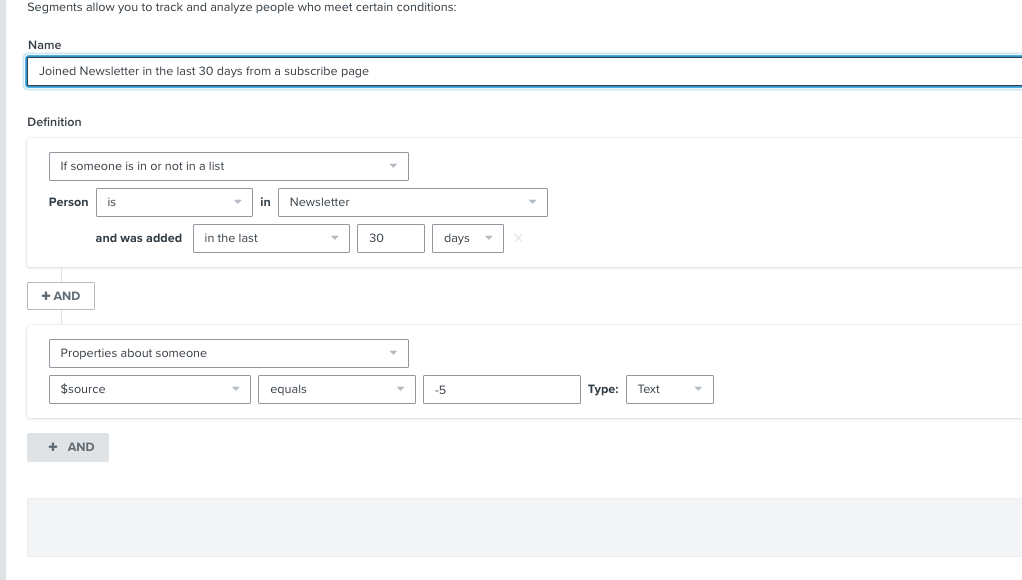
Additionally, if you are using a Klaviyo sign-up form, we will track a $source value along with the form submit. You can create a segment using $source (Properties about someone > $source equals “name of Klaviyo signup form”) AND is in list X to group everyone who has signed-up through this form and joined the list connected to the form. A subscribe page will log a $source value of “Subscribe Page” or “-5”. To build onto this, you could add a date parameter to the list criteria in the segment, i.e. and was added to list in the last X amount of days. Here’s an example:
Lastly, we do have the option to skip the confirmation page altogether and re-direct to another URL of your choosing. That’s another viable option - from there you could simply track people who navigate to that custom URL.
Thanks for sharing this question with our community.
While we do not have a “default” URL for the “Confirm Your Email” email like we do for our subscribe pages, it sounds like your team may be looking for a way to identify users who subscribe to a certain list. If that is indeed the case, there are a number of different ways to track sign-ups to a list.
One method is to use the list growth report tool. This report includes a source chart that will tell you where the user came from when they joined the list.
Additionally, if you are using a Klaviyo sign-up form, we will track a $source value along with the form submit. You can create a segment using $source (Properties about someone > $source equals “name of Klaviyo signup form”) AND is in list X to group everyone who has signed-up through this form and joined the list connected to the form. A subscribe page will log a $source value of “Subscribe Page” or “-5”. To build onto this, you could add a date parameter to the list criteria in the segment, i.e. and was added to list in the last X amount of days. Here’s an example:
Lastly, we do have the option to skip the confirmation page altogether and re-direct to another URL of your choosing. That’s another viable option - from there you could simply track people who navigate to that custom URL.