


Klaviyo now works with Claude and ChatGPT: what you need to know
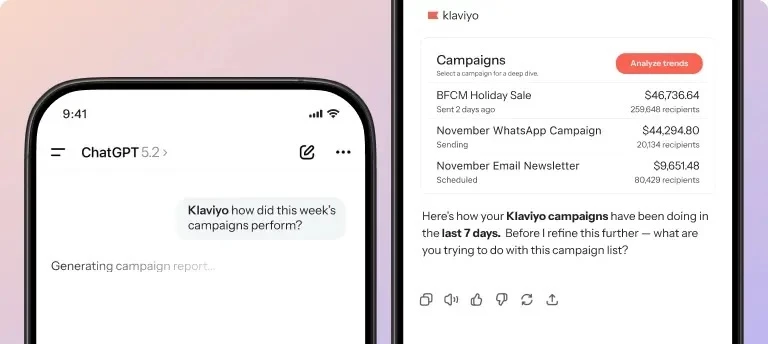
Artificial intelligence is reshaping how marketers access insights, analyze performance, and take action – and now, Klaviyo is right there with you! Some super exciting news for the community, specifically those who already use AI in their daily workflows. Klaviyo’s customer and campaign data can now be accessed directly inside Anthropic’s Claude and OpenAI’s ChatGPT.
These integrations give you conversational access to your Klaviyo data, helping you move faster from insight to action, without exporting reports or switching tools. Whether you’re analyzing performance, generating creative ideas, or uncovering optimization opportunities, the Klaviyo apps in Claude and ChatGPT bring your marketing intelligence into the tools where you already work.
What you can do with Klaviyo in Claude
Claude lets you connect Klaviyo as a data source so you can explore performance and customer behavior conversationally.
Once connected, you can ask questions like:
-
“How did my campaigns perform over the last month?”
-
“Which segments are most engaged right now?”
-
“What trends should I pay attention to?”
-
“What campaign ideas make sense based on recent behavior?”
Claude is especially useful for summarizing data, spotting patterns, and thinking through strategy. It’s less about quick checks and more about stepping back and asking, “What’s going on here, and what should I do next?”
How to get started with Claude
-
Open Claude and browse available connectors.
-
Select Klaviyo and authenticate your account.
-
Start asking questions about your data in natural language.
You don’t need to know any special syntax. Just be clear about what you want to see.
What you can do with Klaviyo in ChatGPT
The Klaviyo app for ChatGPT is great for quick answers, analysis, and content creation that are grounded in your live Klaviyo data.
With the app installed, you can:
-
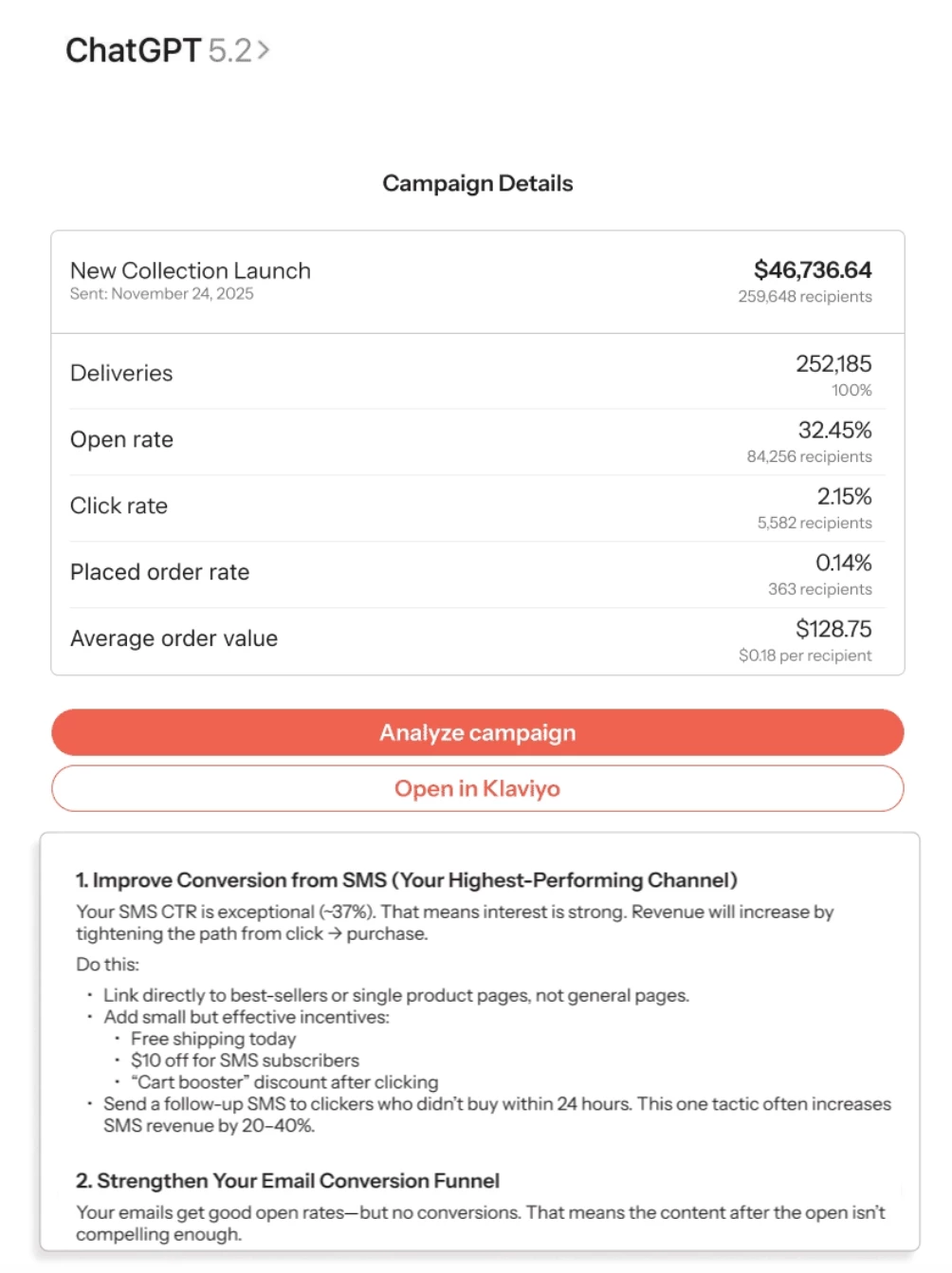
Check campaign and flow performance without logging into Klaviyo
-
Analyze what’s working (and what’s not)
-
Get recommendations based on recent results
-
Draft email or SMS content informed by performance data
Example prompts you might try:
-
“How are my campaigns performing this week?”
-
“Analyze my welcome flow and suggest improvements.”
-
“Draft an email for a weekend sale using a friendly tone.”
ChatGPT can return tables, summaries, and analysis right in the conversation, which makes it easy to go from insight to action quickly.
How to get started with ChatGPT
-
Install the Klaviyo app inside ChatGPT.
-
Authenticate your Klaviyo account.
-
Start asking questions or generating content using your data.
Tips for getting better results from AI
Clear prompts go a long way, especially when working with live data. A few simple tips:
-
Be specific about what data you want
Instead of “How are things going?”, try “Show campaign performance from the last 7 days.” -
Add context when asking for analysis
For example: “Look at my last 10 campaigns and tell me which ones underperformed and why.” -
Separate data pulls from analysis if needed
You can ask the model to pull the data first, then follow up with a second question asking for insights or recommendations.
If something looks off, try rephrasing your question or asking the model to explain how it arrived at its answer.
Which one should you use?
You don’t have to choose just one.
-
Claude is great for deeper analysis, summaries, and strategic thinking.
-
ChatGPT is ideal for fast answers, performance checks, and content creation.
Many teams will find value in using both, depending on what they’re trying to do in the moment.
If you’re already using Klaviyo with Claude or ChatGPT, we’d love to hear how it’s going. Share prompts that worked well, workflows you’ve built, or lessons learned so others in the Community can try them too.
And if you’re just getting started, feel free to ask questions here — the Community is a great place to compare notes.