


Product updates from Q4 2025 and early 2026
The improvements and additions that tackled the issues you’ve been posting about.
Q4 was one of our most active quarters yet. Between BFCM prep, global expansion, and a big push toward AI-powered efficiency, we shipped dozens of updates designed to reduce manual work, improve compliance, and help you reach customers more precisely—across every channel.
Below is a straightforward recap of what shipped in Q4 2025, with a focus on the updates the community has asked for most and the everyday frustrations these releases help eliminate.
Highlights
These were some of the most impactful releases of the quarter—many driven directly by customer feedback, forum threads, and support trends from here in the Community.
Customer Agent: Smarter, more controllable, and easier to launch
Customer Agent saw major upgrades across setup, visibility, and control—addressing common concerns like “How do I know it’s working?” and “Who is it actually responding to?”
-
Performance Reporting – See Add to Carts, AOV, link clicks, and skill usage to understand real ROI—not just conversation volume.
-
New Customer Agent Events – Trigger segments and flows based on Started, Resolved, Escalated, or Product Recommendation events.
-
Segment & Keyword Targeting – Control exactly who Customer Agent engages with, by channel.
-
Guided Onboarding & Launch Pages – Step-by-step setup with built-in handoff testing before going live.
-
Knowledge Gap Detection – Identify unanswered questions before customers hit them.
-
Tone of Voice Controls – Match AI responses to your brand style with selectable tone options.
-
Coupon Retrieval Skill – Instantly answer “Do you have a discount?” via web chat or SMS.
Why this matters:
You get more confidence, more control, and clearer proof of value—without guesswork or trial-and-error launches.
Omnichannel gets more precise (and less spammy)
A major theme this quarter was helping teams send better-timed, better-targeted messages—without over-messaging customers.
-
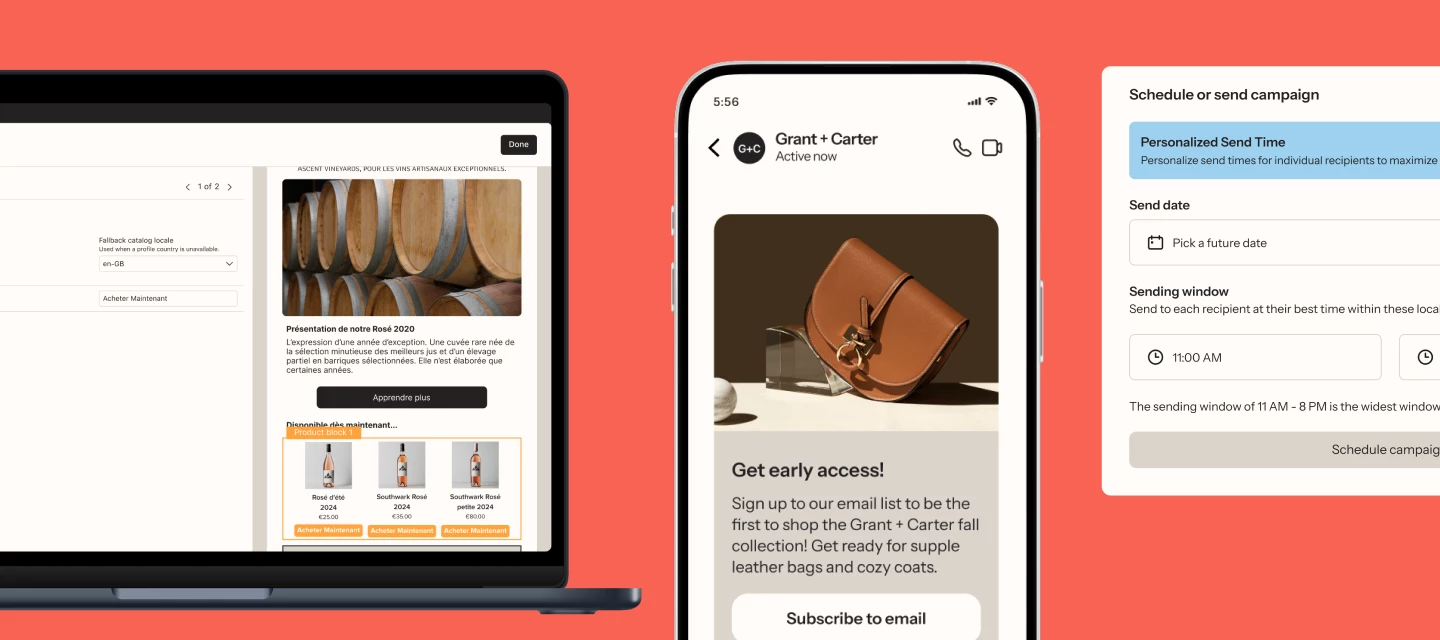
Personalized Send Time (Email, SMS, Push, WhatsApp) – Uses reinforcement learning to send messages at each recipient’s optimal time.
-
Omnichannel Campaign Audience Filters – Target sub-segments using engagement signals and channel affinity.
-
Exit Conditions for Omnichannel Campaigns – Automatically stop messages once a customer converts.
-
Unified Omnichannel Performance Page – See cross-channel results in one place.
Why this matters:
Fewer irrelevant messages, better engagement, and less manual segmentation gymnastics.
Compliance updates you’ve been asking for
Quiet hours, state laws, and regional SMS rules continued to be a top forum topic—and Q4 delivered meaningful guardrails.
-
Texas SMS Quiet Hours & Pause Toggle
-
State Law Text Frequency Limits (FL, OK, MD)
-
WhatsApp Double Opt-In (with multi-language support)
-
Ireland Two-Way SMS
-
WhatsApp Smart Translations
Why this matters:
Compliance is no longer something you have to constantly double-check—Klaviyo enforces it for you.
Customer Hub & identification improvements
Customer Hub expanded in ways that directly address conversion, attribution, and global scaling concerns.
-
Recognize More Shoppers (Customer Hub) – Personalize experiences before login using Klaviyo cookies.
-
Shopify Markets & Multi-Language Support
-
Add to Cart Widget – Persistent CTAs to increase conversion and attribution.
-
Content & Favorites Analytics – Track what shoppers actually engage with.
-
Extended ID Default Identifiers – Identify 5–10% more visitors automatically using common cookies.
Why this matters:
More personalized experiences, better attribution, and stronger performance without forcing logins.
More updates you should know about
Email & creative
-
Email Coupon Blocks (drag-and-drop, fully stylable)
-
Image Remix Quick Actions (background removal, brand colors, smart prompts)
-
AI Image Remix expanded to Forms, WhatsApp, RCS, and Push
-
Marketing Agent now supports French and German
SMS, WhatsApp, & mobile
-
RCS Cards & Carousels
-
SMS Conversation Starters
-
Single-Step Automated SMS Replies
-
Contact Card Download Links
-
Attach Products directly to mobile messages
-
WhatsApp Button Click Events
-
Improved WhatsApp onboarding & number switching
Forms & in-app experiences
-
In-App Forms Scheduling (editor-level control)
-
In-App Forms Event Triggering
-
Mobile Forms Unlink/Relink
-
Full-page in-app forms for promotions
Analytics & reporting
-
New Report Builder (public beta)
-
Funnel Benchmarking & Funnels → Segments
-
Deleted Flows Reporting
-
SMS ROI & Usage Reporting
-
Channel Affinity Trait Exports
-
Improved Next Best Product recommendations
Helpdesk & support
-
Advanced Helpdesk Routing
-
Standalone Web Chat
-
Loop Returns integration
-
Outbound & manual ticket creation
-
Media sharing across channels
-
Sentiment Analysis
-
CSAT triggers for marketing flows
-
Gorgias historical ticket imports
-
Order address editing directly in tickets
Apps, integrations & data
-
Shopify Behavioral Events (web + server)
-
ChatGPT Omnichannel Attribution
-
MCP Server Connector for ChatGPT
-
Databricks & Redshift warehouse imports
-
App Performance Monitoring
-
Expanded Product Feed category filtering
-
Enhanced First/Last Active traits
Account, billing & security
-
Portfolio-level bulk user management
-
Custom portfolio user roles
-
Activity Log (audit trail)
-
Stronger password requirements
-
Coupon balance alerts
Why this matters
This quarter’s releases focused on a few clear themes:
-
Reducing manual work with AI-assisted setup, targeting, and reporting
-
Improving compliance confidence across SMS and WhatsApp
-
Making omnichannel execution simpler and smarter
-
Giving teams better visibility into performance, attribution, and customer behavior
The result: less guesswork, fewer workarounds, and more time spent on strategy—not setup.
Stay up to date as new features roll out on the What’s New page, don’t forget to browse the updated product roadmap here in the Community, and let us know in the comments:
What do you want to see next?
Or which Q4 release made the biggest difference for your team?