Question

Custom Properties

  • December 18, 2025
  • 2 replies
  • 13 views

Forum|alt.badge.img+1

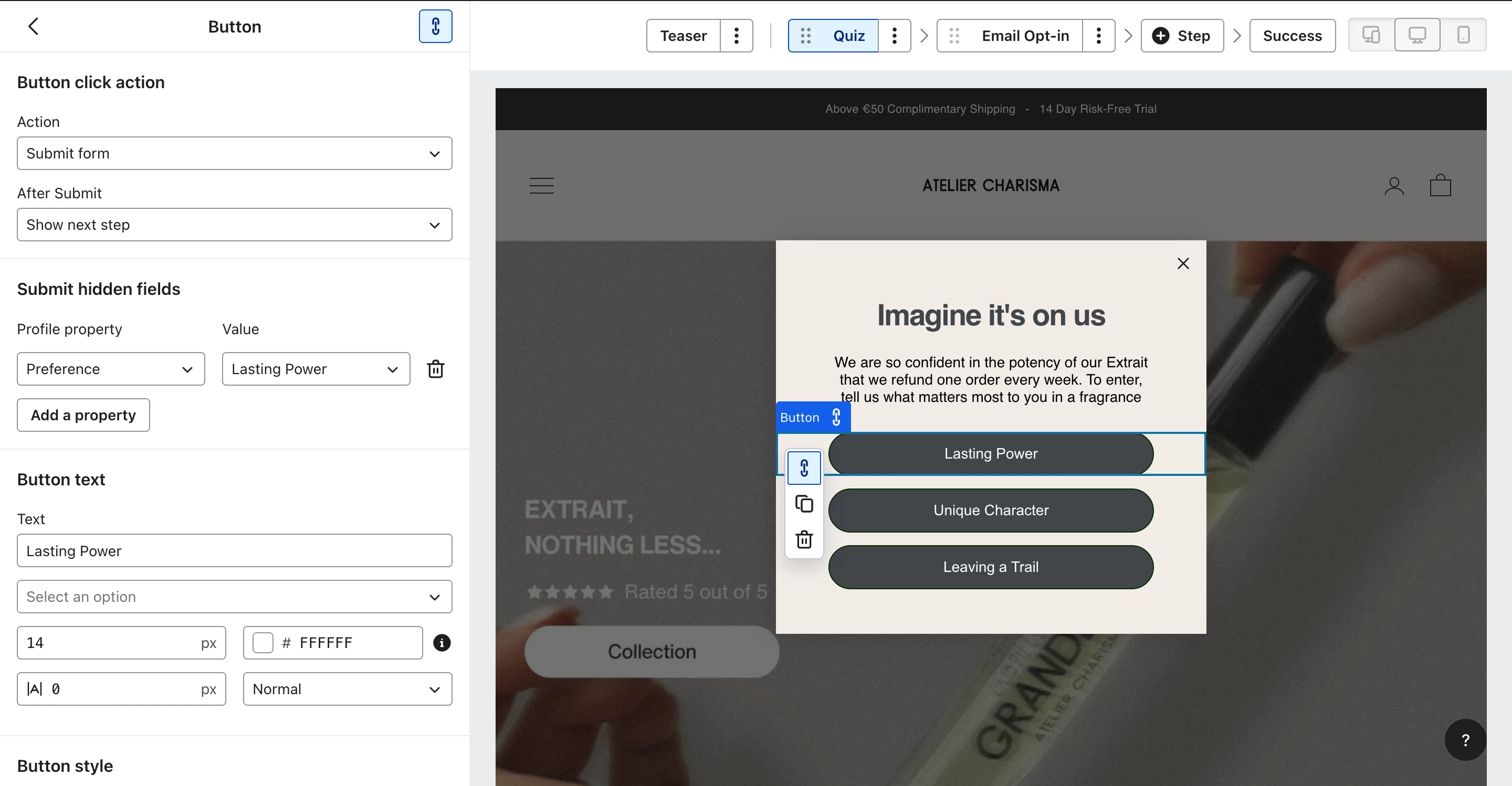
I am building a Sign-up Form and I'm trying to add a Radio Button question to collect customer preferences.

The Goal: I want the answer to be saved as a new Custom Property on the profile.

The Problem: In the form editor, under "Profile Property", I am struggling to create a new property.

  1. When I type a new name, it doesn't seem to register or create the property key.

  2. I am also confused about the "Value" field vs the "Label".

Currently, when I test the form, the data is not appearing under the "Custom Properties" section of the profile.

Question: How do I correctly set up a Radio Button block so that it automatically creates a new Custom Property with the specific Value I entered?

Screenshots attached of my current settings.

Thanks.

2 replies

whereisjad
Expert Problem Solver IV
Forum|alt.badge.img+16
  • Expert Problem Solver IV
  • December 18, 2025

@Jarnobroekkamp how come you are not utilizing the standard radio button element in your form?  I see that you are currently trying to force the effect by having a button and then having it set hidden fields which isn’t possible with the Klaviyo Form Editor.  You can always create the form externally from Klaviyo and have it call a client side Klaviyo API to add a user to the list.  Described here


Forum|alt.badge.img+1
  • Author
  • Contributor I
  • December 19, 2025

Because i don’t like the way the radio button looks tbh