Contributor III
October 30, 2025
Solved

Using Klaviyo form as a B2B contact form

  • October 30, 2025
  • 2 replies
  • 155 views

Hi there,

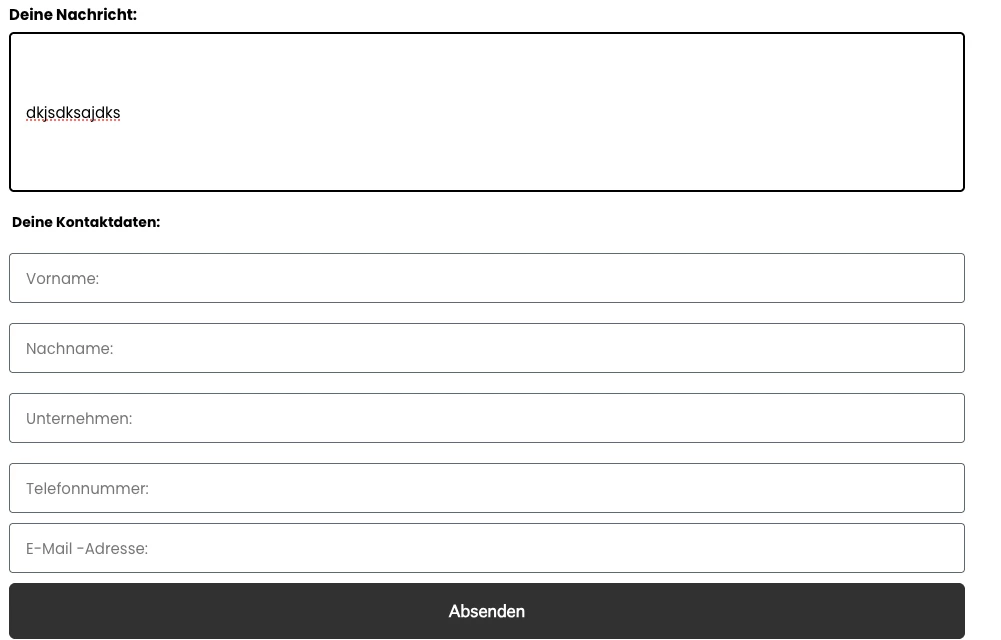
I’m using a Klaviyo form to create a contact form for our B2B customers (together with a flow that notifies our sales team of new leads). I’m having trouble with the “Open message” field, which is currently a single-line text input. This makes it difficult for customers to see what they’re writing. I’ve confirmed with Klaviyo that there’s no way to make just this one field larger without resizing all the other fields (like name, company, and email).

We also tried adjusting it via CSS (see below) — it looks bigger visually, but it’s still a one-liner input field.

Has anyone faced this issue before and found a solution?

Thanks in advance!


Best answer by whereisjad

@Justyna have you considered implementing this as a custom HTML form that posts to Klaviyo? Only thing to occur at the end is to call the client side subscribe api described here

2 replies

whereisjad
Expert Problem Solver IV
October 30, 2025

@Justyna have you considered implementing this as a custom HTML form that posts to Klaviyo? Only thing to occur at the end is to call the client side subscribe api described here

— Jad A | Klaviyo + Shopify + API Integrations Specialist • 7+ Years' Experience Helping with new setups, seamless integrations, and API connections—happy to connect. http://ja-technical-consulting.xyz/
JustynaAuthor
Contributor III
November 3, 2025

Thanks! We’ll try it out : )