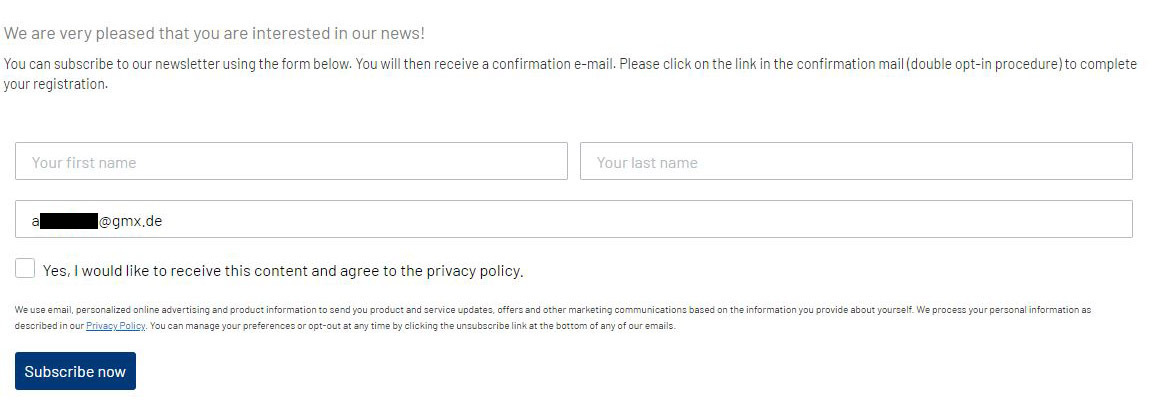
Hi, in one of our integrated signup forms the e-mail address field is pre-filled with a random address, see screenshot. This only happens in Google Chrome and Firefox browser, also not in the incognito mode. Does this happen to anyone else? How can I fix this?
Thanks in advance, Marleen
Best answer by David To
Hello @Marleen P.
Thanks for being a part of the Klaviyo Community!
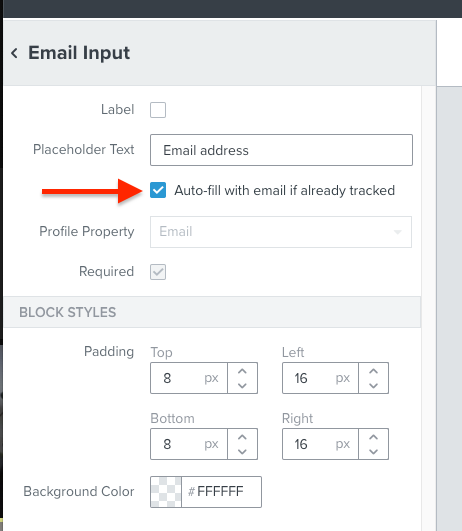
Can you confirm if you have the Auto-fill with email if already tracked setting enabled within your form? You can find if you are using this setting by selecting the Email Input block and reviewing its settings.
With this setting enabled, the form’s Email Input block would automatically populate with the email address that is recognized via the cookies of the browser. In this case, if you were helping a customer make an order or in some way became cookied with an email address, then when visiting the site, the form would automatically be populated with that specific cookied email address. For reasons such as this, when testing, we recommend utilizing Incognito or Private browsers which do not contain cookies or caches that may be interfering with your tests.
Can you confirm if you have the Auto-fill with email if already tracked setting enabled within your form? You can find if you are using this setting by selecting the Email Input block and reviewing its settings.
With this setting enabled, the form’s Email Input block would automatically populate with the email address that is recognized via the cookies of the browser. In this case, if you were helping a customer make an order or in some way became cookied with an email address, then when visiting the site, the form would automatically be populated with that specific cookied email address. For reasons such as this, when testing, we recommend utilizing Incognito or Private browsers which do not contain cookies or caches that may be interfering with your tests.
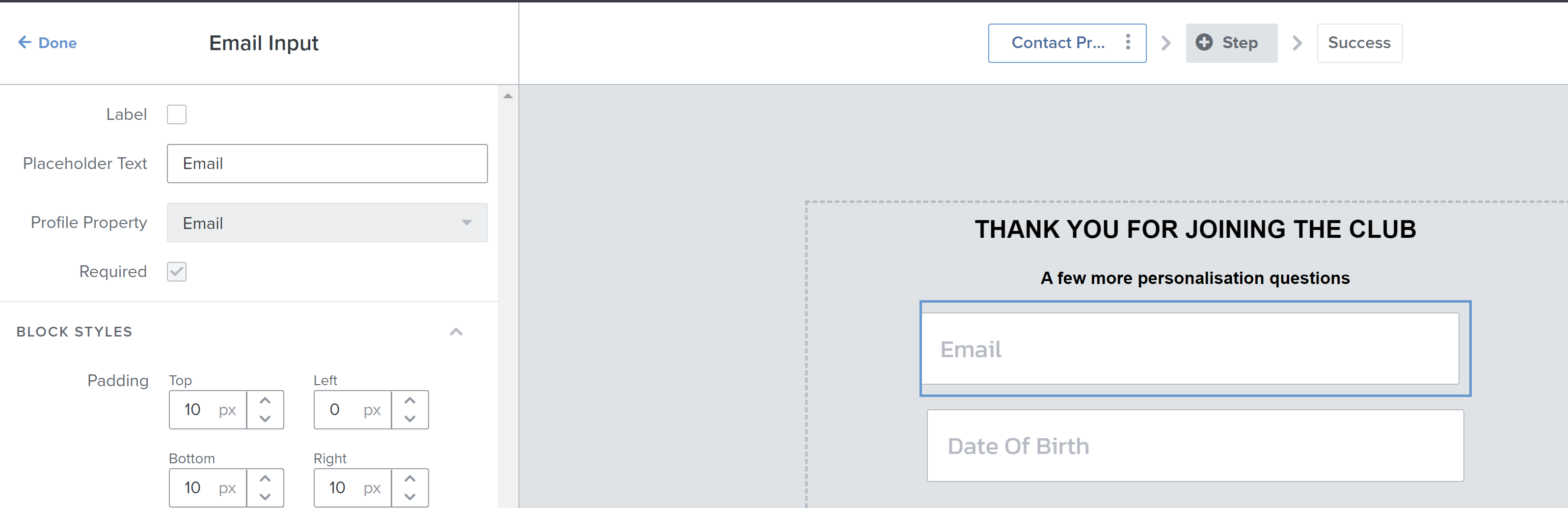
@david.to Thanks for posting this, I’ve just looked into the form settings and the auto-fill check box is missing on the email component. Any ideas? Thanks Screen shot below.
Would like to post an update that this feature is no longer available. This is following an overall security improvement to prevent bad actors from potentially capturing user email and phone numbers.