


Contributor I
June 19, 2021
Solved

Abandon Cart Flow misfiring Woo Commerce and YITH Request for Quote

  • June 19, 2021
  • 2 replies
  • 266 views

I have my out of the box Abandoned cart flow set up in my new WooCommerce store and its working but there is slight glitch due to my setup. I am using YITH request a quote which allows a customer to add items to the quote and submit for pricing. Once they submit the quote, Klaviyo appears to be interpreting this as those items were left in the cart and triggers the abandoned cart flow. Is there a way around this? 


EDIT: There are two ways a user can create a quote. One is to build a quote cart and the other is to convert the shopping cart to quote in the checkout screen. The later is when the abandoned cart flow is triggered. This makes sense functionally, but it would like for the flow to not activate when the cart is converted to quote.
    This topic has been closed for replies.
    Best answer by julie.accardo

    Hi @Nuetron,


    Thanks for reaching out to the Klaviyo Community!

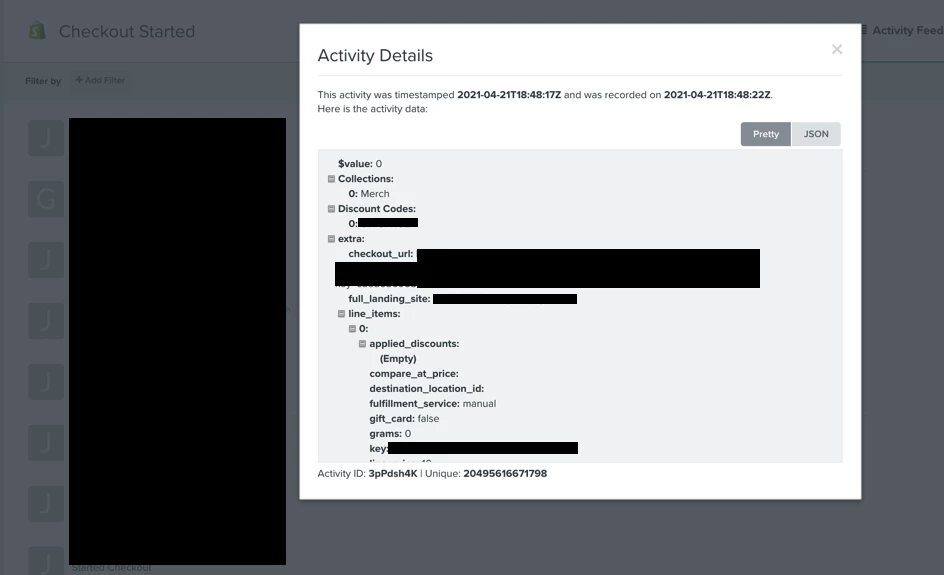
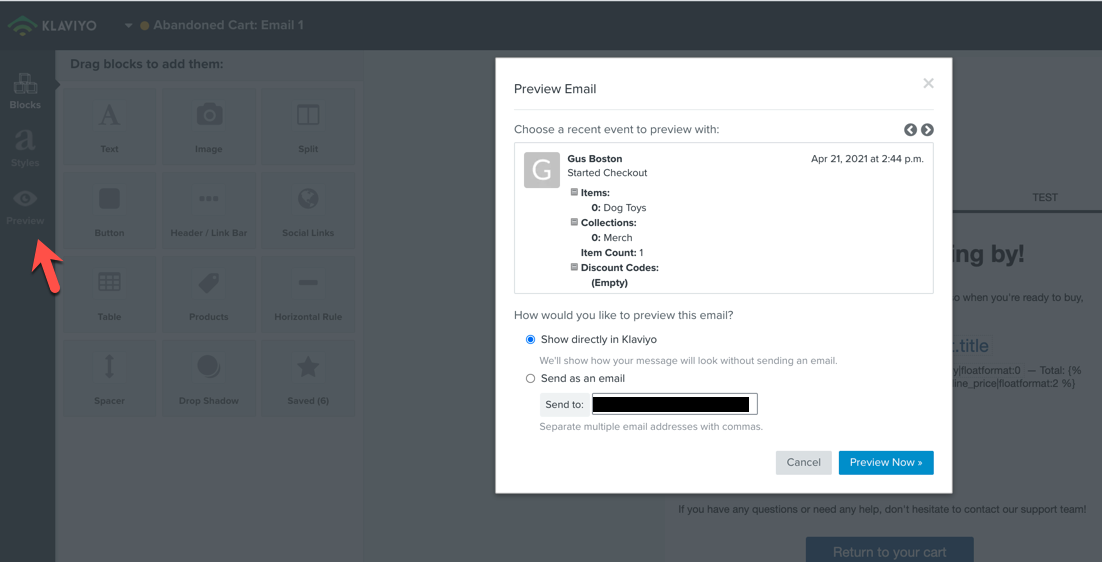
    I’d start by troubleshooting the Started Checkout event payload to see if there is an event property that gets passed with “quote carts” that you can then use to add as a trigger filter.  This way any user with a Started Checkout event with a “quote cart” event property will get excluded from this flow.


    How to review an event/metric payload:

    • Option 1: Analytics > Metrics > Activity Feed > Click on timestamp
    • Option 2: Click into the flow > click in the email > click ‘Edit’ > Edit Content > Click the “Preview” with the eyeball icon


    Have a nice weekend!

    Julie

    2 replies

    julie.accardo
    Klaviyo Employee
    Klaviyo Employee
    June 20, 2021

    Hi @Nuetron,


    Thanks for reaching out to the Klaviyo Community!

    I’d start by troubleshooting the Started Checkout event payload to see if there is an event property that gets passed with “quote carts” that you can then use to add as a trigger filter.  This way any user with a Started Checkout event with a “quote cart” event property will get excluded from this flow.


    How to review an event/metric payload:

    • Option 1: Analytics > Metrics > Activity Feed > Click on timestamp
    • Option 2: Click into the flow > click in the email > click ‘Edit’ > Edit Content > Click the “Preview” with the eyeball icon


    Have a nice weekend!

    Julie

    JA
    Contributor I
    February 22, 2022

    Hello,

    I have been using the same combination for my store i.e Request a Quote for WooCommerce and WooCommerce Abandoned Cart Recovery and I have never experienced the problem you’re talking about. It might be due to the fact that I have mini quote cart enabled which prevents from false triggering of abandoned carts.

    Have a nice day!