


Contributor I
August 5, 2022
Solved

"Added to Cart" event for Shopify

  • August 5, 2022
  • 2 replies
  • 1738 views

I have added the "Added to Cart" event for Shopify by following the Klaviyo suggested article. 

https://help.klaviyo.com/hc/en-us/articles/115001396711#where-should-i-paste-my-snippet-3


I have a confusion, They have mentioned three snipped code.

  1. Does your store redirect customers to another page, such as the checkout or cart page, after they add an item to their cart? If the answer is no, you should use Snippet 1. 
  2. Does your store use a button ID to define the Added to Cart button? If the answer is yes, ‌use Snippet 2.
  3. Does your store use class notation to define the Added to Cart button? If the answer is yes, ‌use Snippet 3.  

Now my question is, when customer click the Add to Cart button, a popup form comes.  like this,
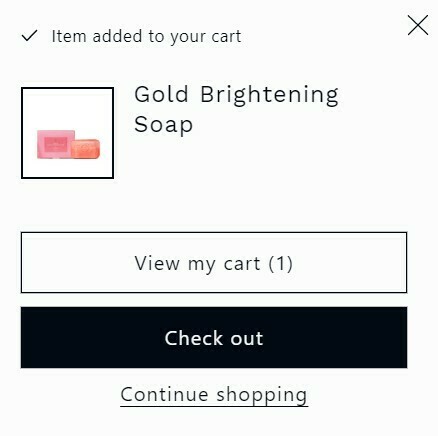
Then which snipped code should I use?


If i have the the custom block and if it doesn’t work even after using the code, then what should I do.

Please help me if possible.

thank you

    This topic has been closed for replies.
    Best answer by alex.hong

    Hi @sarwar,

    Welcome to the Community. 

    It looks like your setup uses a button to track products being added to cart so the second snippet in the help center doc should be fine. Additionally, I would like to share some resources on this topic for future issues.

    Thanks,

    Alex

    2 replies

    alex.hong
    alex.hongAnswer
    Klaviyo Alum
    August 5, 2022

    Hi @sarwar,

    Welcome to the Community. 

    It looks like your setup uses a button to track products being added to cart so the second snippet in the help center doc should be fine. Additionally, I would like to share some resources on this topic for future issues.

    Thanks,

    Alex

    sarwarAuthor
    Contributor I
    August 9, 2022

    Thank you so much for your kind information.