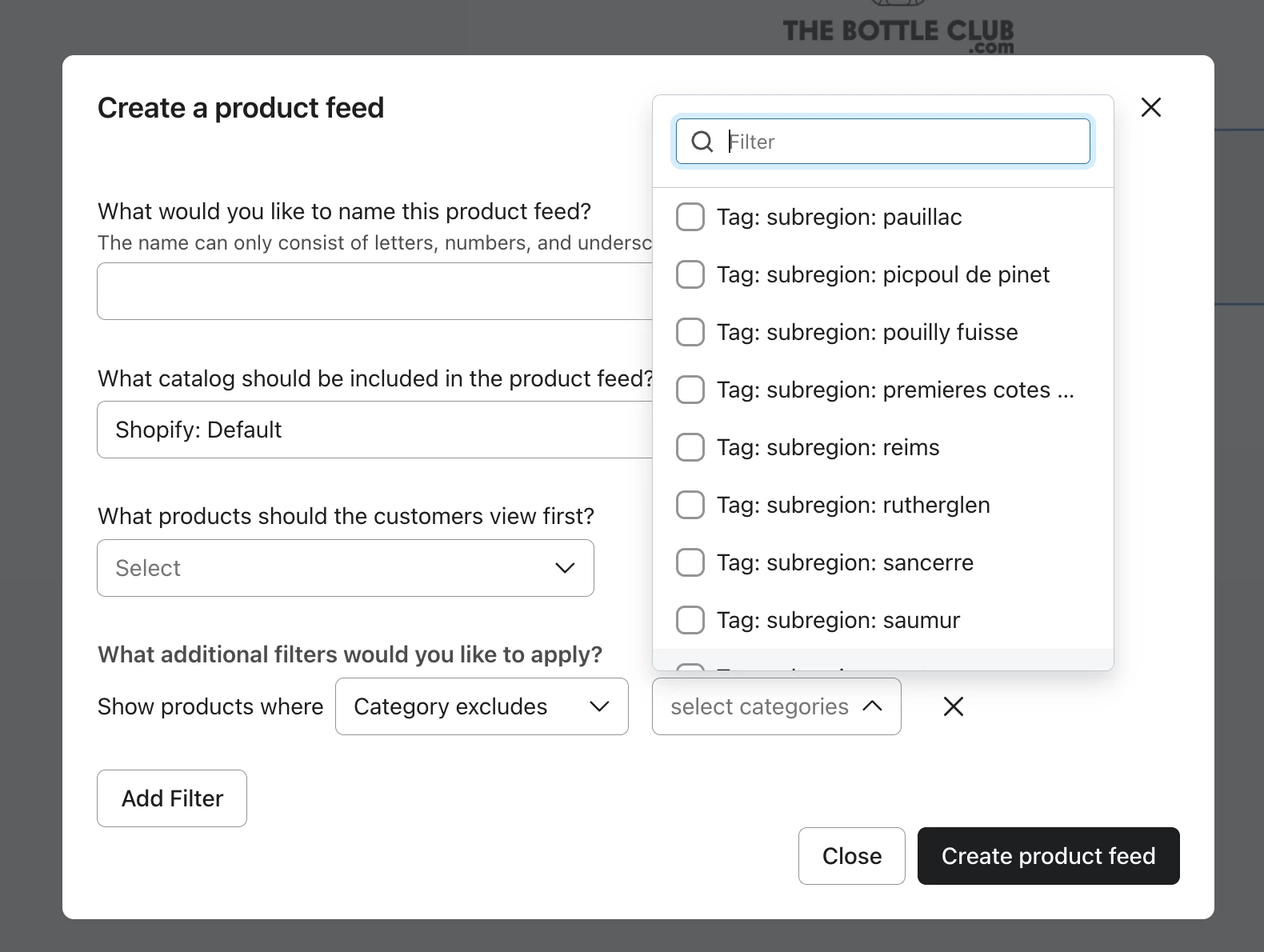
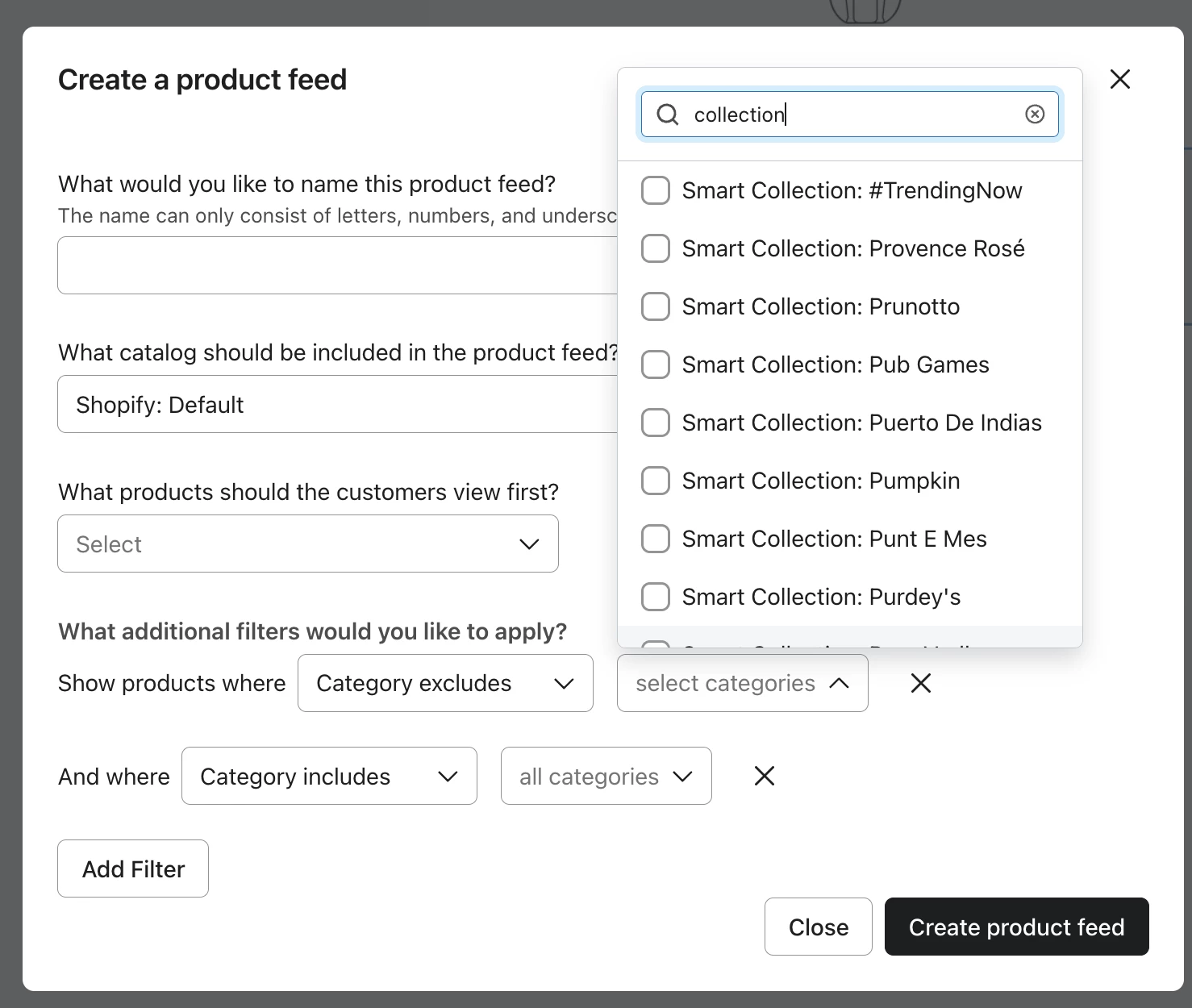
I’m trying to update an abandoned cart email flow, but my predecessor has manually tagged every “free gift” product we don’t want to show up in the email. Is there a way to use the Shopify tag “freegift” to exclude? I’ve only been able to find options to include, not exclude.
Here’s my source code:
What should I use instead ?
Best answer by TimMartinHarvey
Hey @snickerdoodles
Welcome to the community.
This is pretty easy to do using a product feed in the email builder.
Add a Product Block and select Dynamic Product Feed Create a new product feed, select the collection you are trying to pull products from and then add filter. Then Show products where “Category Excludes” and find the tag you are looking for.
Looking at the screenshot youve share, I’m wondering if by tag you mean added to the product title. Right now there is not an option to exclude based on title contains.
But a work around for this would be to build a collection in shopify where title contain X, Then instead of filtering by tag like the above example, exclude that new smart collection in the categories.
Let me know if I’m misunderstanding your question, but the != operator you see a few times in the if/else statement actually does exclude those free gift items from seeing the content inside the if/else statement.
== means equals and != means does not equals. Because your if/else statement checks to make sure the product doesn’t equal any of those 3 free gift products, they’re all excluded.
thanks! But I’m trying to understand what I should put if i were to replace “item.product.title”, as the items I’m trying to exclude are under Shopify tags, not product titles.
This is pretty easy to do using a product feed in the email builder.
Add a Product Block and select Dynamic Product Feed Create a new product feed, select the collection you are trying to pull products from and then add filter. Then Show products where “Category Excludes” and find the tag you are looking for.
Looking at the screenshot youve share, I’m wondering if by tag you mean added to the product title. Right now there is not an option to exclude based on title contains.
But a work around for this would be to build a collection in shopify where title contain X, Then instead of filtering by tag like the above example, exclude that new smart collection in the categories.
@snickerdoodles I agree with Tim’s suggestion above, but I managed to find the syntax you’re looking for. You can use:
not 'Free Gift' in item.product.tags and not 'Free Sample' in item.product.tags
This would exclude products that have “Free Gift” and “Free Sample” as an item in a list property. You’d replace “Shopify Tags” with the part of the event data that sends those tags over in the added to cart event.
Ask a Question Widget
Need help?
Get answers from Klaviyo experts and fellow community members.