Somebody (from Klaviyo) created an everybody list for us on our account when we were setting up our account. I have a feeling it was to make sure all suppressed addresses were captured however I’d like to see the ‘rules’ or definitions on how this list comes together so that I can ensure that our Shopify people are being feed into this ‘everybody’ list, but I cannot seem to find any information on how those names get on the list.
Best answer by David To
Hello @kerrib,
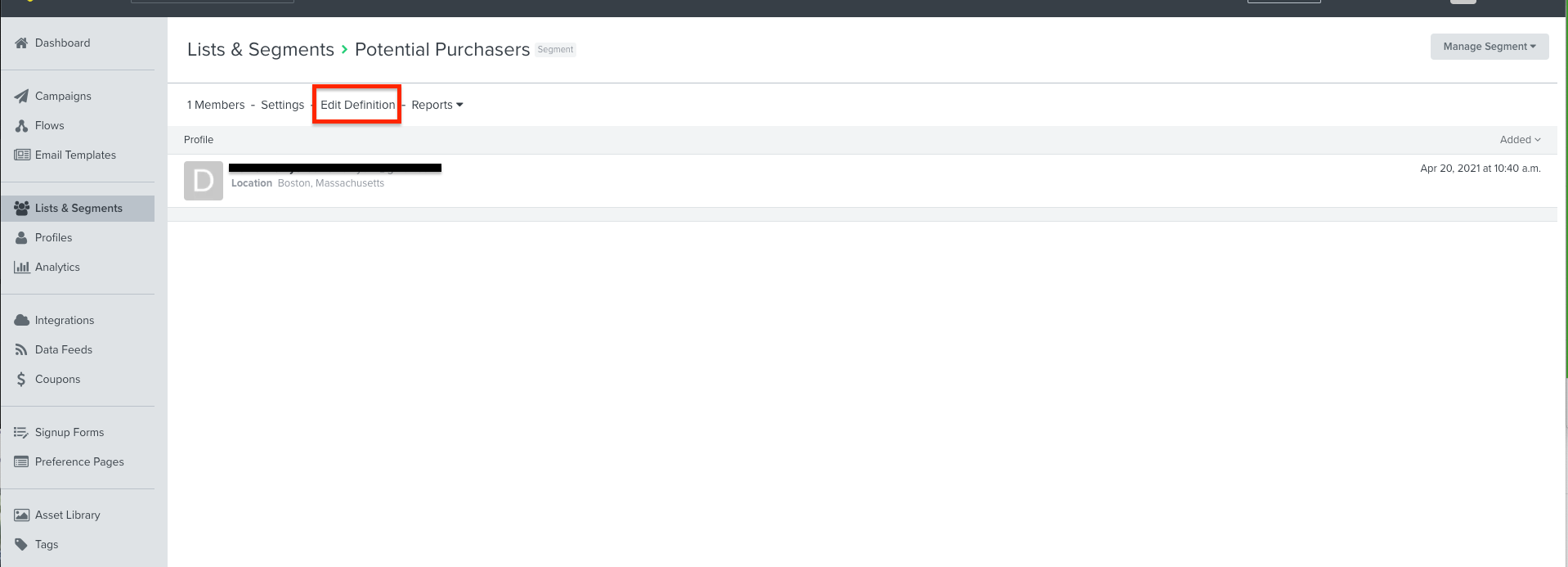
Are you working with a list or a segment? You would only be able to see the “definitions” of how a list is populated if this were a segment. This is because a segment is a collection of profiles in Klaviyo that are defined by a set of conditions. Rather than a fixed/static list of people, a segment will grow as new people meet the conditions and shrink as people no longer meet the conditions. You can see the rules used to populate a segment by clicking into this segment and going to the Edit Definitions options at the top.
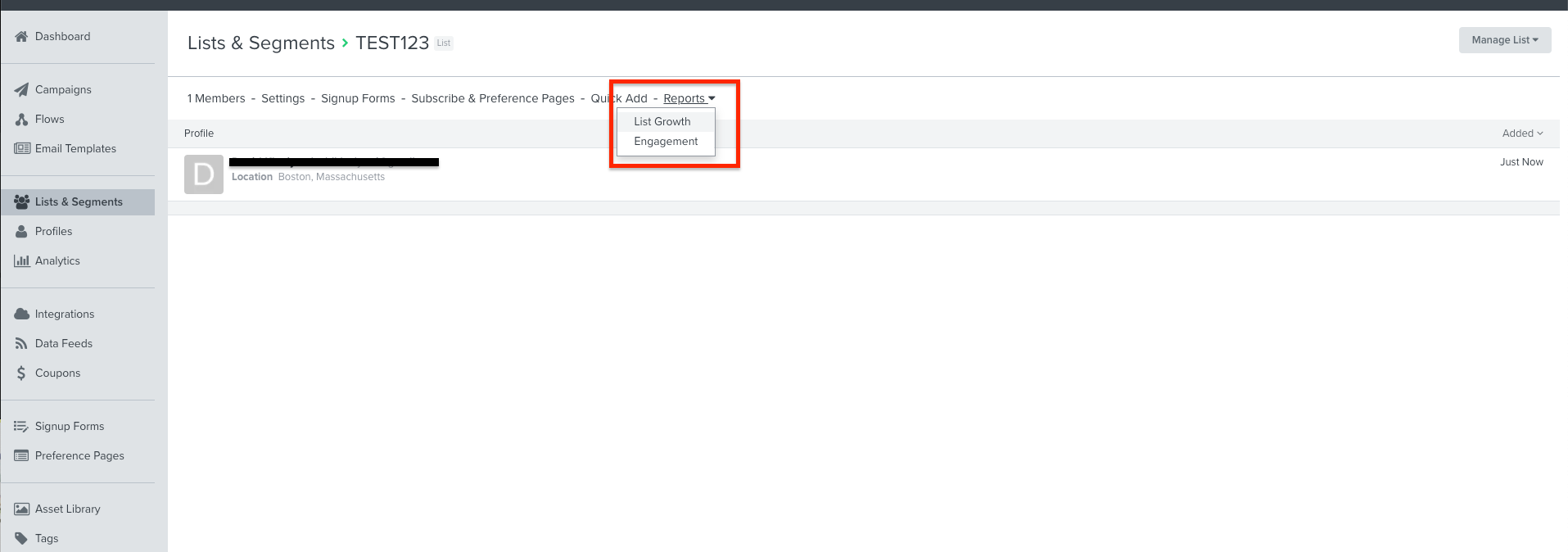
Alternatively, a list is a collection of opted-in profiles in Klaviyo that are added to the list through a wide variety of means such as through a signup form, an integration, was manually added, or through some other means. Although lists do not have “definitions” like a segment would, you can review a list’s growth report to see what sources these contacts originated from and how these contacts ended up in the list. You can see a list’s growth report by navigating into the list and selecting Reports and then the List Growth option.
Are you working with a list or a segment? You would only be able to see the “definitions” of how a list is populated if this were a segment. This is because a segment is a collection of profiles in Klaviyo that are defined by a set of conditions. Rather than a fixed/static list of people, a segment will grow as new people meet the conditions and shrink as people no longer meet the conditions. You can see the rules used to populate a segment by clicking into this segment and going to the Edit Definitions options at the top.
Alternatively, a list is a collection of opted-in profiles in Klaviyo that are added to the list through a wide variety of means such as through a signup form, an integration, was manually added, or through some other means. Although lists do not have “definitions” like a segment would, you can review a list’s growth report to see what sources these contacts originated from and how these contacts ended up in the list. You can see a list’s growth report by navigating into the list and selecting Reports and then the List Growth option.