Solved

Klaviyo Flow Shopify Product Tags in Trigger split?

  • October 2, 2024
  • 1 reply
  • 128 views

Forum|alt.badge.img+1

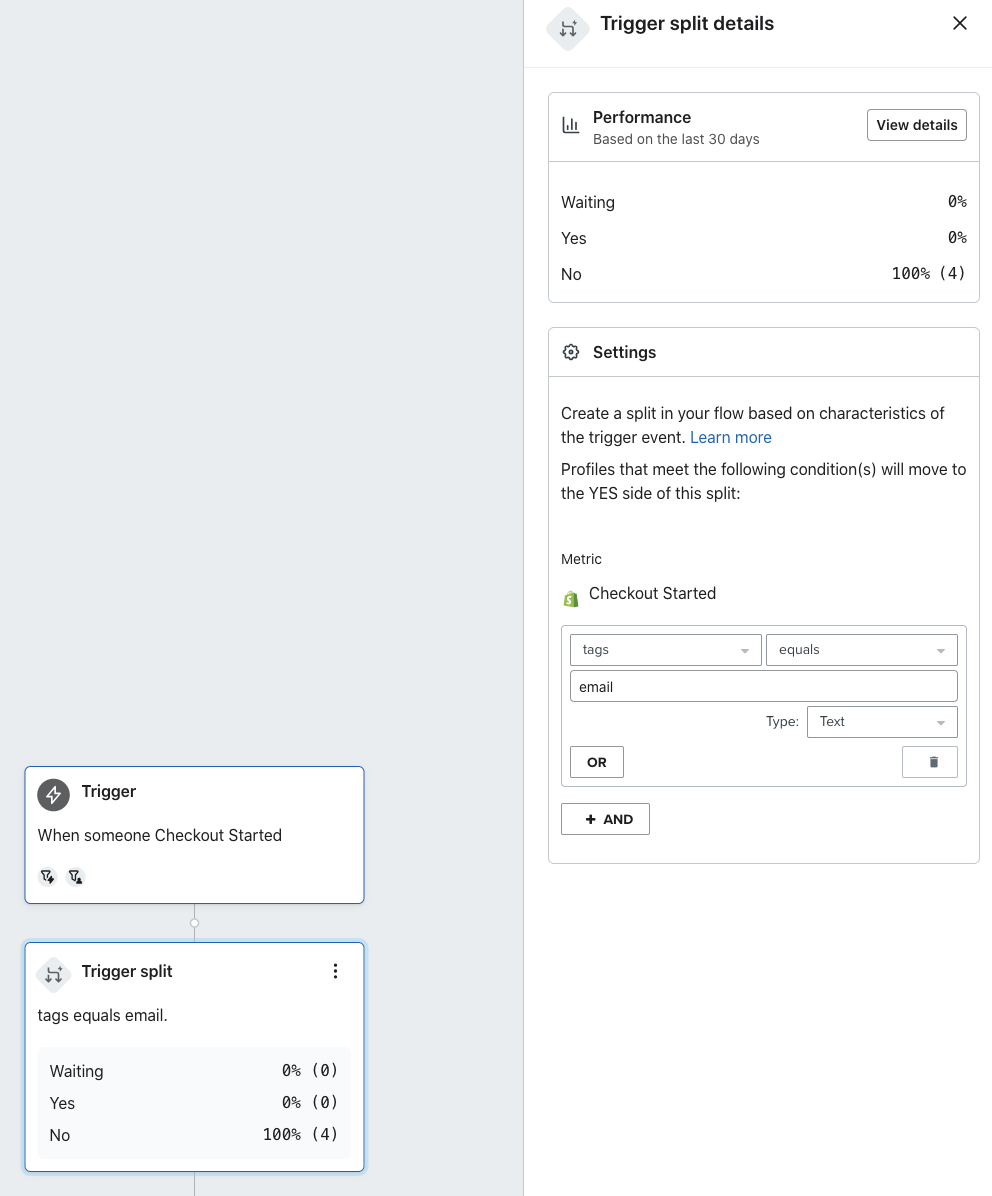
So what is the “tags” setting in the Trigger split looking for? Tags are used several ways in Shopify such as Product, Customer, Order, etc., but I am looking for this Trigger split to look for a product tag.


I tried making an Abandoned Cart Flow for a specific item, but based on the Performance for that Trigger split, the logic is putting the emails into “No”, when they should be “Yes”.
 

Best answer by bluesnapper

Welcome to the community @ChocolateMental 

The trigger split allows you to filter based on the data in the event trigger, which in your example is the checkout-started event.

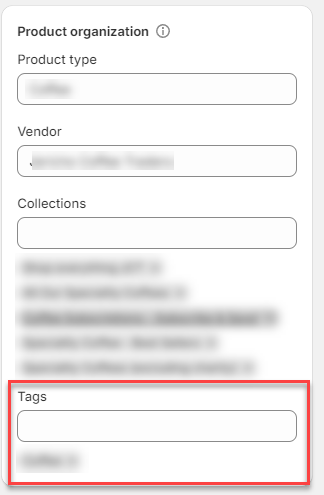
The tags dimension for this event is for the Shopify tag you’ve added manually (or by an app) to each product the customer added during checkout. See the example product below.

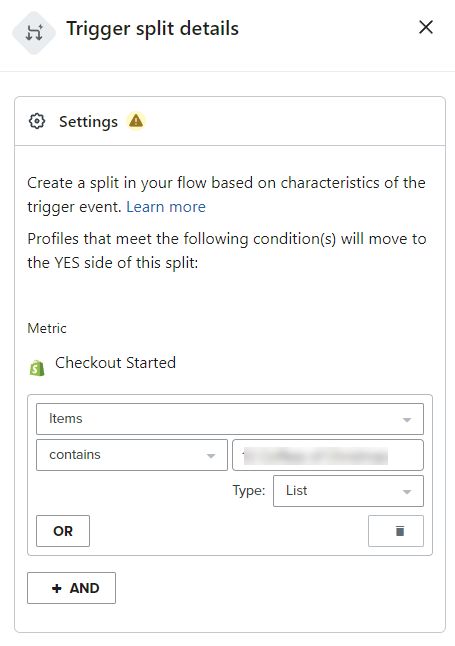
For your use case, I suggest creating a trigger split based on the specific product(s) in your checkout event, with the dimension: ‘Items’ contains [product name] and type: list (see below).

Hope that helps!

Andy 


Shopify product tags


Select product trigger split


1 reply

bluesnapper
Partner
Forum|alt.badge.img+46
  • Champion & Partner
  • Answer
  • October 3, 2024

Welcome to the community @ChocolateMental 

The trigger split allows you to filter based on the data in the event trigger, which in your example is the checkout-started event.

The tags dimension for this event is for the Shopify tag you’ve added manually (or by an app) to each product the customer added during checkout. See the example product below.

For your use case, I suggest creating a trigger split based on the specific product(s) in your checkout event, with the dimension: ‘Items’ contains [product name] and type: list (see below).

Hope that helps!

Andy 


Shopify product tags


Select product trigger split