I have sold out of some sizes and these are now on PRE-SALE.
Solution
Can someone please help me with my flow so that when someone buys a product thats on Pre-Sale, they don’t get the usual ‘thankyou for buying’ email, but instead another one saying ‘thanks for buying on pre-sale’
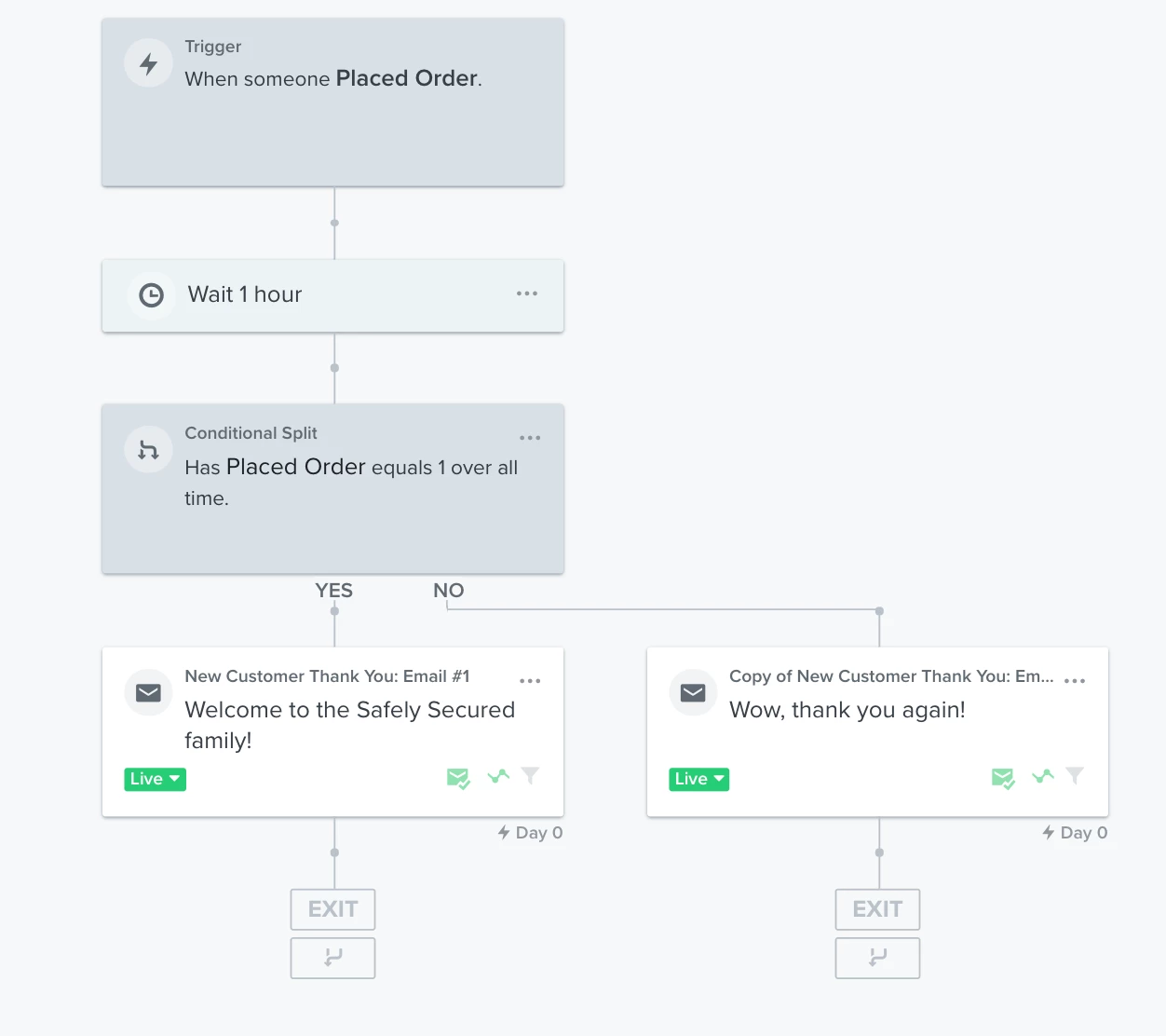
Below is the current flow.
Any advice would be greatly received.
Matt
Best answer by Dov
Hi @SafelySecured,
Thank you for sharing your question with the Klaviyo Community and welcome to Klaviyo!
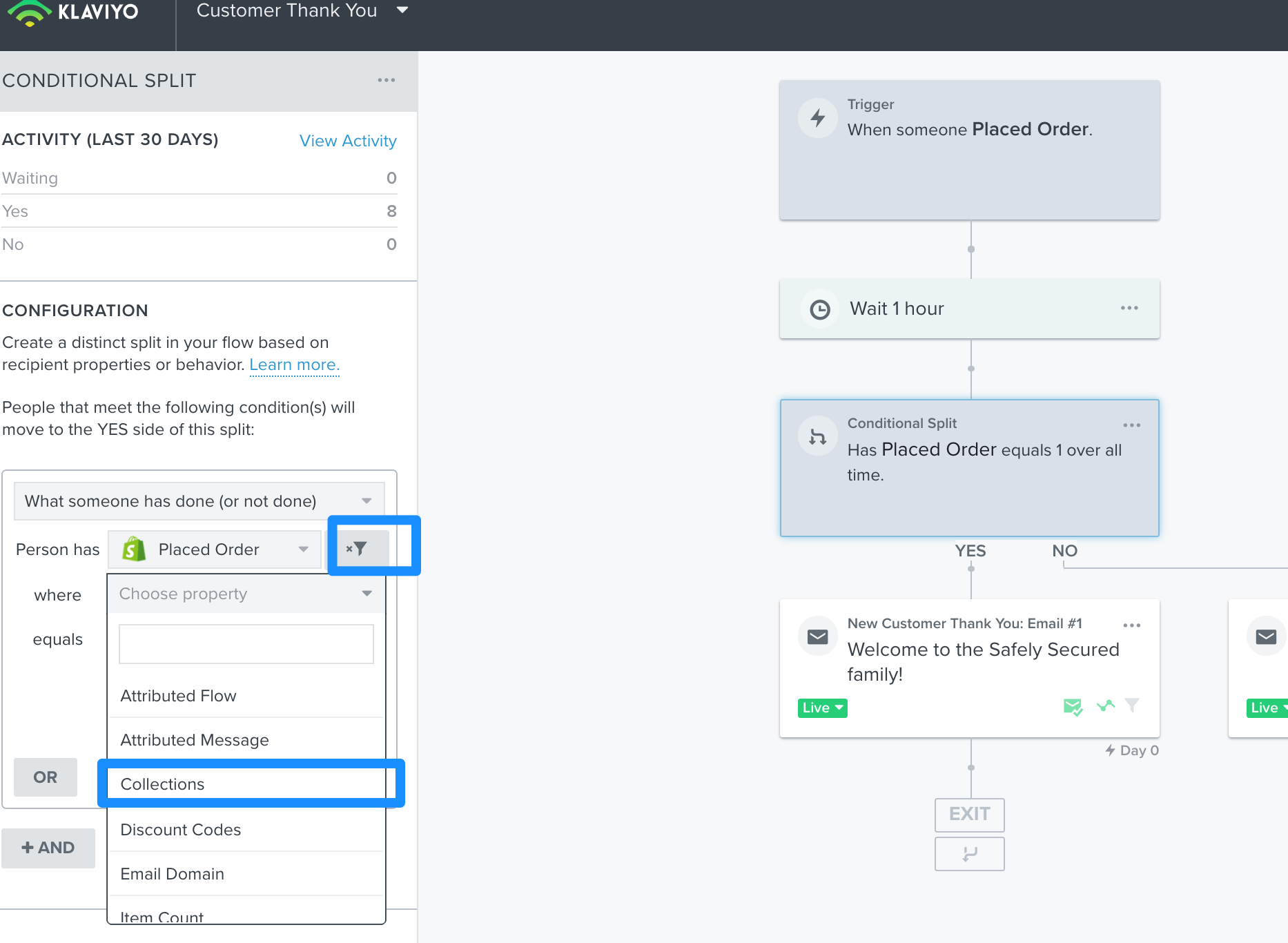
First, I recommend grouping all pre-sale items into a discrete collection in Shopify. Then, add a conditional split to your flow using the filter button for “Collections”. “What somebody has done > Placed Order where collections contains > Pre-sale”. That will put all pre-sale buyers down the “yes” path of this split and this is where you’ll place your pre-sale email. And down the “no” path you’ll place your non-pre sale item email.
Thank you for sharing your question with the Klaviyo Community and welcome to Klaviyo!
First, I recommend grouping all pre-sale items into a discrete collection in Shopify. Then, add a conditional split to your flow using the filter button for “Collections”. “What somebody has done > Placed Order where collections contains > Pre-sale”. That will put all pre-sale buyers down the “yes” path of this split and this is where you’ll place your pre-sale email. And down the “no” path you’ll place your non-pre sale item email.