Answer

Shopify Integration Problem

  • April 16, 2021
  • 2 replies
  • 652 views

Forum|alt.badge.img+7

Hi there, 

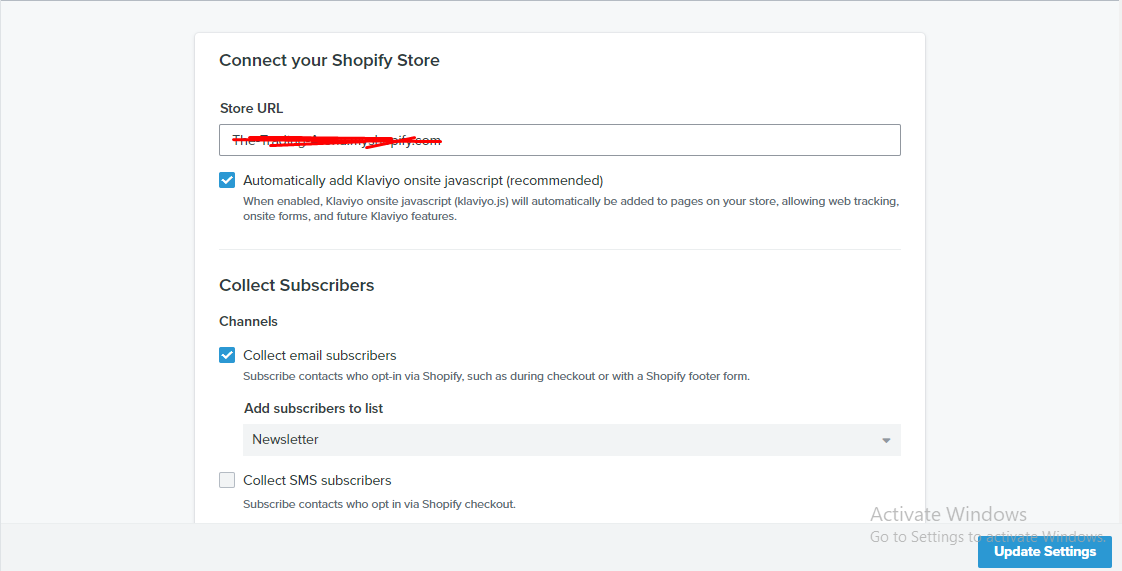
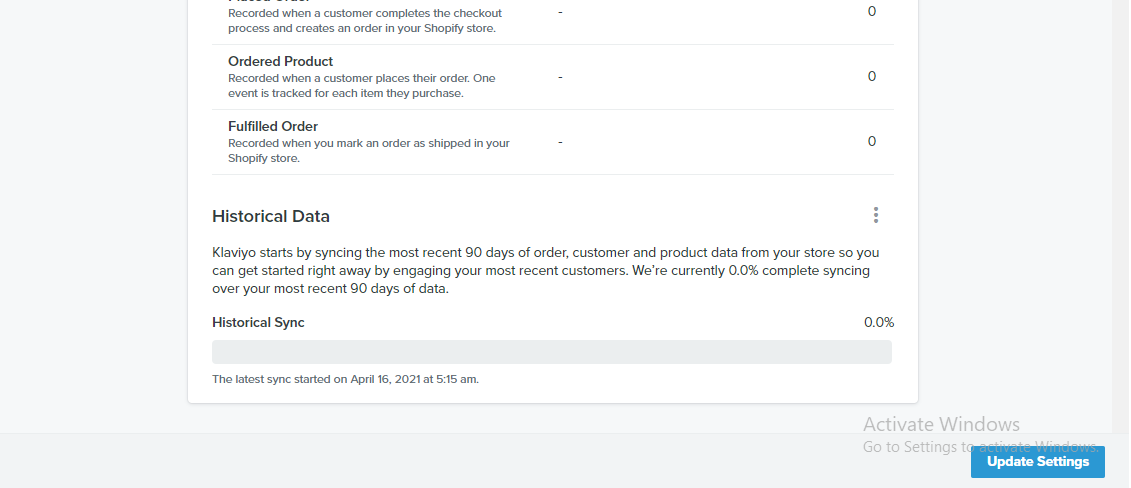
I integrate with my shopify store. But unfortunately klaviyo is not syncing any data from shopify store.

When I am going to update setting I can’t click that button. Just like it’s unclickable!

Can you help me how can I get rid of it? Thank you.

Best answer by David To

Hey @forman

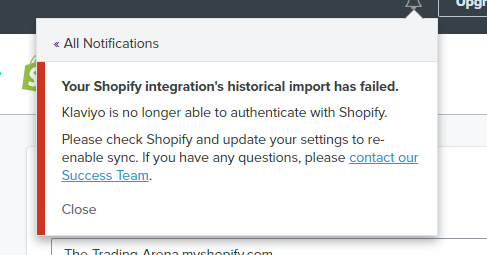
The error message provided of “Klaviyo is no longer able to authenticate with Shopify” appears to indicate that your Klaviyo account may have run into an authenticate issue when connecting with Shopify. You can typically alleviating this issue by re-authenticating the Shopify integration with Klaviyo by following the below steps:


  1. Completely remove (not Disable) the Shopify integration in Klaviyo: https://www.klaviyo.com/integration/shopify
  2. Log out of Klaviyo
  3. Log back into Klaviyo via an incognito window
  4. Re-add Shopify from the All Integrations tab: https://www.klaviyo.com/integrations


?name=inline618031342.png

Let us know how this goes!

-David

2 replies

Forum|alt.badge.img+7
  • Author
  • Problem Solver I
  • April 16, 2021
And also I see this.

@dov.derin 


David To
Klaviyo Employee
Forum|alt.badge.img+60
  • Klaviyo Employee
  • Answer
  • April 27, 2021

Hey @forman

The error message provided of “Klaviyo is no longer able to authenticate with Shopify” appears to indicate that your Klaviyo account may have run into an authenticate issue when connecting with Shopify. You can typically alleviating this issue by re-authenticating the Shopify integration with Klaviyo by following the below steps:

  1. Completely remove (not Disable) the Shopify integration in Klaviyo: https://www.klaviyo.com/integration/shopify
  2. Log out of Klaviyo
  3. Log back into Klaviyo via an incognito window
  4. Re-add Shopify from the All Integrations tab: https://www.klaviyo.com/integrations


?name=inline618031342.png

Let us know how this goes!

-David