Answer

Shopify order confirmation addresses lay out

  • April 12, 2021
  • 1 reply
  • 325 views

Forum|alt.badge.img+2

Hi all,

I am setting up my order confirmation e-mail using the Shopify template. I am using 2 columns to display the billing address and shipping address.

In desktop view the two columns are shown next to each other. However in mobile view they are displayed below each other.

I would like to display it next to each other in mobile view too. Tried to choose a smaller font fize and tried to decrease the column width, but this did not help.

Is there any known solution for this?
Best answer by Dov

Hi @DopestJewelry,

Thank you for sharing your question and looking to the Klaviyo Community for some solutions.

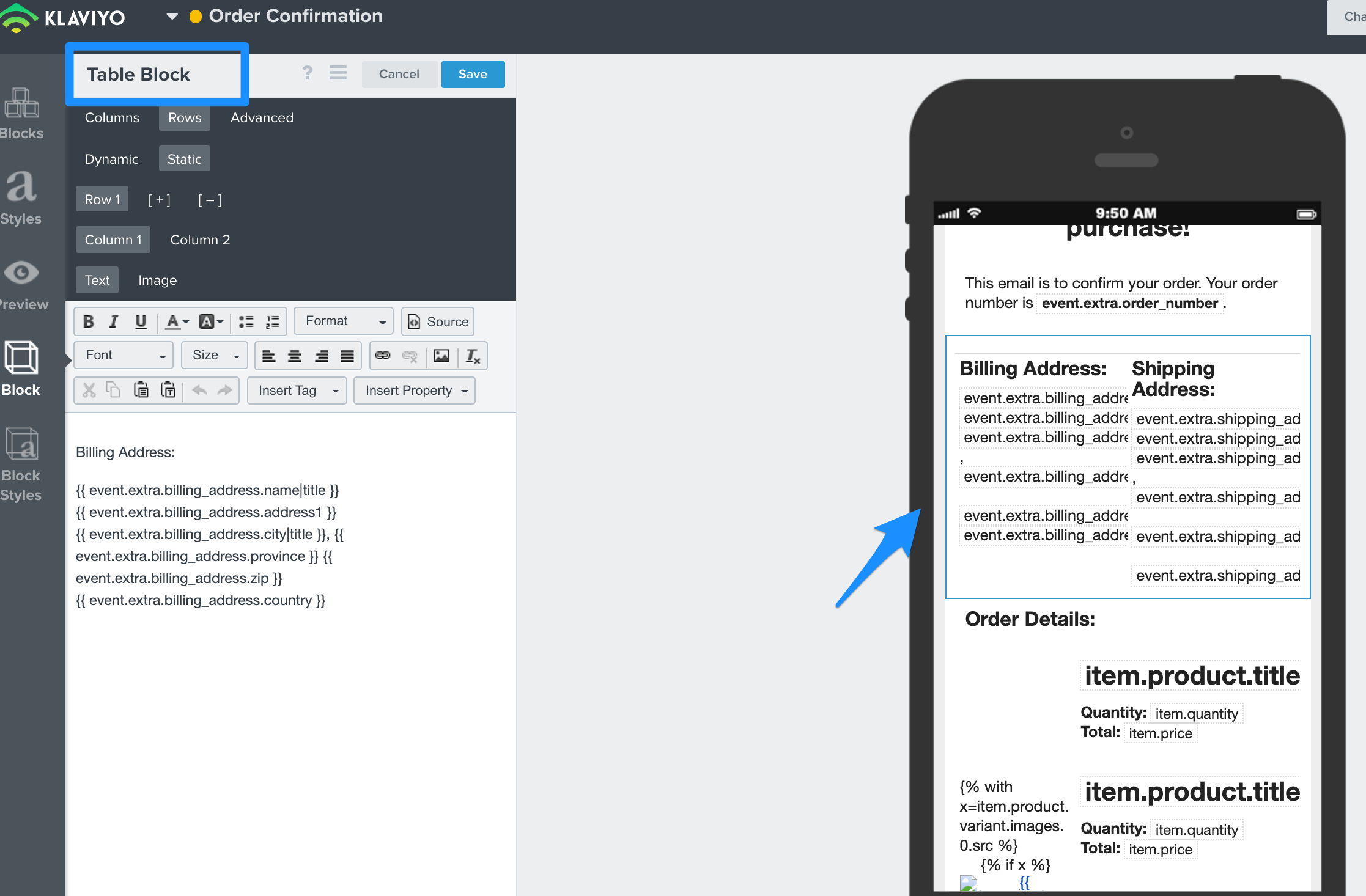
Yes, the best solution is to use a table block instead of a text block. You can copy and paste the content from the text blocks into the table block directly by navigating to Rows > Column 1 (paste billing address tags) and then Rows > Column 2 (paste shipping address tags). Ensure you remove the default column headings (under the columns tab) or modify the column header names as you’d like.

Then, when previewing on a mobile device these columns will display side-by-side. I realize the in-app preview looks slightly off, but when you send an actual preview the text should align properly.

Thanks and have a great day.


1 reply

Dov
Forum|alt.badge.img+61
  • Klaviyo Alum
  • Answer
  • April 13, 2021

Hi @DopestJewelry,

Thank you for sharing your question and looking to the Klaviyo Community for some solutions.

Yes, the best solution is to use a table block instead of a text block. You can copy and paste the content from the text blocks into the table block directly by navigating to Rows > Column 1 (paste billing address tags) and then Rows > Column 2 (paste shipping address tags). Ensure you remove the default column headings (under the columns tab) or modify the column header names as you’d like.

Then, when previewing on a mobile device these columns will display side-by-side. I realize the in-app preview looks slightly off, but when you send an actual preview the text should align properly.

Thanks and have a great day.