Solved

Where to Find the Subscribe and Preferences pages under Lists & Segments

  • November 10, 2020
  • 3 replies
  • 347 views

Hello,

I’m trying to provide a Subscribe form that I can share on social media and would like to just send them a form.  The Help Center shows that this is found in Lists & Segments > Preferences:
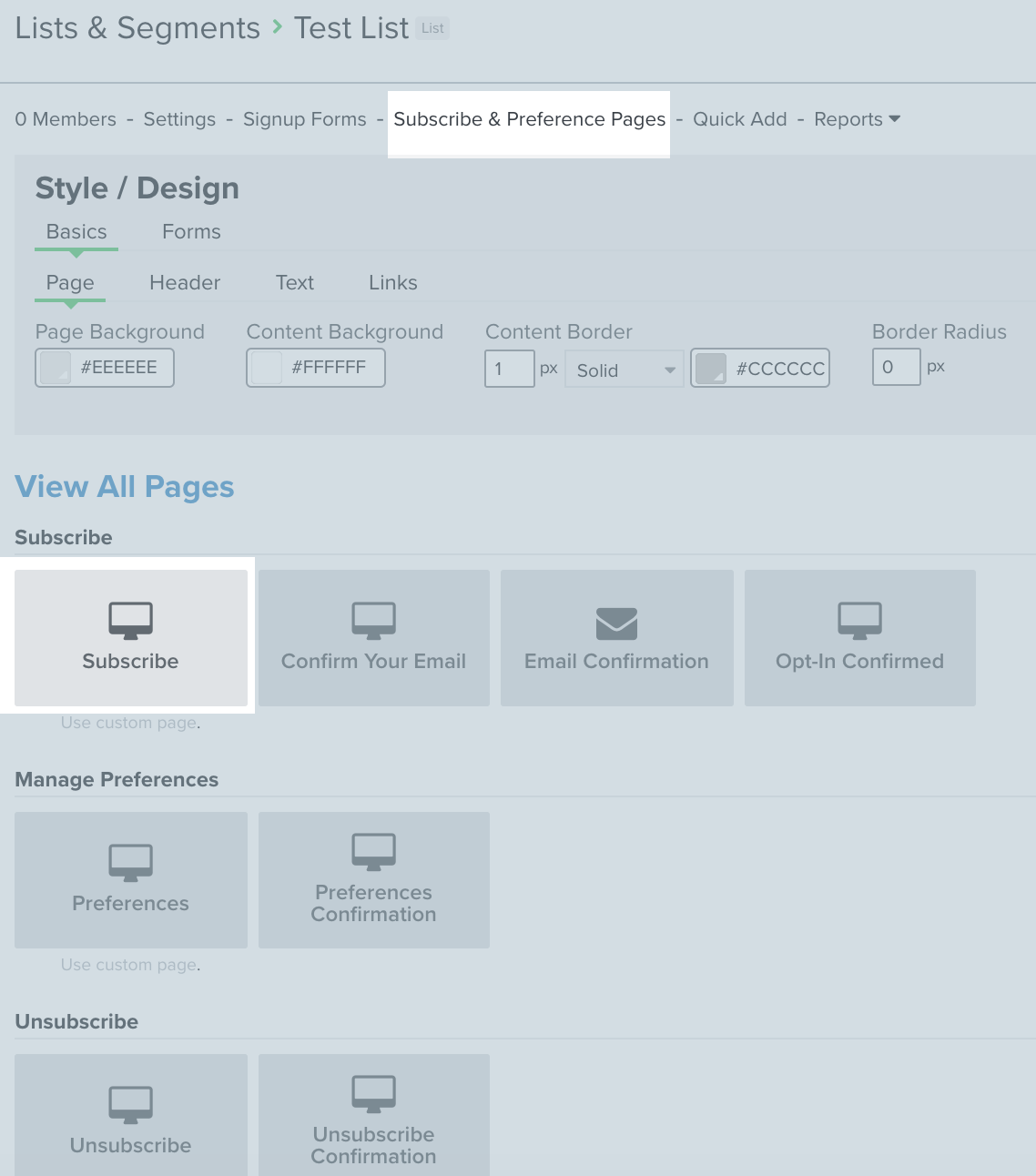


However, on my account, Preference Pages is further down under my Sign Up Forms area.  I only have the Manage Preferences and Unsubscribe areas...not the Subscribe.  How can I get the Subscribe area?  Additionally, will that generate a link that can be shared with customers and/or added to my campaigns?

Best answer by retention

Let me see if I can help here:

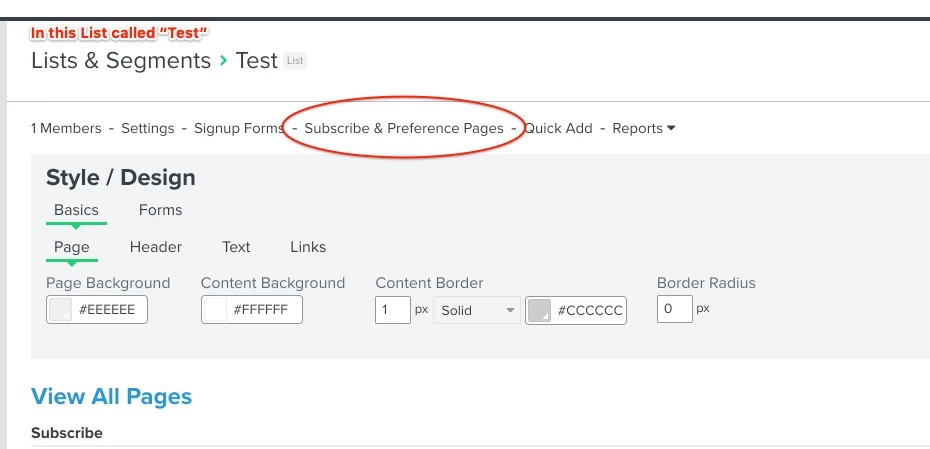
  • Every LIST (not Segment) has its own Subscribe Page.  You need to go to a specific List, then click on the “Subscribe & Preferences Page” tab.
  • The “Preference Pages” (under the Signup Form) is to manage the preferences when someone click on “Update Preferences” when you are sending emails to a Segment or from a Flow (since a Segment or Flow can include people from different Lists).


Hope this helps!

3 replies

retention
Partner - Platinum
Forum|alt.badge.img+62
  • 2025 Champion
  • Answer
  • November 10, 2020

Let me see if I can help here:

  • Every LIST (not Segment) has its own Subscribe Page.  You need to go to a specific List, then click on the “Subscribe & Preferences Page” tab.
  • The “Preference Pages” (under the Signup Form) is to manage the preferences when someone click on “Update Preferences” when you are sending emails to a Segment or from a Flow (since a Segment or Flow can include people from different Lists).


Hope this helps!


cassy.lee
Forum|alt.badge.img+9
  • Klaviyo Alum
  • November 10, 2020

Hi @homesweethomebakery
Thanks for asking this question and for being a part of our Community! 

@retention is totally right with this answer! It’s worth noting that if you are looking at a “segment” in your “List and Segments” tab, you won’t see the Subscribe & Preference Pages link. You have to click into a list.  

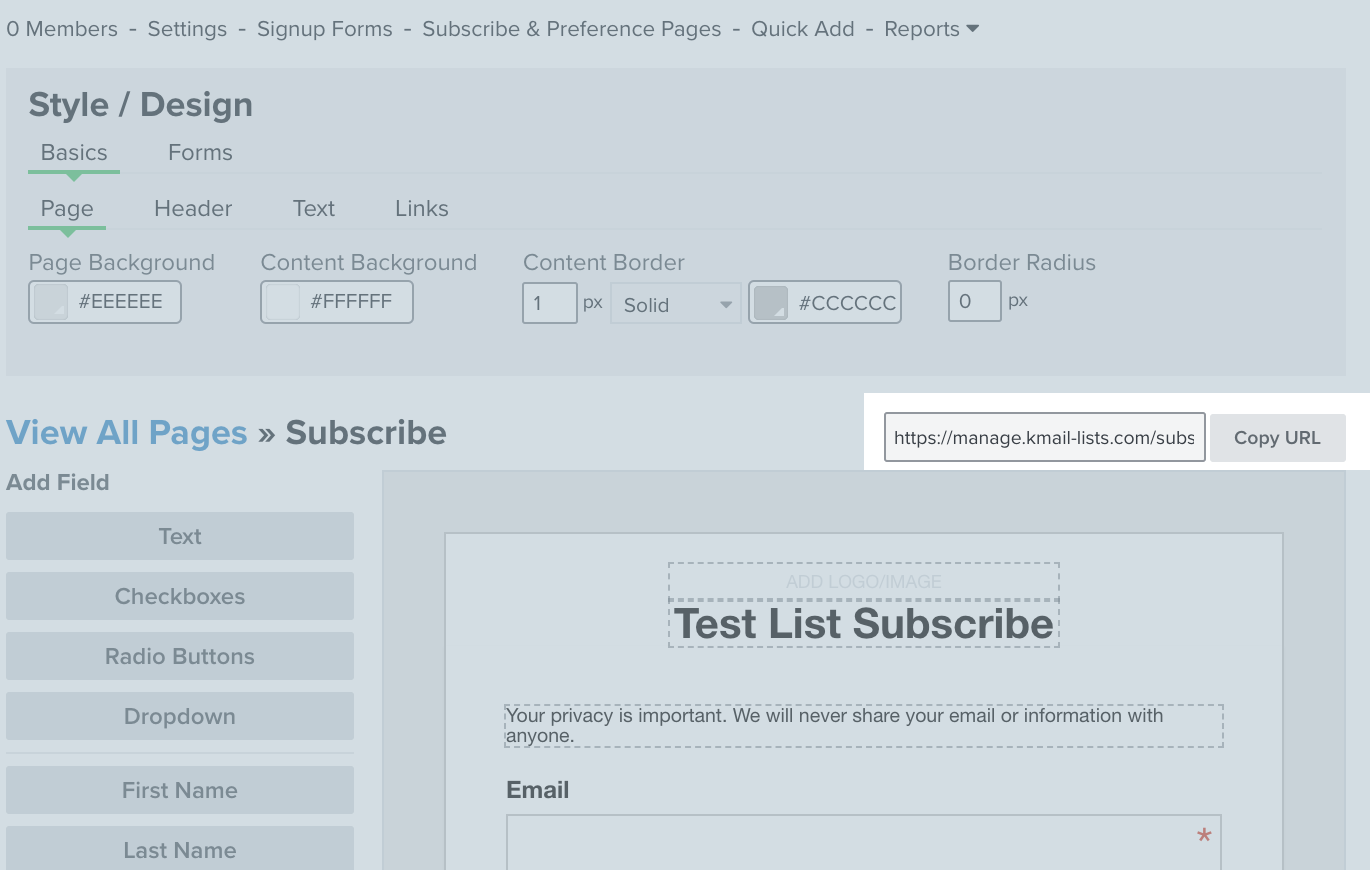
Once you navigate to the list, and go to Subscribe & Preference Pages, you’ll see the link to copy the list URL to share on your social channels. 


-Cass.


  • November 10, 2020

Thank you!!  This is what I was looking for.  I didn’t realize it was separated out like that.