Hey @Kevin Patrick,
Just adding to @chelsgrove’s great suggestion, it seems like there’s two issues going on.
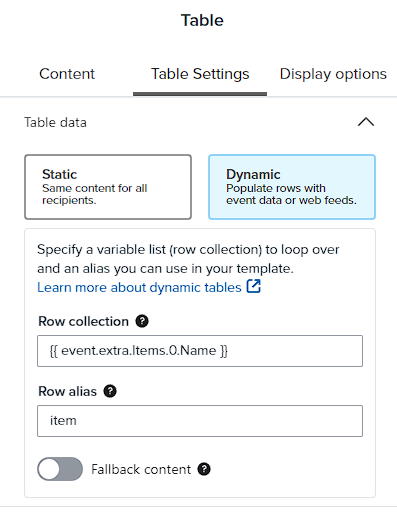
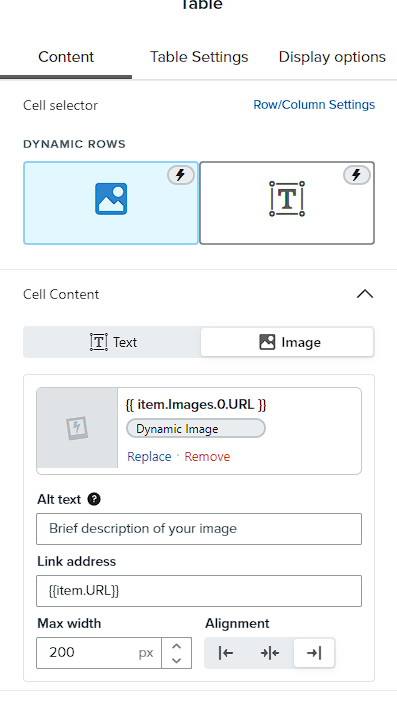
One of the first things I noticed was, if you’re using a standard WooCommerce integration, then it doesn’t seem like you’ve defined the row collection in your dynamic table block correctly.
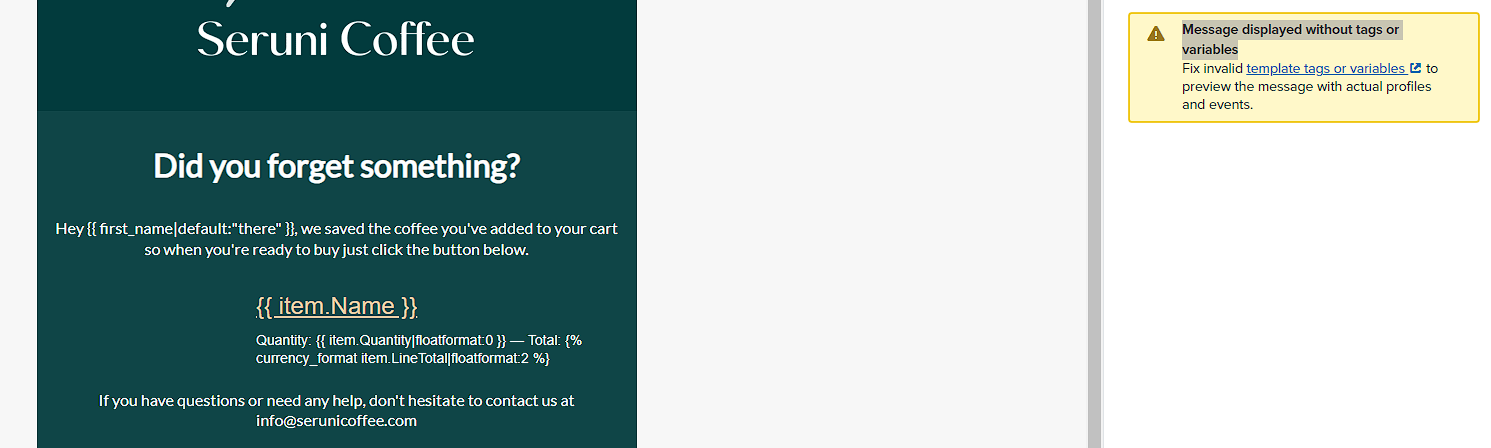
Secondly, it doesn’t seem like you have recorded any started checkout events yet. Without any events recorded, I can certainly see how it would make building your dynamic table block difficult. This would also explain why when previewing the email, you aren’t seeing anything come through - in addition to the incorrectly defined row collection.
I would strongly suggest manually triggering a started checkout event first. Doing so will make building your dynamic table block a lot easier.
If you are using a standard WooCommerce connection, I’m also curious why you aren’t using a prebuild abandoned cart flow from the Flows Library. The prebuilt flows Klaviyo offers already have a dynamic table blocks built out in each email.
In addition to the How to build dynamic blocks in a flow email Help Center article previously provided, I think you’ll also find our How to personalize flows with dynamic event data and How to create an abandoned cart flow articles really helpful. You can also check out this great post our Template Specialist, @Anna McCarthy created which includes a walkthrough tutorial:
I hope this helps!
David