


Mike Jaramillo
Klaviyo Employee
Klaviyo Employee
September 6, 2022

The new nav experience - we want to hear from you!
  • September 6, 2022
  • 15 replies
  • 609 views
The new nav experience - we want to hear from you!


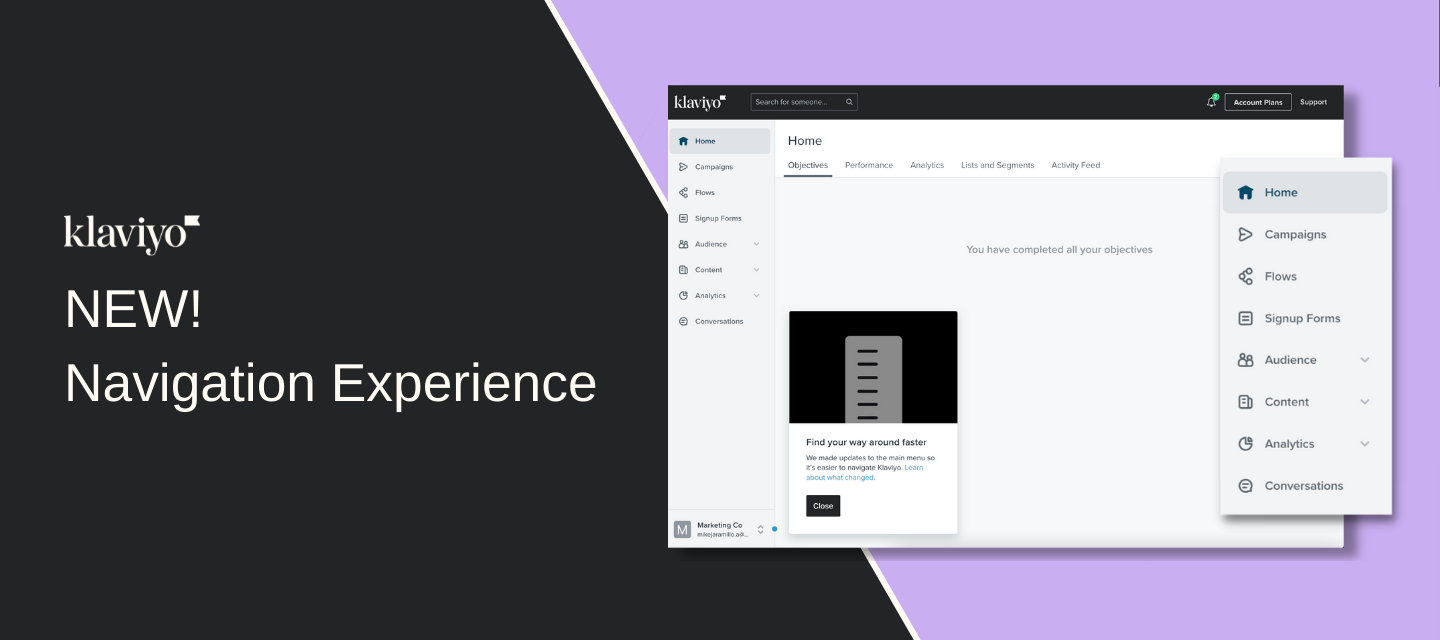
Now that it’s launched, we want to hear from you. Let us know what you think in this thread or through this form


Here is a summary of changes: 

  • Our main navigation got a complete redesign

  • We were aiming for simplicity and more of a modern design

  • Our goals were to avoid disrupting workflows and/or discoverability of the tools you use everyday

  • We kept the most used tools at the top level nav (Campaigns, Flows, Signup Forms)

  •  Integrations has moved into Settings

  • The nav now incorporates some accessibility enhancements (tabbing support)

  • The Account Switcher menu has now moved (from top right) to the lower left

  • Here is a video walkthrough that I put together with the changes, so let us know...

  • What would you change?

  • What is the new nav missing?

  • What do you like? 

  • How has this change impacted your daily workflow on Klaviyo?

​​​​​​-Mike


    This topic has been closed for replies.

    15 replies

    Contributor I
    September 6, 2022

    Cannot create a new campaign or clone an old campaign! Chat support is offline! No sending - no revenue! Help! 

    Contributor III
    September 6, 2022

    Just starting to dive into the new nav... For clarity, you might want to specify that Campaigns contains drafts, previously sent, or scheduled emails and SMS messages in the documentation. Even though this is where SMS messages were prior to the new nav rollout, the documentation in the post only mentions emails. If for no other reason, it would provide clarity to new Klaviyo users who may not have been familiar with the previous navigation, and give equal representation to both marketing channels.


    Contributor I
    September 6, 2022

    Can’t get the Virtual Cards to save images and the support email messaging system is not sending out messages, just saying errors before sending with no errors showing on the page.

    Bettina
    Contributor II
    Contributor II
    September 7, 2022

    The new layout is great - so simple and love the grouping of topics.

    What would be super helpful for us? To always see the account name regardless of where you are within Klaviyo. 

    Why? we´re working across multiple accounts, one for each of our markets/countries; currently it sometimes happens that you don´t see the account name anymore. So e.g. if you´re editing a campaign, you don´t know anymore if you´re in the German/German account or the German/Austrian or the French/Canadian or the French/French account.

    It would be extremely helpful if this could be added. Thank you!

    Contributor I
    September 7, 2022

    Honestly. I had already gotten used on how to navigate the old one. It was easier. I noticed that the tiktok icon is gone. I had learned a work around for putting text over photos when making a campaign but now I have to struggle with putting the text over it. It comes up larger than the photo, then I have to take, how many minutes, to make the text small enough then changing it to what I want it to be. Its frustrating and tbh I’m already frustrated outside of this.

    Contributor III
    September 13, 2022

    Where did “Tags” go in the new nav?

    Mike Jaramillo
    Klaviyo Employee
    Klaviyo Employee
    September 13, 2022

    Where did “Tags” go in the new nav?

    Hi Brianna, Tags can be found in Settings. 
    Home Page > Settings (lower left corner nav) > More (on “Settings” page) > Tags

    Let us know if you have trouble finding this! We are currently reviewing improving the Settings page with a new redesign that should make this easier to find.

    Mike Jaramillo | Sr. Product Manager, Klaviyo
    Jessica eCommerce Badassery
    Partner
    Partner
    September 13, 2022

    I miss the old layout, but I’ve been using the platform for years so change isn’t always great. The biggest thing is that I’m a consultant and work in A LOT of accounts, so switching was more intuitive on the upper right hand side and it does seem a little buggy, doesn’t always switch. I’m sure I’ll get used to it eventually. 


    I’d also rather see some specific feature updates before a nav update, but all in good time!

    eCommerce + Email Marketing Strategist | eCommerceBadassery.com
    pierrecanel
    Contributor I
    Contributor I
    September 16, 2022

    It really feel like some mailchimp inspiration for the account switching section here :) 

    Some of the client do not like the font used - too childish, they say but I dont mind; 

    Overall it still easy to navigate. Good job guys 

    Mike Jaramillo
    Klaviyo Employee
    Klaviyo Employee
    September 26, 2022

    Cannot create a new campaign or clone an old campaign! Chat support is offline! No sending - no revenue! Help! 

    Hi @arbico-jess I wanted to follow up on this to see if you still were experiencing these issues?

    Mike Jaramillo | Sr. Product Manager, Klaviyo