


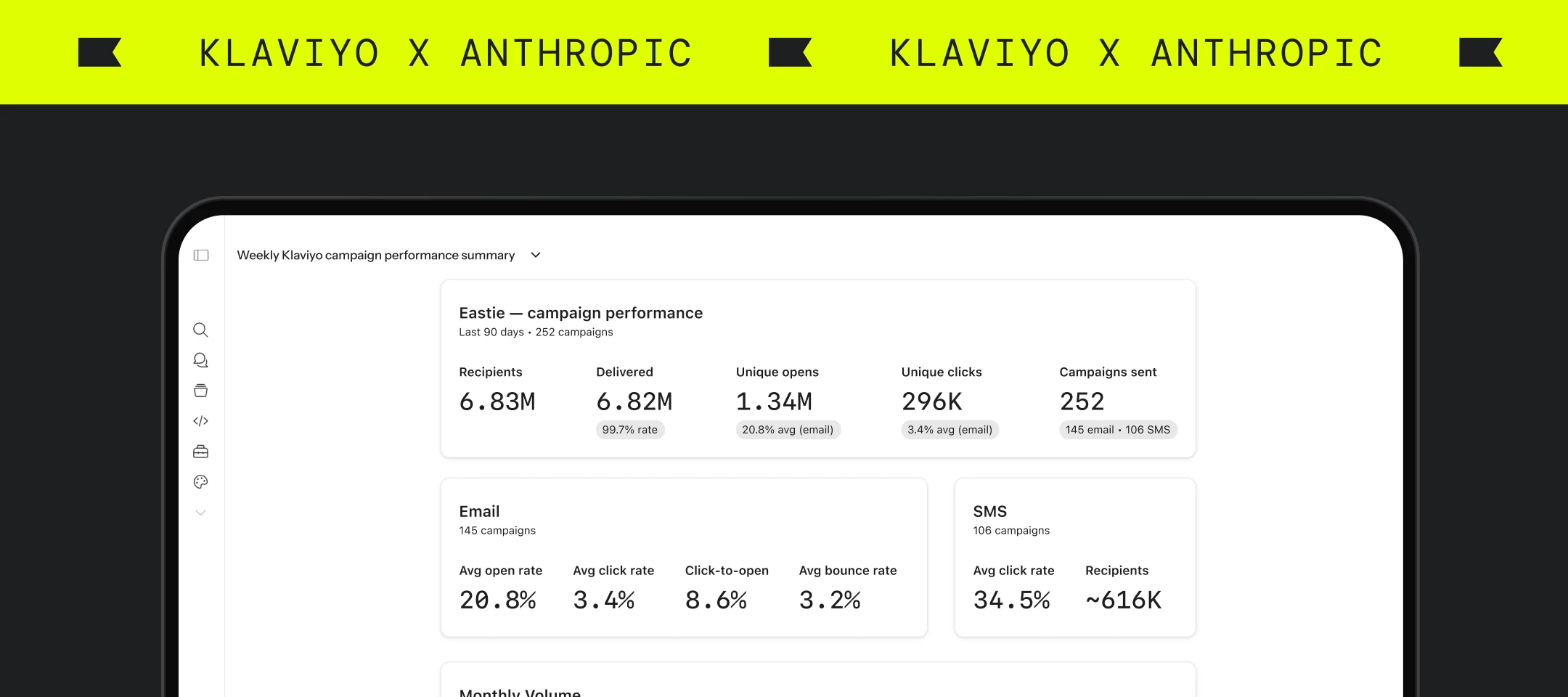

Hey Community!
Most of us have been in this situation: you know your Klaviyo data holds the answer, but getting from data to something you can actually act on like a report, a campaign brief, or a prioritized fix-it list still takes more manual work than it should.
That changes today. Klaviyo has expanded its integration with Anthropic, bringing your campaign data, flow performance, customer profiles, and more into Claude.
Now, you may be asking yourselves: “Gabby, why is this any different than before. Didn’t Klaviyo already do announce this?” To which I say: “Yes, but this time, we are really connected.” And I mean that literally. The connector is live now, and for teams using Claude Cowork, the shift goes further: you can describe an outcome, step away, and come back to finished work.
Here's what launched, how to get connected, and what to try first.
What launched
Three new capabilities are live as part of this expansion.
Updated Klaviyo Connector in the Claude directory. Klaviyo is now listed in Claude's Connector directory, making it straightforward to bring your Klaviyo data into Claude Chat and Cowork securely. Once connected, you can query campaigns, flows, profiles, and lifecycle signals using natural language aka no exports, no rebuilding dashboards in another tool.
Query Metric Aggregates (Metric Reporting). This new MCP tool exposes the same underlying data that powers Klaviyo's in-app Metric Reporting. It gives Claude access to raw performance data across channels and integrations, so you can ask complex questions about revenue, engagement, or conversions and get answers grounded in what's actually happening in your account – not inferred from generic benchmarks.
MCP Apps support. Developers and partners can now build interactive charts, dashboards, and configuration surfaces that render inline in Claude, powered by Klaviyo MCP tools. If you're technical or working with a dev team, the Claude Code ext-apps SDK makes it easier to build custom experiences on top of Klaviyo's APIs.
If you're just getting started with Klaviyo + AI tools, this earlier Community post is worth a read too: Klaviyo now works with Claude and ChatGPT: what you need to know.
How to connect Klaviyo to Claude (takes about two minutes)
Setup goes through the Claude Connector directory:
- Open Claude and go to Settings → Connectors → Browse Connectors
- Search for Klaviyo
- Hit Connect and authenticate your account
The connector is available for Claude Pro, Max, Team, and Enterprise users. For teams that want to configure a custom remote MCP connection, the full setup documentation lives here: developers.klaviyo.com/en/docs/klaviyo_mcp_server.
Worth noting: Klaviyo's approach to AI is deliberately model-agnostic. The MCP server is built to connect your customer data to the AI tools you're already using, without requiring you to commit to a single platform. Claude is one of those surfaces and not the only one.
What you can ask Claude once you're connected
Once your Klaviyo account is connected, Claude can access your data conversationally. Some starting points worth trying:
- "What were my top five campaigns by open rate last month?"
- "Which of my active flows have the lowest click-through rates over the last 90 days?"
- "Pull performance data for my abandoned checkout flow."
- "What does my lapsed purchaser segment look like right now?"
In Claude Chat, you get real answers grounded in your actual account data. That's already a meaningful improvement over switching tabs to look up numbers, especially for quick gut checks during planning.
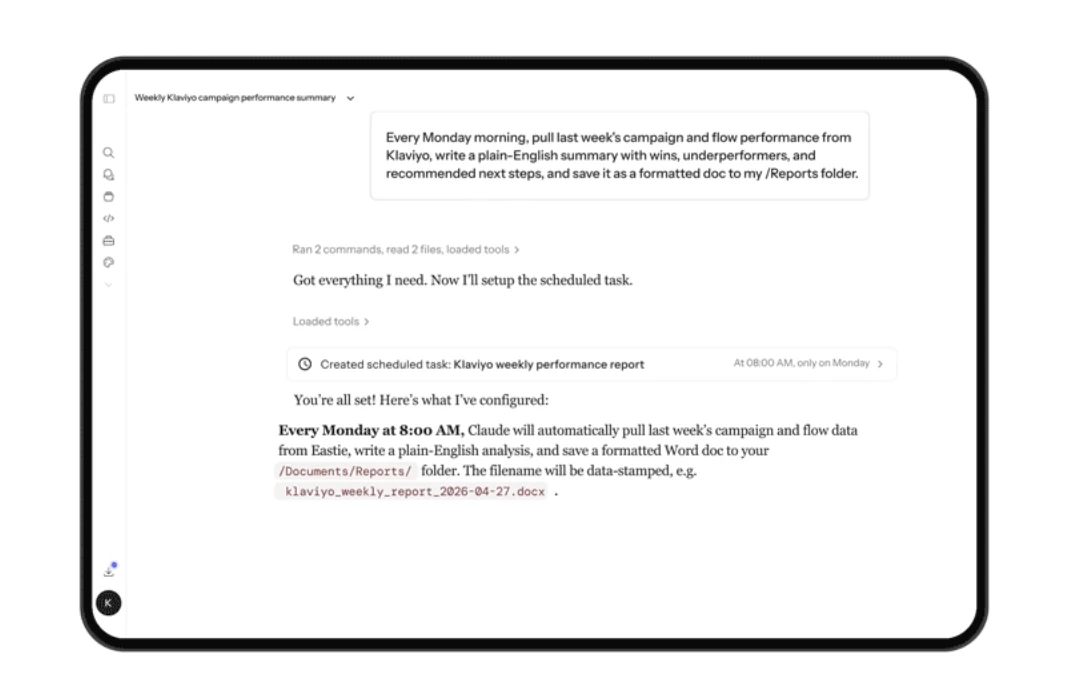
Where Cowork changes things: from answers to deliverables
Claude Chat gives you conversational access to your data. Claude Cowork is where that same connection becomes the backbone for something different: finished work.
Cowork is Anthropic's environment for orchestrated work across your desktop. It can pull Klaviyo data, write and format documents, generate copy, and save files to folders in a single unattended session. The practical shift looks like this:
- You describe an outcome: "Audit my flows and write me a prioritized fix-it list."
- You step away.
- You come back to a formatted document, ready to review and act on.
That's a different kind of workflow than a chat window.
Three workflows worth trying first
1. Weekly performance digest, auto-generated
Prompt: "Pull last week's campaign and flow performance from Klaviyo, write a plain-English summary with wins, underperformers, and recommended next steps, and save it as a formatted doc to my Reports folder."
Cowork pulls the data, writes the brief, and saves the file. The report exists Monday morning without you touching a dashboard.
2. Flow audit with a prioritized fix-it list
Prompt: "Audit all my active flows. Pull performance metrics, flag any with open rates under 20% or significant drop-off points, and write me a prioritized fix-it list."
Cowork pulls flow metrics, reasons across them, and outputs a structured document ranked by impact. The kind of review that usually takes an afternoon gets done in the background.
3. Batch copy generation from a real segment
Prompt: "Pull my lapsed purchaser segment (90+ days), write three subject line variants and email body copy for a re-engagement flow, and save the drafts to a campaign folder."
The copy isn't generated from a template. It's grounded in the actual characteristics of that segment. You review, adjust if needed, and you're ready to build.
Going further: custom skills on the Klaviyo MCP connector
For teams that want to go deeper, Cowork supports building custom skills on top of the Klaviyo MCP connector. That means you can define repeatable workflows (audience mapping, campaign brief generation, deeper metric analysis by segment or channel) and run them on demand or on a schedule.
This is more relevant for technical teams or operators ready to invest in automated marketing workflows, but it's worth knowing the option exists as you think about where AI fits into your operations longer term.
Additional resources
Klaviyo's integration with Claude is live today. Get connected in the Claude Connector directory and read the full announcement on the Klaviyo blog.
Share with the Community
Are you already using the MCP Server and/or Claude? Are you planning on trying it out? What workflows are you planning to try first?

