Welcome to the community @DISOA82
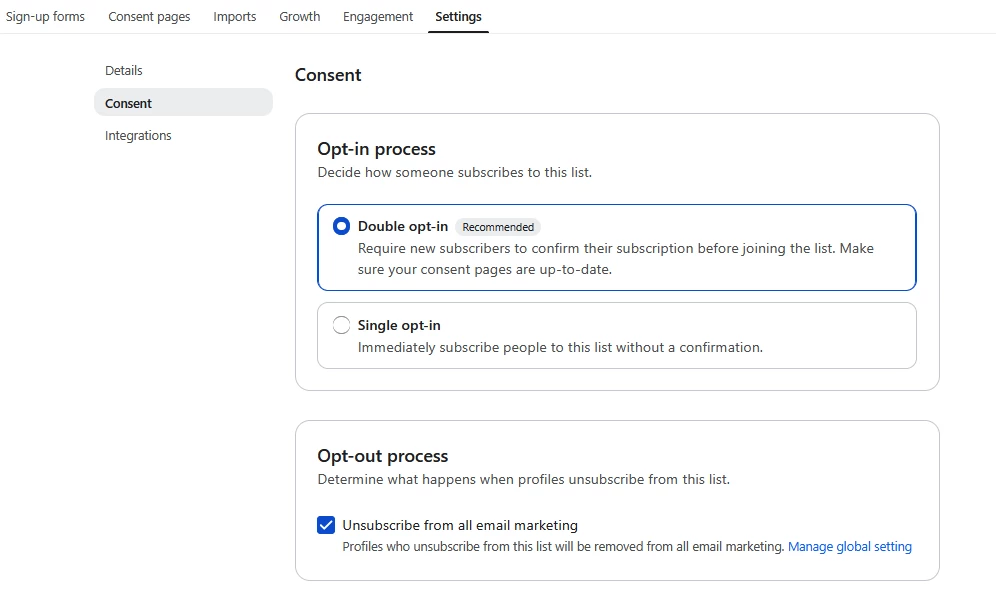
Regarding not receiving the double opt-in email, the first things to check:
- Did the opt-in email go into your spam?
- Is your test email already in your list? If it is, you won’t receive the double opt-in email for subsequent submissions.
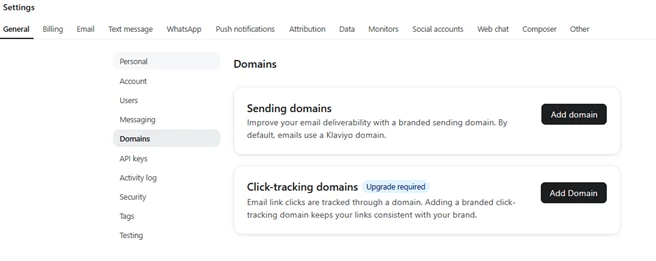
- Ensure your email sending domain is verified (domain status = active). If it isn’t, that could be affecting deliverability before it even reaches your inbox. That domain listing check is here: https://www.klaviyo.com/settings/account/domains
For editing the double opt-in email for all lists, open https://www.klaviyo.com/settings/other/consent-pages then ‘email confirmation’. From there you can make basic edits to the email and success page but those edits are restricted to subject line, styles, text, and images.
You can also make non-global edits to the double opt-in that are specific to a list. Open your list and then select ‘consent pages’ then ‘customise for this list’, then ‘email conformation’.
I hope that helps
Andy