I had previously verified my domain or at least I thought I did. I had Ionos customer service manually add 4 NS email DNS records. I have just had a theme transfer done and I'm not sure why but when I went to check I was not seeing my domain verified. Chat GPT had me deleted these NS records which I believe was a mistake as I started the verification process again and need to add them again to my records but I don't know if this is also causing an issue
If you have anything else in IONOS with host email (like CNAME email, A email, TXT email) delete it.
With NS delegation, email.* is “owned” by Klaviyo—other email records at IONOS can conflict or be ignored
Any help would be greatly appreciated as I don't not have a paid account .
Thanks,
Zack
Best answer by Byrne C
Hi @Happy Trails Pet Shop,
Welcome to the Klaviyo Community! Pretty sure we can help find a solution here. If not, feel free to send me a DM with your email address and Klaviyo account name, and I can create a support ticket on your behalf.
Just to make sure we’re on the same page - are the NS records that Klaviyo generated still in Ionos, or have they been completely removed from Ionos? If they’re gone, you’ll just need to add them back.
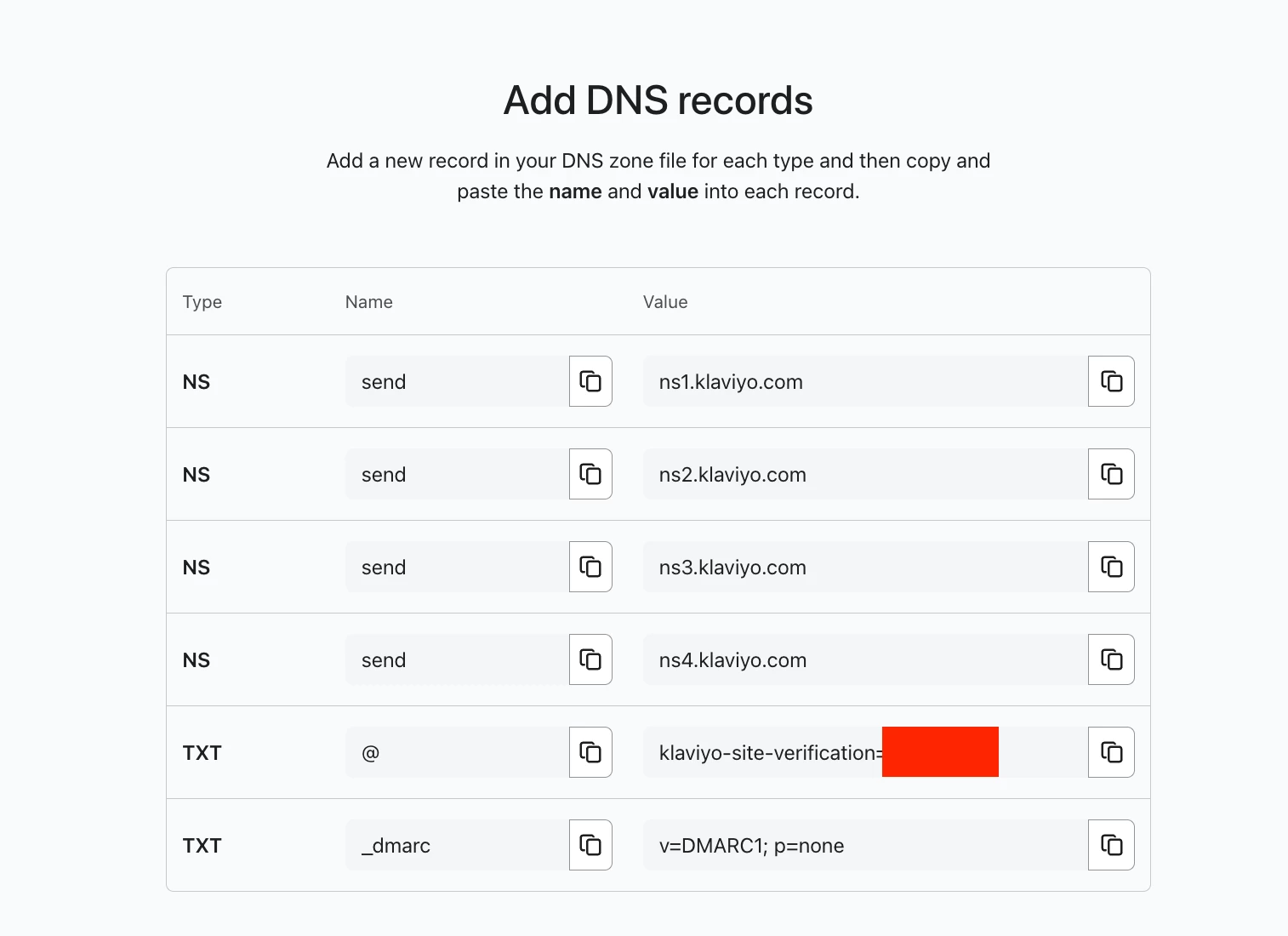
Visit https://www.klaviyo.com/settings/account/domains, and view your DNS records. Are they showing as verified with green checkmarks or disconnected? If they’re not yet verified, all you’ll need to do is copy and paste the records that Klaviyo generated for you into the records in your DNS provider. See image below for example:
This is what you should see in Klaviyo when you view your DNS records (or a very similar variation of this). To add the first of these records in Ionos, you’d first want to go to wherever you add records in Ionos (I’m unfamiliar with that DNS provider, so I don’t know exactly how to navigate there). After that, add a new record. Choose NS as the record type. Make the name “send” and make the value “ns1.klaviyo.com”. You can just copy and paste from Klaviyo if you want!
Once you repeat this process for all 4 NS records and the two TXT records, save them, and then wait a few minutes. Records often take just a few minutes to verify, but on some rare occasions, can take up to 48 hours.
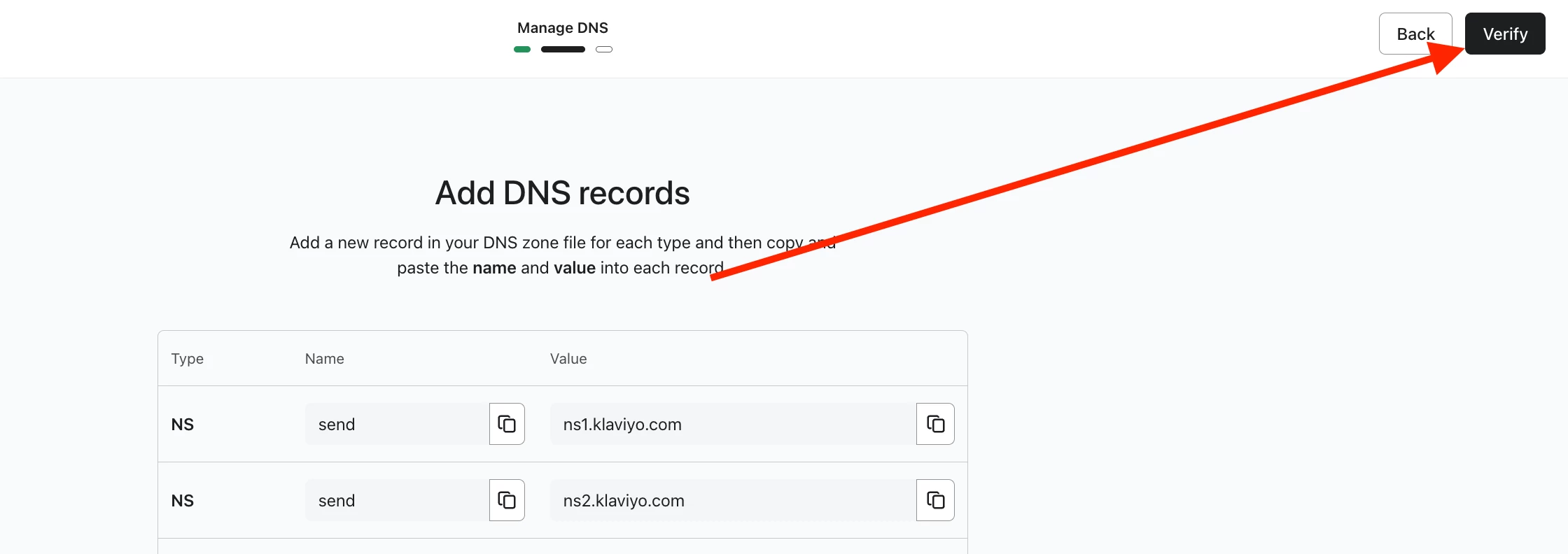
You can click “Verify” in Klaviyo to check if these records are verified. Once that happens, your DNS records should be connected again, your branded sending domain should be active, and you’ll be good to send again.
Let me know if I can answer any additional questions, if anything was unclear, or if this doesn’t work!
Welcome to the Klaviyo Community! Pretty sure we can help find a solution here. If not, feel free to send me a DM with your email address and Klaviyo account name, and I can create a support ticket on your behalf.
Just to make sure we’re on the same page - are the NS records that Klaviyo generated still in Ionos, or have they been completely removed from Ionos? If they’re gone, you’ll just need to add them back.
Visit https://www.klaviyo.com/settings/account/domains, and view your DNS records. Are they showing as verified with green checkmarks or disconnected? If they’re not yet verified, all you’ll need to do is copy and paste the records that Klaviyo generated for you into the records in your DNS provider. See image below for example:
This is what you should see in Klaviyo when you view your DNS records (or a very similar variation of this). To add the first of these records in Ionos, you’d first want to go to wherever you add records in Ionos (I’m unfamiliar with that DNS provider, so I don’t know exactly how to navigate there). After that, add a new record. Choose NS as the record type. Make the name “send” and make the value “ns1.klaviyo.com”. You can just copy and paste from Klaviyo if you want!
Once you repeat this process for all 4 NS records and the two TXT records, save them, and then wait a few minutes. Records often take just a few minutes to verify, but on some rare occasions, can take up to 48 hours.
You can click “Verify” in Klaviyo to check if these records are verified. Once that happens, your DNS records should be connected again, your branded sending domain should be active, and you’ll be good to send again.
Let me know if I can answer any additional questions, if anything was unclear, or if this doesn’t work!
Ask a Question Widget
Need help?
Get answers from Klaviyo experts and fellow community members.