What are the most underrated Klaviyo features?

  • May 6, 2026
  • 6 replies
  • 81 views

GabbyEsposito
Community Manager
Forum|alt.badge.img+10

There are some Klaviyo features that quietly do a lot of work once you start using them well, but they do not always get the same attention.

So this week’s community question:

What do you think is the most underrated Klaviyo feature and why?

It could be:

  • a feature you use all the time that deserves more love
  • something simple that made a big difference once you figured it out
  • a tool newer users tend to overlook
  • a “small” capability that punches above its weight

If you want, share:

  • how you use it
  • what problem it solves
  • any tips or gotchas other people should know

 

6 replies

Kim from Cadence
Partner
Forum|alt.badge.img+13

@GabbyEsposito, great question!

The MCP server is really powerful, but I feel like everyone knows about that one. 

For a feature that is not very easy to use but is immensely powerful I’d have to say web feeds. These are a well-kept secret for supporting dynamic content in Klaviyo.  You could include recent reviews, Instagram posts, blog posts, recipes, weekly deals, etc. 

With Cadence, you can combine web feeds with recurrence to send something different each time at your specified cadence. I’m using this to run a Word of the Day email series for Sharp (blog post with more details). 


marika-t
Problem Solver II
Forum|alt.badge.img+8
  • Problem Solver II
  • May 13, 2026

I love this question ​@GabbyEsposito


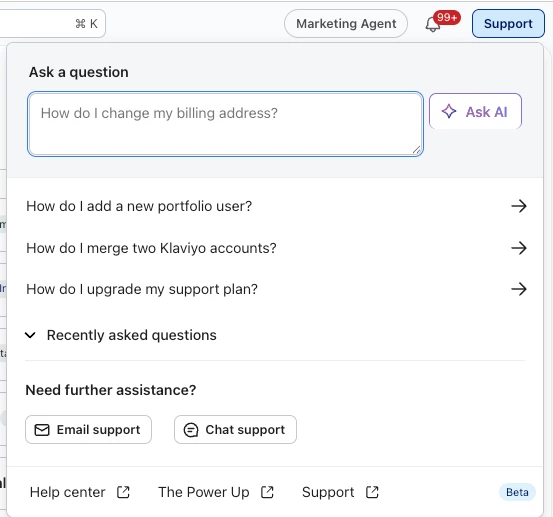
My pick: the "Ask AI" chatbox under Support. It flies under the radar, but it saves time once you start using it.


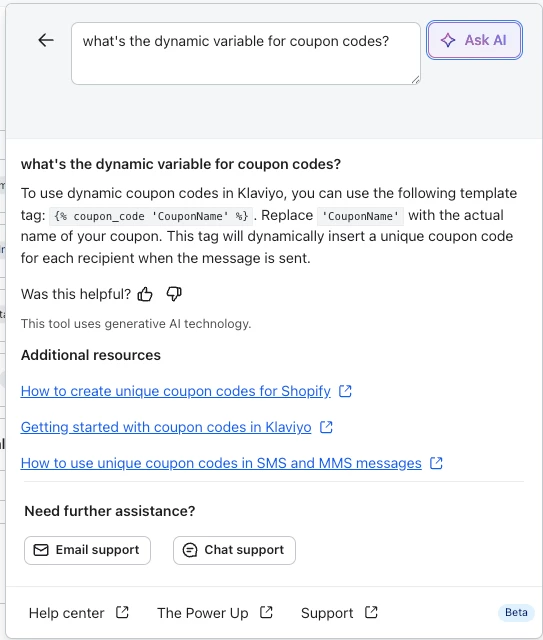
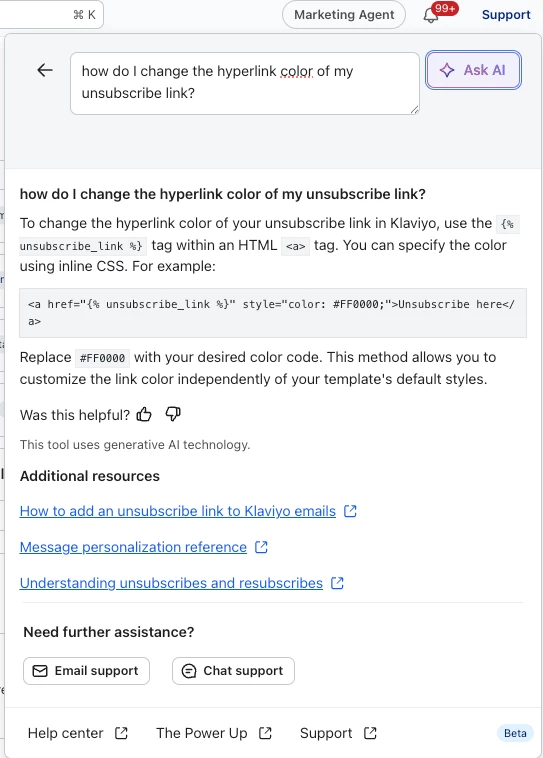
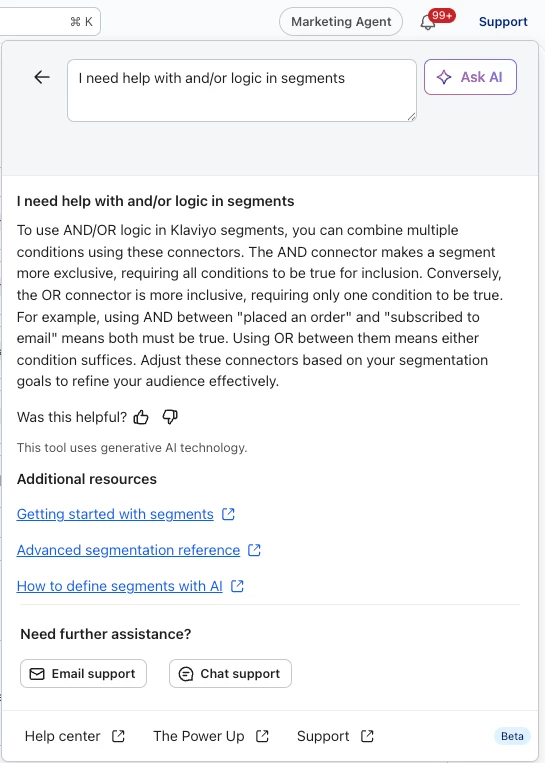
The suggested prompts lean toward housekeeping and settings, so it's easy to dismiss at first glance. But you can type in your own questions and skip the rabbit hole of digging through support articles. A few examples of where it's helped me:


A few examples: 


A couple of tips:
- It works best for how-to and settings questions, not strategy or troubleshooting edge cases
- If the first answer is vague, rephrasing with more context usually gets a better result

Definitely worth trying before opening a support ticket! 


zach.scheimer
Problem Solver III
Forum|alt.badge.img+6

I think universal content & the show/hide logic builder for it is an underrated feature in Klaviyo. “Personalization” is always a buzzword in CRM - and this functionality really makes it possible to stand out in your personalization. You can use code or  the logic builder (functions like segment builder) to really choose specific content for specific user groups. I admittedly did use first name in one of the banners, but this generally gets you to the next step of personalization past just first name.


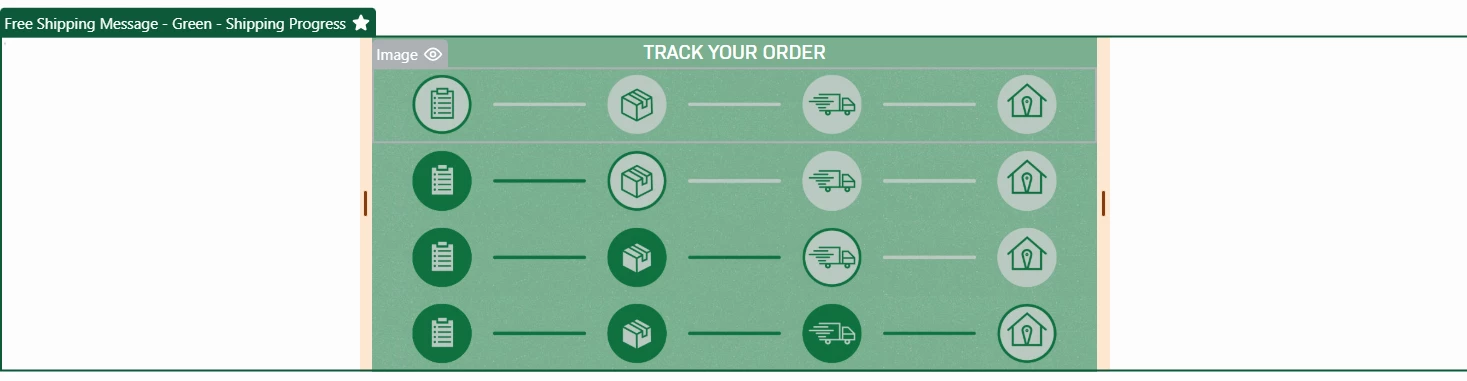
Below I have 2 universal content blocks we use in marketing emails. If someone has an active order, they receive one of the 4 options in the top universal content block. The second block is showing loyalty program status. We use show/hide logic so you can only see 1 of the 4 banners and show/hide logic for the universal content itself so you can only see a banner from 1 of the 2 universal content blocks. My advice to anyone truly trying to personalize your content is to take advantage of this functionality.


retention
Partner - Platinum
Forum|alt.badge.img+62
  • 2025 Champion
  • May 13, 2026

A few underutilized features of Klaviyo that I often don’t see involves getting more data in/out of Klaviyo:

  • Webhooks and the Custom (aka Code) Action - these are “actions” in a Flow that can interact with other tools or external system, and pass on any data that is available to the Flow.  Although these are tools that developers typically lean into, I’ve seen webhooks used to update CRM data, to update spreadsheets for the sales team, to send out postcards - really anything you want to with someone in a particular Flow, this is how you can make it happen.  With tools like Zapier or Make - you can implement many of these without a developer (or a little help from Claude / ChatGPT).
  • API for Custom Events, Update Profile Data - These are the key underlying data that you can pass to Klaviyo.  Most of the data that you pass into Klaviyo are already done for you via integrations, but the API lets you do so much more - and many of the data you would want to pass into Klaviyo are usually the unique things about your brand or business and the “tools” you use.  One of my favorite examples is a brand passing in their “Zoom Webinars” of all the folks who attended and stayed to the end (Zoom has an API too).  And then, they can follow-up those attendees with special promised discounts or action items

Liis Schmidt
Partner - Platinum
  • Partner - Platinum
  • May 14, 2026

Hey ​@GabbyEsposito - I’m gonna say Engagement Reports and it’s really too bad that they don't get more love.

I typically run an engagement report on an all email-consented profiles segment and it basically gives me an instant health check of the whole database - how engaged people actually are, how many subscribers are actually receiving emails from the brand on a monthly basis, how much of the list is just sitting there doing nothing and whether there's a deliverability problem waiting to happen.

It's one of those things where you just glance at the report and immediately know if the account is in good shape or if there's some serious dead weight that needs dealing with.

Obviously, a big list isn't always a good list and I believe engagement reports make that really clear, really fast. And once you've seen a database where 50%+ hasn't engaged in months or 2/3 of your database hasn’t received a single email in the last 30 days, you can't unsee it 😅

My usual move is to run it before starting work on any new account because at the end of the day, for your database to engage with your emails you need to actually be sending to them. So this report makes re-engagement and list cleaning opportunities really obvious.


In the Inbox
Partner - Platinum
Forum|alt.badge.img+31
  • 2025 Champion
  • May 18, 2026

Hi ​@GabbyEsposito and all, 

I love this question! One of my favorite features which I think is often overlooked is the Segment Preview because it is such a time saver. I use the segment build a lot of research, not only for building new segments to send to, but segments of people I need for testing. Testing dynamic content, testing for specific profile properties, testing webhooks (based on users who fit a specific criteria, etc. Before the segment preview, you had to create the segment and then save it before you could review the profiles in it. Now, as you build a segment, you can click the segment preview, get a small list of users, and validate the segment criteria or use those profiles for your research & testing—all without saving the segment. Plus, you can make edits to the segment and get a refreshed preview of profiles, again without saving the segment. This one feature has saved me hours!

If someone has Marketing Analytics, another feature that I think isn’t highlighted enough is the Next Best Product recommendation. Dynamic product recommendations have been around for a while, but the Next Best Product outperforms every time I use/test it. While it only shows one product in the dynamic block, vs other recommendations that can show more products, this one tool works really well. Its a great place for early Marketing Analytics customers to turn to when first onboarding to use the powerful backend data analysis from Marketing Analytics while getting real ROI quickly.