Help freezing my form type: Full Page (Welcome Coupon)

  • March 31, 2025
  • 1 reply
  • 26 views

Forum|alt.badge.img

I set up this type of form on my website (www.tupaquete.pe) because I saw that a website (www.theoodie.com) uses it. However, when I set it up for mobile, I noticed that when I scroll while the form is displayed, the form increases in size (most noticeably, the image zooms in). How can I prevent it from allowing me to scroll while the form is displayed? I believe blocking this will prevent it from increasing the form's size.

On the other website I used as a reference, it is possible to block scrolling when the form appears. I really appreciate your time in helping me with my issue. Thank you in advance.
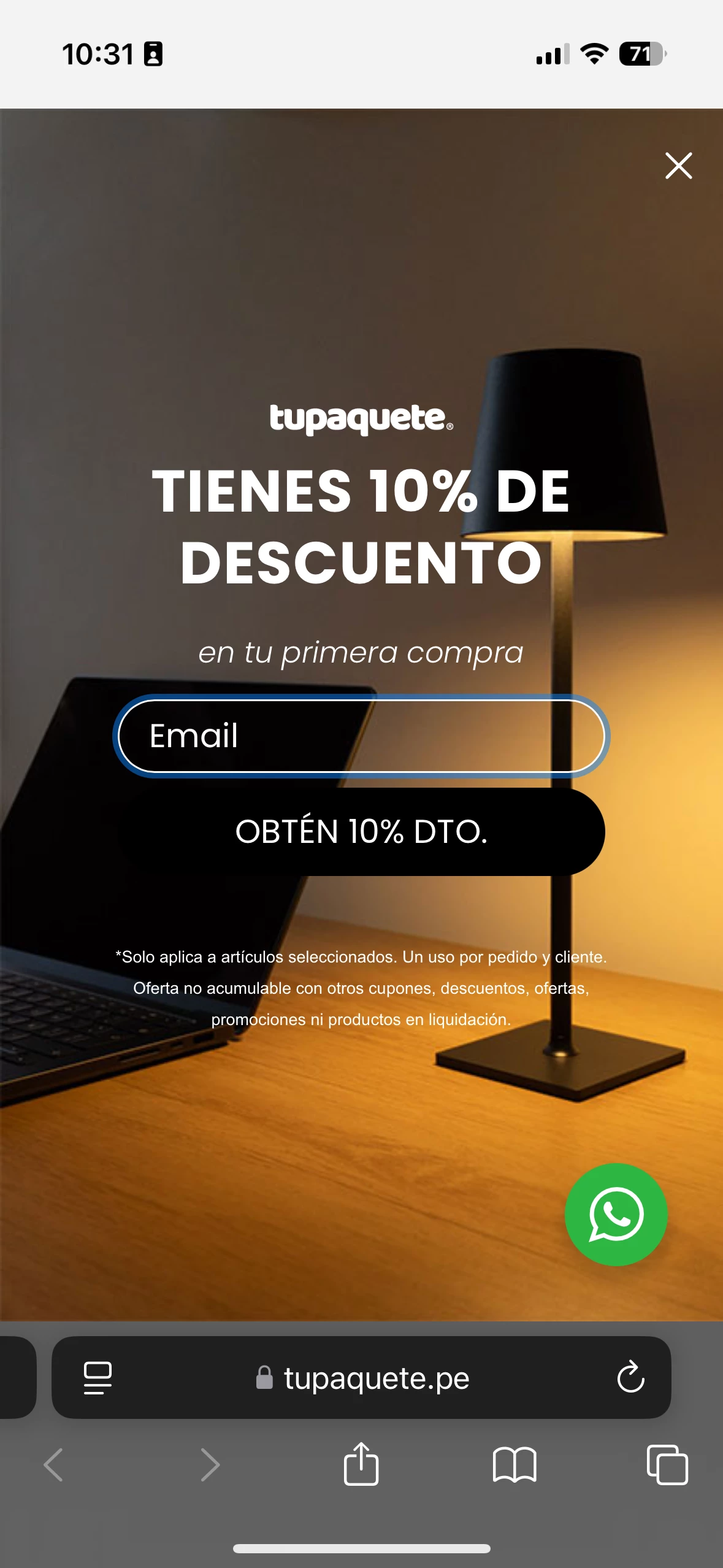
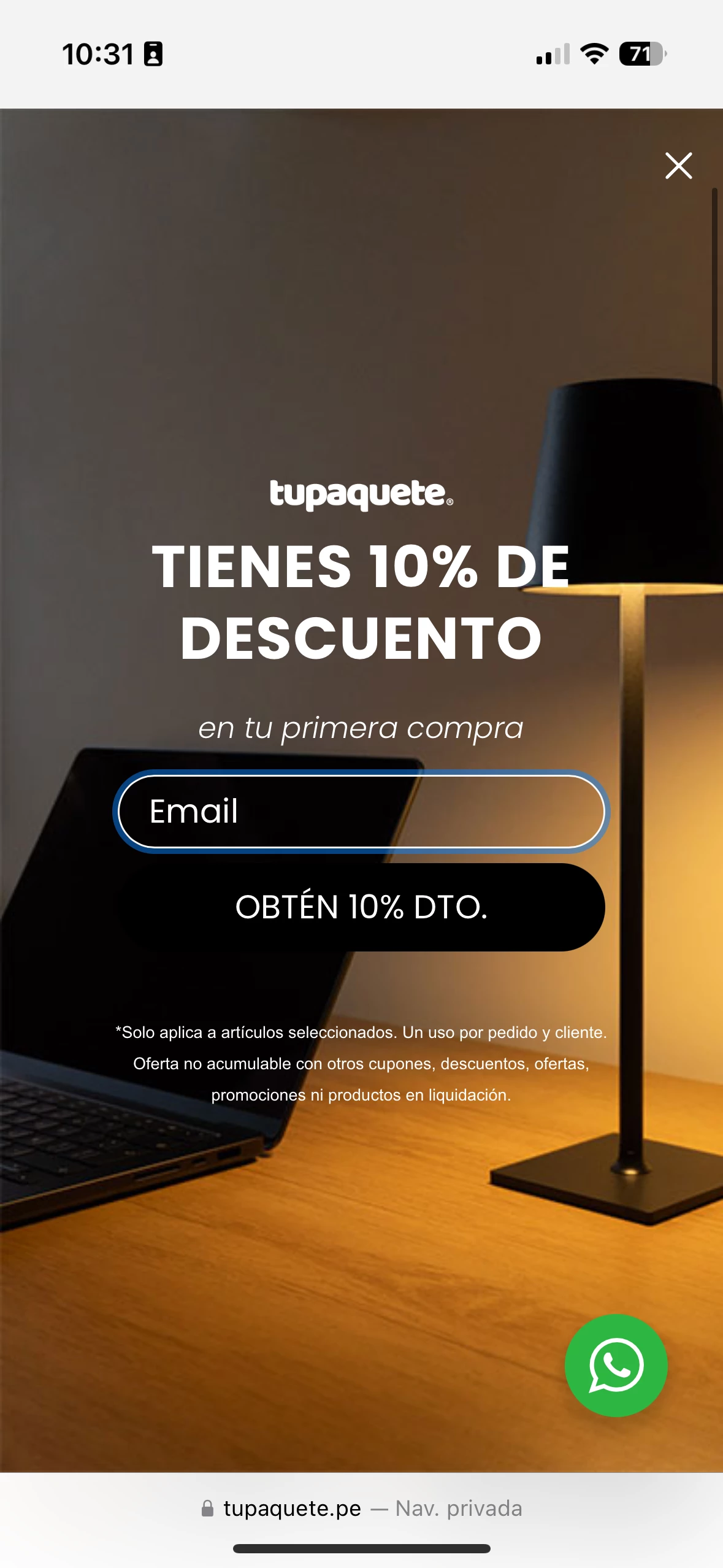
 

1 reply

Christiannoerbjerg
Expert Problem Solver II
Forum|alt.badge.img+15

Hi ​@Renzo 

Thank you for posting in the Community!

I understand that it’s really frustrating. You could try with the following JS-script?

window.addEventListener('klaviyoForms', function(event) { if (event.detail.type === 'open') { if (window.matchMedia("(max-width: Set this yourself px)").matches) { document.body.style.overflow = 'hidden'; } } else if (event.detail.type === 'close') { document.body.style.overflow = 'auto'; } });

The overflow = hidden function should help. 

If it doesn’t work, you could try building something with this API material: https://developers.klaviyo.com/en/docs/track_klaviyo_form_activity_using_javascript

Hope that helps or else let me know! :-) 

Christian Nørbjerg Enger
Partner & CPO
Web: Segmento.dk
LinkedIn: @christianfromsegmento
Voldbjergvej 22b, 8240 Risskov