

Problem Solver I
February 21, 2022
Solved

Any ideas why Woocommerce Klaviyo Integration Fails?

  • February 21, 2022
  • 4 replies
  • 261 views

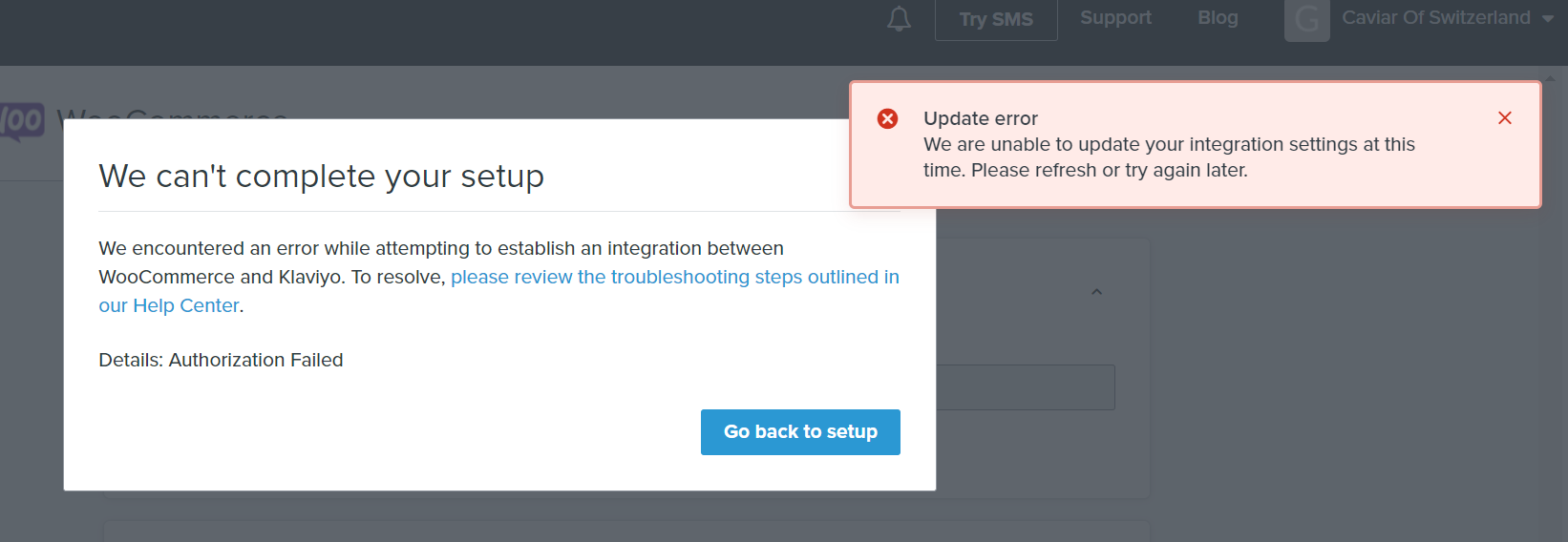
I try to integrate the two but I get a failure message. Any ideas why?


    This topic has been closed for replies.
    Best answer by alex.hong

    Hi there @giannishadj,

    Thanks for posting to the Community. I would recommend restarting your WoCoCommerce integration and trying to re-integrate as well. If not, I think you should reach out to our Support team as they have the ability to take a deep dive into your account since we cannot in the community.


    All the best,

    Alex

    4 replies

    Contributor IV
    February 21, 2022

    Hello, how are you doing ? I’m glad to come across your post mind you here are few steps to get it done by following this steps below 

    1. In Woo Commerce, click into the Plugins tab and select Add New at the top of the page. ...
    2. On the Add Plugins page, search for Klaviyo.
    3. Click Install Now.
    4. Click Activate to activate the plugin. ...
    5. In WordPress, navigate to Plugins.
    6. Scroll down to find the Klaviyo plugin and click Settings
    Problem Solver I
    February 21, 2022

    Hello, how are you doing ? I’m glad to come across your post mind you here are few steps to get it done by following this steps below 

    1. In Woo Commerce, click into the Plugins tab and select Add New at the top of the page. ...
    2. On the Add Plugins page, search for Klaviyo.
    3. Click Install Now.
    4. Click Activate to activate the plugin. ...
    5. In WordPress, navigate to Plugins.
    6. Scroll down to find the Klaviyo plugin and click Settings

    I did this already and this is how I reached the point where it fails.

    Contributor IV
    February 22, 2022

    If you can check this, I propose deleting the WooCommerce integration entirely and re-integrating using the instructions as sent you before and lot for the outcome result, I hope it work out now if you get this done. 

    If those choices are tried and still don't work, it's possible that there's a more thorough, account-specific issue that has to be looked into .

    alex.hong
    alex.hongAnswer
    Klaviyo Alum
    February 25, 2022

    Hi there @giannishadj,

    Thanks for posting to the Community. I would recommend restarting your WoCoCommerce integration and trying to re-integrate as well. If not, I think you should reach out to our Support team as they have the ability to take a deep dive into your account since we cannot in the community.


    All the best,

    Alex

