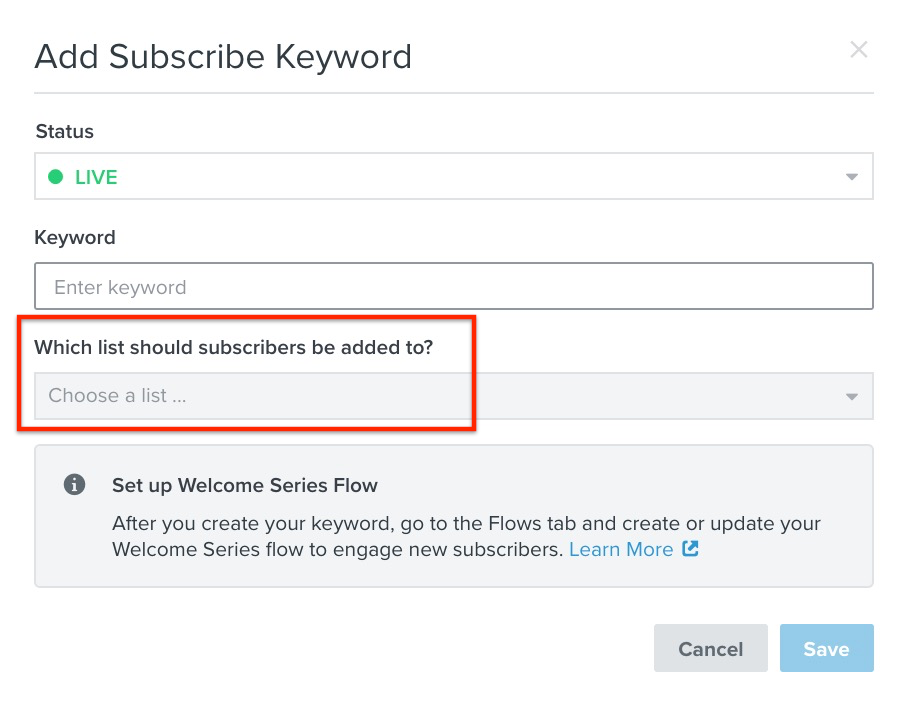
Hi @j.singler, if I understand your question correctly, when someone clicks on your “Click to Text” with a keyword, and confirms consent - it will add the user to the designated “List” that you’ve defined when you created the keyword.
See here:
Then, to send them an “Opt-In Message” you can create a new Flow that’s triggered when a user Subscribes to that List and add a Flow SMS Message with zero time delay. Here’s a guide to show you how to setup a “SMS Welcome Series”
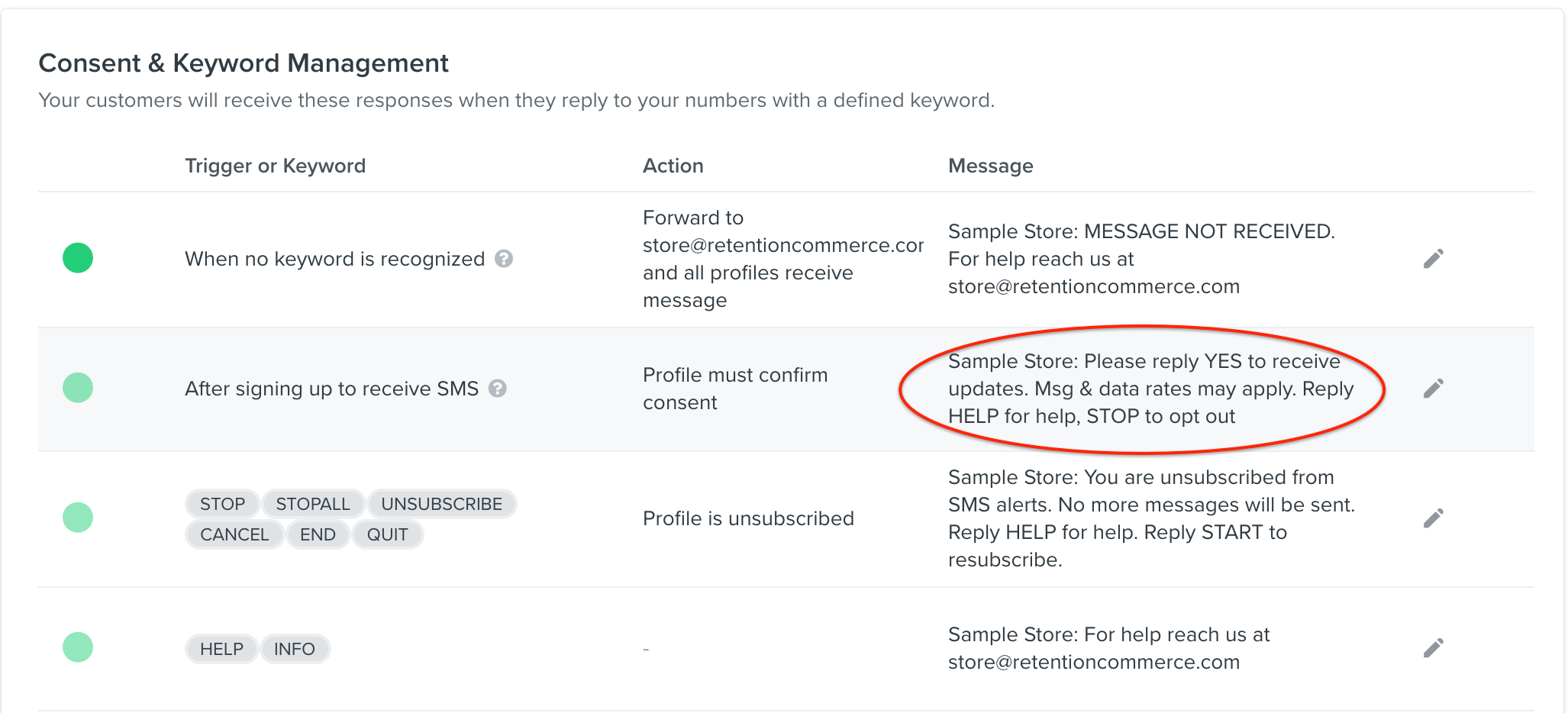
If you want to simply modify or change the Opt-In confirmation message, you can go to your Account Settings → SMS, and edit the “After signing up to receive SMS” Message here:
Hope this helps!
Joseph Hsieh // retentioncommerce.com // X: @retention
Hi @j.singler, if I understand your question correctly, when someone clicks on your “Click to Text” with a keyword, and confirms consent - it will add the user to the designated “List” that you’ve defined when you created the keyword.
See here:
Then, to send them an “Opt-In Message” you can create a new Flow that’s triggered when a user Subscribes to that List and add a Flow SMS Message with zero time delay. Here’s a guide to show you how to setup a “SMS Welcome Series”
If you want to simply modify or change the Opt-In confirmation message, you can go to your Account Settings → SMS, and edit the “After signing up to receive SMS” Message here:
Hope this helps!
Joseph Hsieh // retentioncommerce.com // X: @retention