


Solved
Change font color signup form
Hi, how can I change the font color of the checkboxes to white?
Signup form

Hi, how can I change the font color of the checkboxes to white?
Signup form
Hello
Thanks for sharing this question with the Community!
Since the multi-checkbox field is considered an input field, you can change the font color of the checkbox by adjusting the Text Color in the Input Field Text Styles section under the form’s Style’s tab.
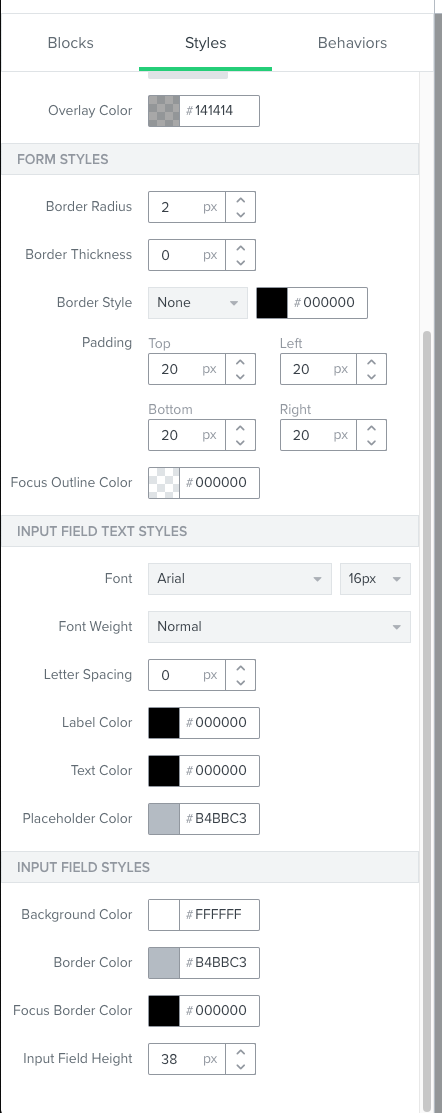
Keep in mind that adjusting these input field settings would also update for all input fields you use in the form. For example, changing this input field text color to white would also make the text color entered by your customers in an Email Input block appear as white too.
I hope this helps!
David
No account yet? Create an account
Enter your E-mail address. We'll send you an e-mail with instructions to reset your password.