Hi @sachin16,
Can you confirm if you’re referring to changing the scheduled time for a campaign? If so, you’ll need to first cancel the original campaign, clone it, and set a new scheduled date and time for the new campaign. In order to cancel the original campaign you’ll want to follow action the following:
- Click on the Campaigns tab
- Click the Actions icon
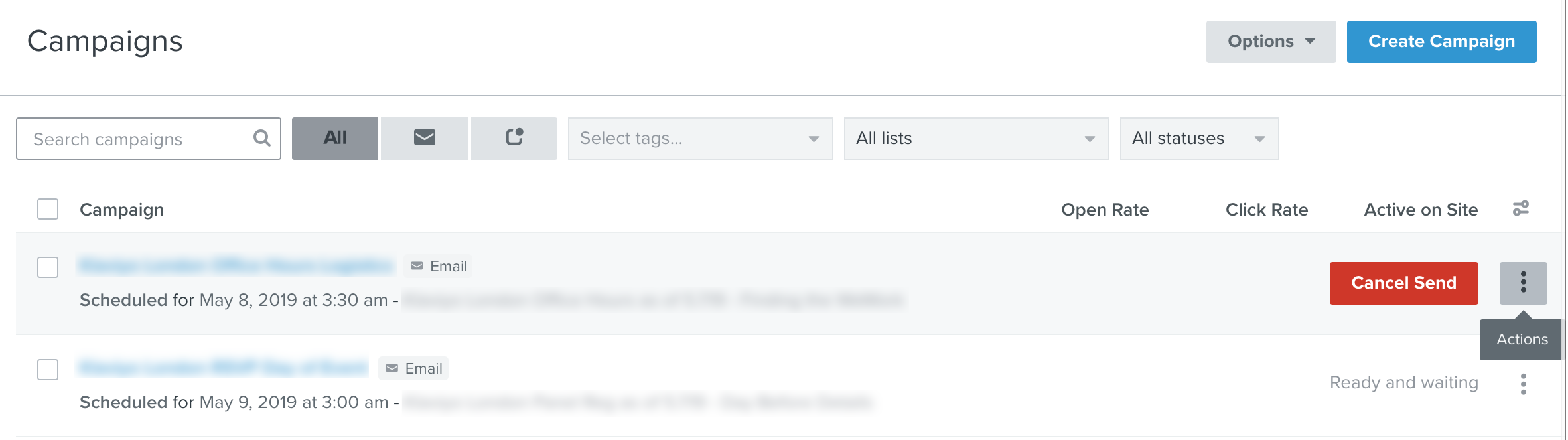
- Click Cancel Send
- Confirm the cancellation
These steps are also outlined in our documentation here.
In order to clone the campaign:
- Navigate to the Campaigns tab.
- Find the campaign you would like to clone and click the Actions icon to the left of the campaign name.
- Select Clone.
- Select Clone Campaign in the modal to confirm and clone.
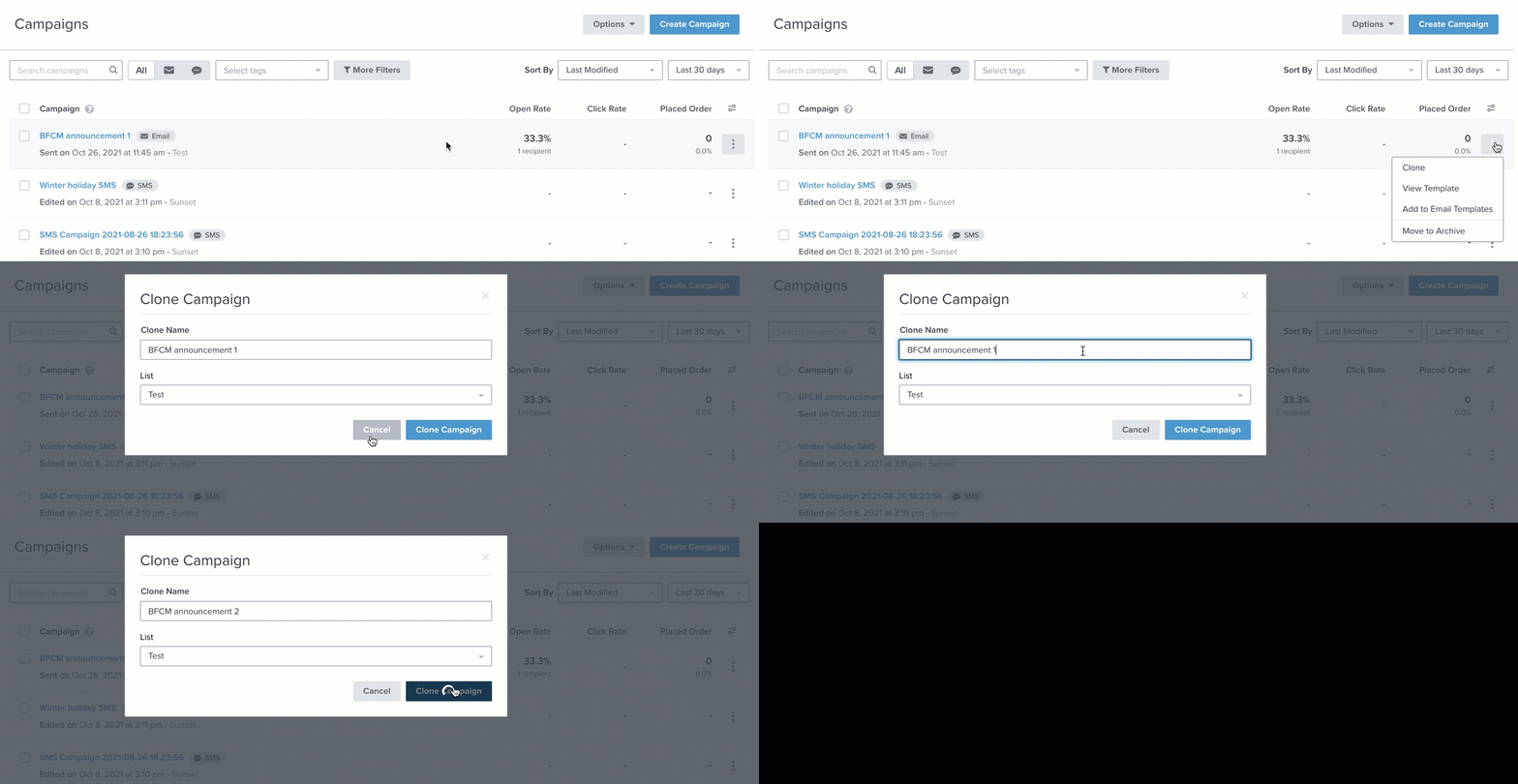
From there, re-schedule the cloned campaign and you’re all set. These steps are also outlined in our documentation here.