Contributor I
May 22, 2022
Solved

Deleting photos from image library

  • May 22, 2022
  • 2 replies
  • 1899 views

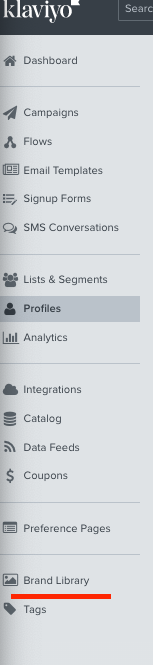
I have uploaded a few versions of an image to test it within email template and I would like to delete some of them. How do I do it ? 

Thanks

Chris

    This topic has been closed for replies.
    Best answer by wernstrom

    Just go to your brand library section and delete them from there. FYI if an image is already in use in a template and you delete it from the library, it won’t disappear from the template, at least that’s what I’ve been told.


    2 replies

    wernstromAnswer
    Problem Solver II
    May 22, 2022

    Just go to your brand library section and delete them from there. FYI if an image is already in use in a template and you delete it from the library, it won’t disappear from the template, at least that’s what I’ve been told.


    stephen.trumble
    Klaviyo Alum
    May 23, 2022

    Hey @TFB 

    @wernstrom is right, if the images you are deleting are being used in a template it will not automatically be removed. In the future if you have universal content set up you will be able to update all of your templates at one time. 

    -Stephen