Problem Solver II
August 29, 2021
Solved

Dynamic Coupon Code in a Popup

  • August 29, 2021
  • 4 replies
  • 2226 views

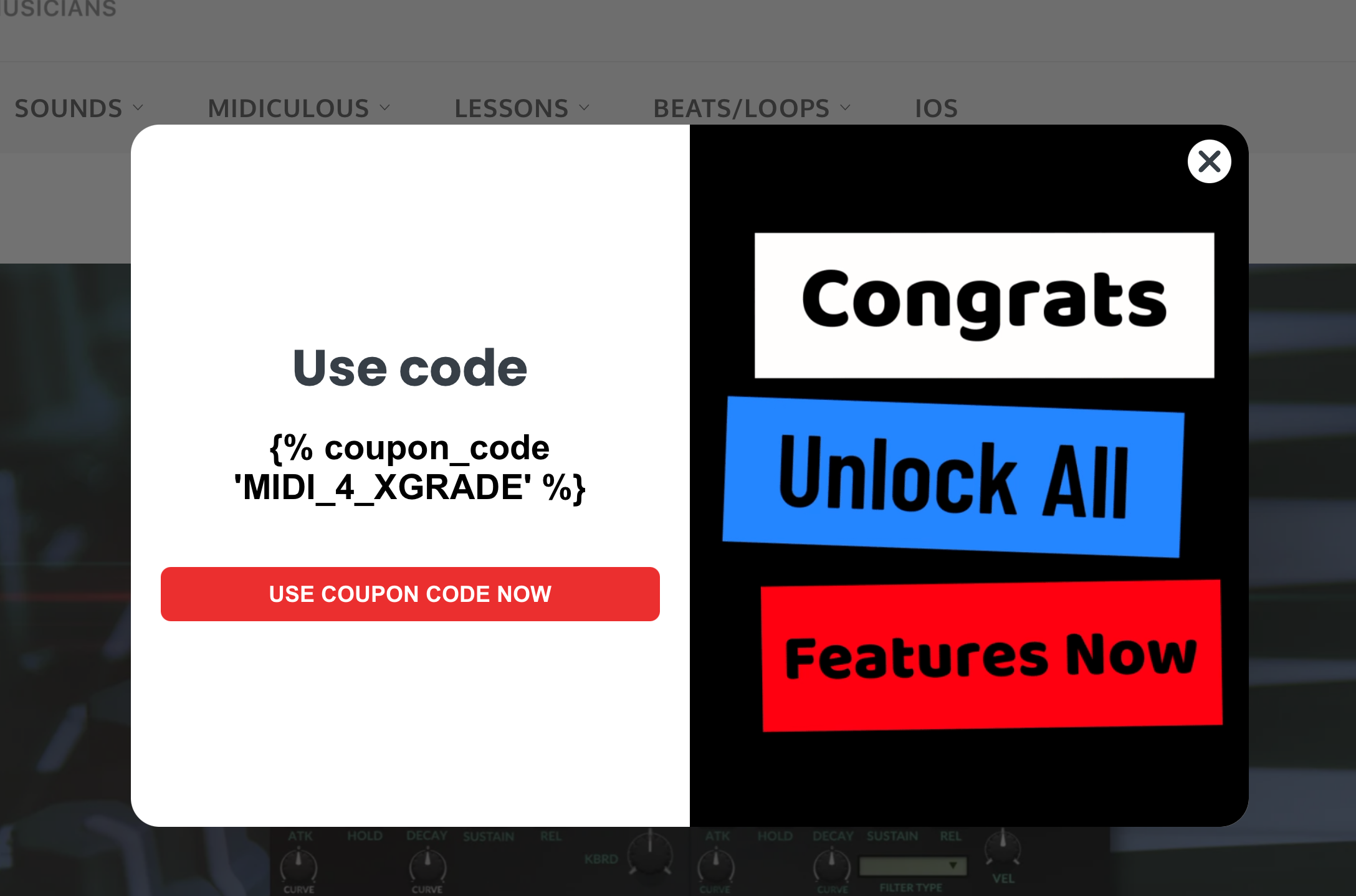
it is my understanding that Dynamic Coupon Codes should be able to be generated inside of a popup. I created a popup and tested on the site and it just simply looks like the source code and not the dynamic coupon code. 


This topic has been closed for replies.
Best answer by David To

Hello @jmacman,

Thanks for sharing your question with the Klaviyo Community!

At present, dynamic coupon codes are not supported within signup forms and are only supported within Campaign or Flow emails and SMS. As called out as a note in the Use Uploaded Coupons in an Email subsection of the Guide to Using Coupon Codes in Klaviyo Help Center article:

Unique coupon codes are not supported within Klaviyo's signup forms. If you'd like to display a coupon in your form's success message, you must use a static code. 


@alex.hong also elaborated on this point in their comment to a similar Community post below:

As mentioned, to offer a discount code to your customers within your signup form, I would suggest using a static coupon code created within your ecommerce store’s backend and placing it within the form’s success message. This would display the code for your contacts after they have filled out and submitted the form. 

You can further learn about setting up and using dynamic coupon codes within Klaviyo from the following Help Center articles Klaviyo offers:

Thanks for being a part of the Klaviyo Community!

David

4 replies

David To
Klaviyo Employee
David ToAnswer
Klaviyo Employee
August 30, 2021

Hello @jmacman,

Thanks for sharing your question with the Klaviyo Community!

At present, dynamic coupon codes are not supported within signup forms and are only supported within Campaign or Flow emails and SMS. As called out as a note in the Use Uploaded Coupons in an Email subsection of the Guide to Using Coupon Codes in Klaviyo Help Center article:

Unique coupon codes are not supported within Klaviyo's signup forms. If you'd like to display a coupon in your form's success message, you must use a static code. 


@alex.hong also elaborated on this point in their comment to a similar Community post below:

As mentioned, to offer a discount code to your customers within your signup form, I would suggest using a static coupon code created within your ecommerce store’s backend and placing it within the form’s success message. This would display the code for your contacts after they have filled out and submitted the form. 

You can further learn about setting up and using dynamic coupon codes within Klaviyo from the following Help Center articles Klaviyo offers:

Thanks for being a part of the Klaviyo Community!

David

jmacmanAuthor
Problem Solver II
August 30, 2021

Thanks for the update and that’s unfortunate. +1 for a feature request. 

David To
Klaviyo Employee
Klaviyo Employee
August 30, 2021

Hey @jmacman,

You are very welcome!

I’ll certainly share your thoughts and feedback with our Product Team regarding using dynamic coupon codes within signup forms. 

Have a great day!

David

Contributor IV
November 9, 2021

Would also love this feature!!!!