



Solved

Figma-to-Klaviyo... How to start?

  • June 5, 2026
  • 2 replies
  • 129 views

claudiavarela
Contributor I
Forum|alt.badge.img

Hi everyone!

I'm new to both Klaviyo and this community, and I'm excited to start learning from all of you.

I'm currently working on creating more sophisticated and professional email and newsletter designs using Figma, and I have a few questions that I hope someone can help me with.

What's the best way to bring Figma email designs into Klaviyo? Do you usually recreate the design directly in Klaviyo, export it as HTML, or use another workflow?

I'm also curious about how this works with dynamic and interactive content. For example, if I'm building an Abandoned Cart flow, how can I use a custom-designed template while still incorporating Klaviyo's dynamic product blocks and event-based content?

I'd really appreciate any advice, best practices, or resources you can share.

Thank you in advance, and I'm looking forward to learning from the community!😃
Best answer by StickySam

Hi Claudia! 

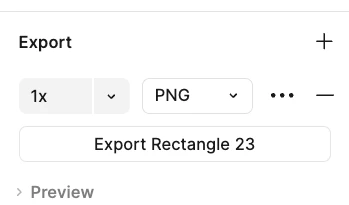
Happy to try and help here :) We use Figma at Sticky Digital for all designs so I have a bit of practice. After you create the design in Figma, you will need to export it as a PNG. I recommend exporting at 2x to maintain the quality. After exporting, I would open it in Photoshop and use the slice tool to break up the blocks so that you can link each block to the URL you want in Klaviyo. After that you can use the drag and drop templates in Klaviyo and upload each slice as an image! For dynamic blocks, you can create a header and footer for the dynamic block, but then you will need to use the product block in Klaviyo to set the dynamic content you want to pull in. You can adapt the fonts and background color of the dynamic block to have it match your brand as close as possible. I hope that helps!


2 replies

  • Contributor I
  • Answer
  • June 5, 2026

Hi Claudia! 

Happy to try and help here :) We use Figma at Sticky Digital for all designs so I have a bit of practice. After you create the design in Figma, you will need to export it as a PNG. I recommend exporting at 2x to maintain the quality. After exporting, I would open it in Photoshop and use the slice tool to break up the blocks so that you can link each block to the URL you want in Klaviyo. After that you can use the drag and drop templates in Klaviyo and upload each slice as an image! For dynamic blocks, you can create a header and footer for the dynamic block, but then you will need to use the product block in Klaviyo to set the dynamic content you want to pull in. You can adapt the fonts and background color of the dynamic block to have it match your brand as close as possible. I hope that helps!


  • Contributor I
  • July 28, 2026

Hi Claudia!

I think there are two different routes here and which one you want depends on how you want to build in Figma.

  1. Figma plugins
    • There are plugins like Emailify that let you design inside their container using their blocks, like header, image, body, etc. You can then export them to email service providers like Klaviyo directly.
    • This is probably the better route for your abandoned cart question. Emailify has Klaviyo abandoned cart templates where the product title, price, image and link already have the dynamic tags in the layers, so you're not writing that syntax yourself.
    • The downside is you're limited design wise by what's available in these types of plugins.
  1. Export design as PNG
    • As StickySam suggested, exporting your email as a PNG, slicing it up, and uploading each as an image block should work. And you're not limited by design elements only available within plugins.
    • I think you can also slice directly in Figma, so you should be able to skip the Photoshop step. One less tool is always nice.
    • The downside is it's more manual work, and it's tricky to get the images to stack and render properly sometimes. Two things that help: export every slice at the same width, and set the image block padding to 0 in the editor. Otherwise you get thin gaps between the slices and it stops reading as one design.
    • For dynamic content on this route, you'd slice the band above and below and let Klaviyo's product block sit in the gap, which is what I think StickySam meant by header and footer.

It's up to you how you design in Figma, but honestly, you'll probably use a mix of both approaches depending on your projects.

If you ever work with image based emails, I also built Mandoline (https://mandoline.tools) that automates the slicing and linking process. I used to do this by hand with Canva designed newsletters so I know how tedious it can be.
