

February 28, 2022
Solved

Finding "Placeholder image" in new editor

  • February 28, 2022
  • 15 replies
  • 779 views

Hi there,


New to the new Klaviyo editor! Trying to create a static table for Abandoned cart email. Trying to figure out how to add a placeholder image here, as outlined in some previous conversations. I havent been successful with any of the options available in new editor. Please help!


Here’s how it works for a community member in the old editor:
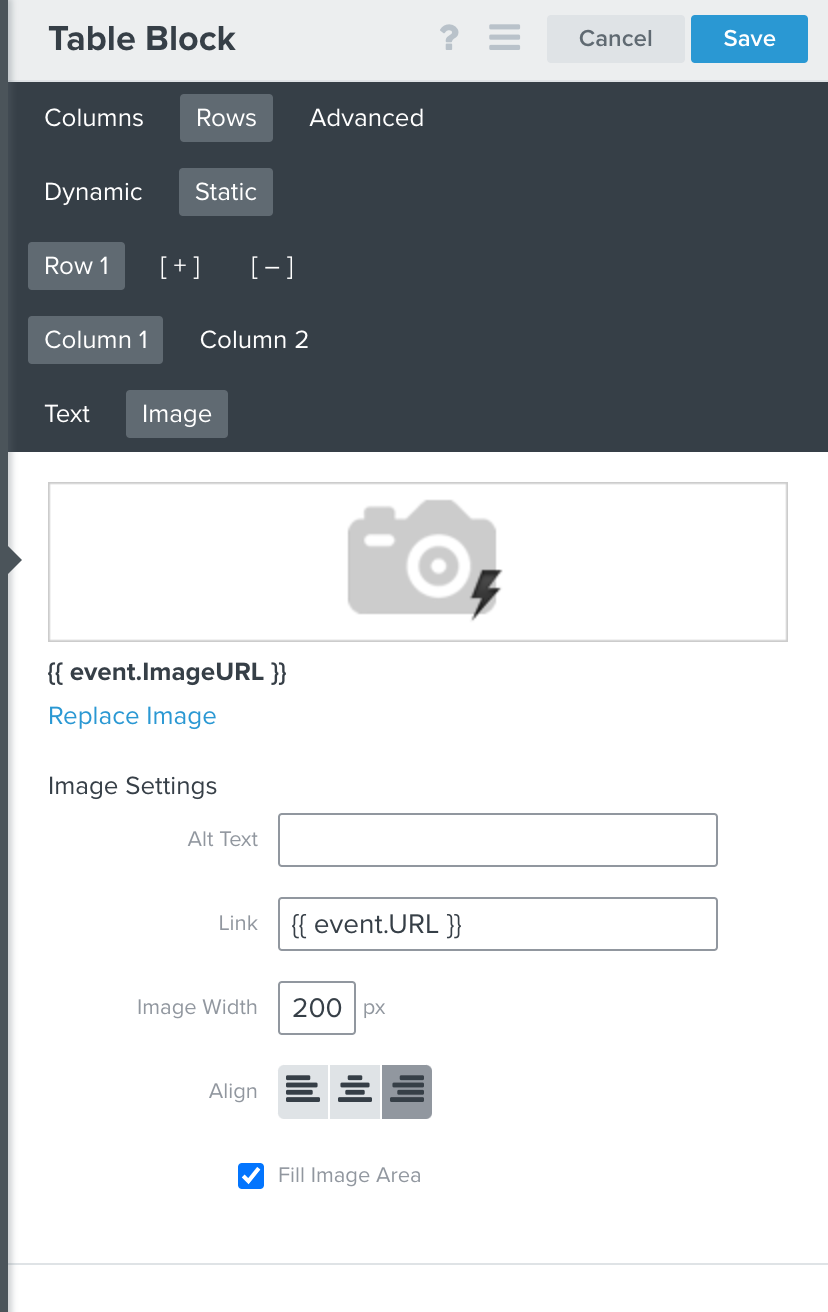
Here’s a screenshot of the only option I could find (but still doesn’t work) in new editor:
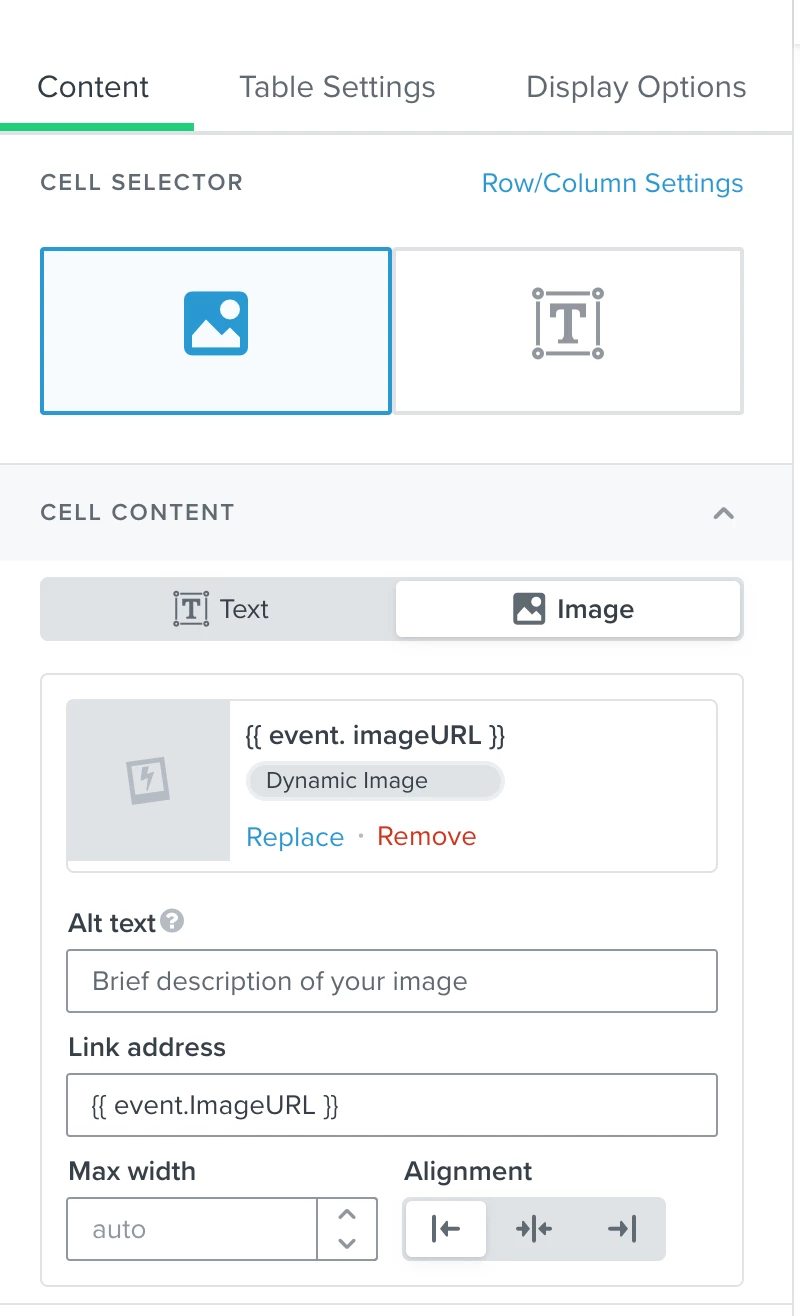
Thank you for any help!

This topic has been closed for replies.
Best answer by alex.hong

Hi @kara123,

I believe this still comes down to an issue regarding the overall build of the dynamic block as well as pulling the image. There could also be an issue with the catalog but as we are having miscommunication regarding the troubleshooting, I would recommend reaching out to our Support team to look into your account and provide specific assistance. They can take a deeper dive into your account since we cannot do that in the Community. It really helps our Support team if you provide a link to the flow email to them as well.


All the best,

Alex

15 replies

March 5, 2022

Hi there,


I just can’t figure this out. I don’t understand how there could be a catalog issue for Browse Abandon...since things work correctly and as expected in the Abandoned Cart email. Browse Abandon uses the exact same image link as Abandoned Cart.


I think we’ll just not do a Browse Abandon email using the new editor until it’s less buggy.


Thanks again for your help.

March 5, 2022

Also, it appears here that to have “Viewed product” work from Shopify to Klaviyo, special code needs to be manually added to Shopify liquid template. I knew this was true in order to have Abandoned Cart work without user having to click on “proceed to checkout” but makes sense this is why Browse Abandon may not be working:


https://help.klaviyo.com/hc/en-us/articles/115005080407-Guide-to-Integrating-with-Shopify

alex.hong
alex.hongAnswer
Klaviyo Alum
March 7, 2022

Hi @kara123,

I believe this still comes down to an issue regarding the overall build of the dynamic block as well as pulling the image. There could also be an issue with the catalog but as we are having miscommunication regarding the troubleshooting, I would recommend reaching out to our Support team to look into your account and provide specific assistance. They can take a deeper dive into your account since we cannot do that in the Community. It really helps our Support team if you provide a link to the flow email to them as well.


All the best,

Alex

March 7, 2022

Thank you for all your patience and time, Alex. I am really grateful to you and this community!

alex.hong
Klaviyo Alum
March 7, 2022

Hi @kara123,

Thank you for your patience and cooperation as well! Hopefully you can find a solution working more in depth with the support team! Thank you for also being a great Community member and hope to see you around here again!

Alex