Contributor I
March 31, 2022
Solved

How do I reduce the size of a navigation bar?

  • March 31, 2022
  • 1 reply
  • 283 views

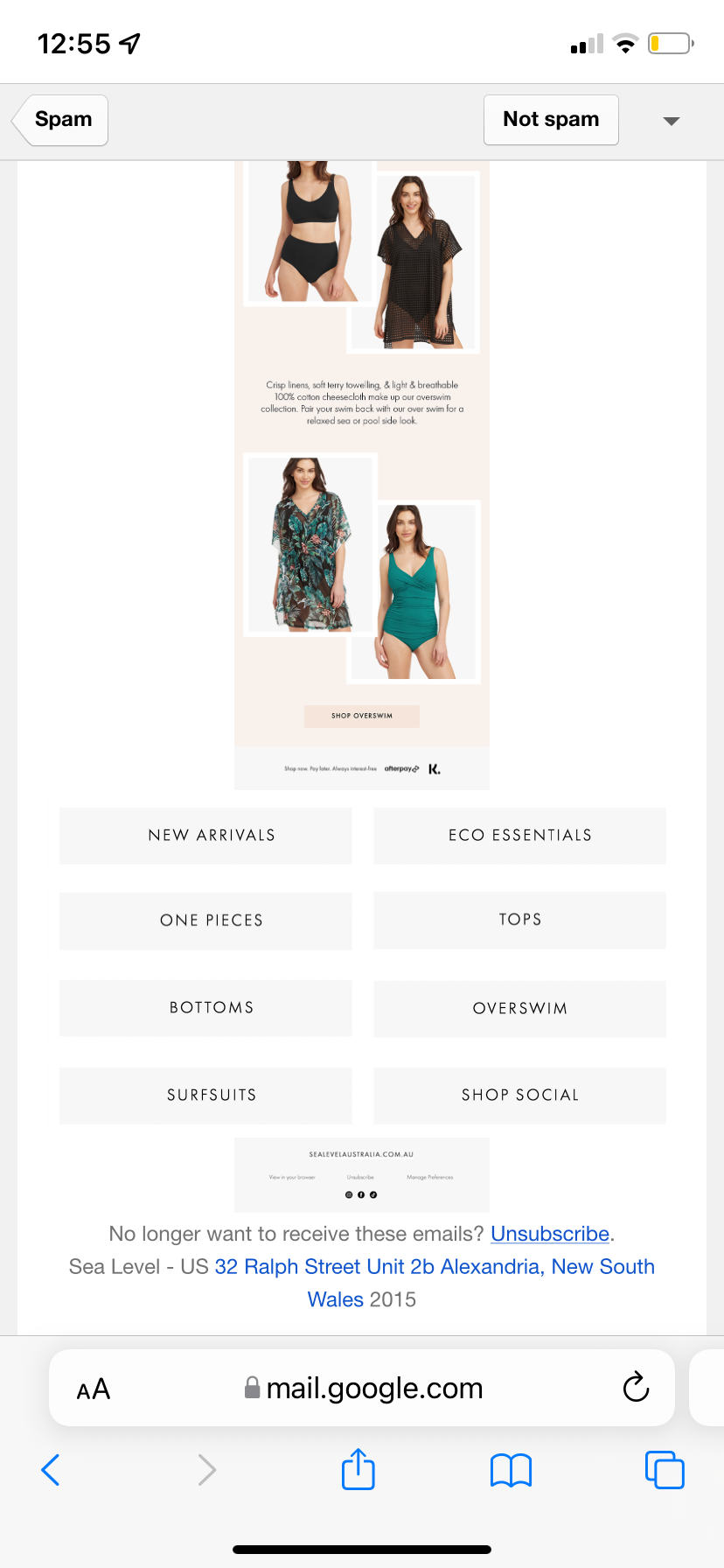
I’ve uploaded jpeg screenshots for a navigation menu at the bottom of the email. For some reason, on gmail, it stretches it out larger in width than the rest of the email, making the rest of the email really small. See attachment.


Any ideas?


Thanks!


    This topic has been closed for replies.
    Best answer by Taylor Tarpley

    Hi @aimeerobson


    Thanks for sharing your question with us! 


    To be clear, are you having these issues when you are viewing your email on the Gmail App itself, or only on Gmail.com? There are many display issues that can arise from Google Chrome Browser Version not supporting media queries. Media queries are CSS statements that render content in mobile screen sizes, so it tells mobile only/desktop only to show at the appropriate screen size. I would check out a similar thread below to gain more insight on this!


    However, additionally, I would recommend investigating what is the resolution of your uploaded image vs the mad width px length of your image block. My suggestion would be to set a max width of 600px of the image block and see if that solves any issues! 


    Thanks for participating in the Community! Hope this helps! 

    -Taylor

    1 reply

    Taylor Tarpley
    Community Manager
    Community Manager
    April 1, 2022

    Hi @aimeerobson


    Thanks for sharing your question with us! 


    To be clear, are you having these issues when you are viewing your email on the Gmail App itself, or only on Gmail.com? There are many display issues that can arise from Google Chrome Browser Version not supporting media queries. Media queries are CSS statements that render content in mobile screen sizes, so it tells mobile only/desktop only to show at the appropriate screen size. I would check out a similar thread below to gain more insight on this!


    However, additionally, I would recommend investigating what is the resolution of your uploaded image vs the mad width px length of your image block. My suggestion would be to set a max width of 600px of the image block and see if that solves any issues! 


    Thanks for participating in the Community! Hope this helps! 

    -Taylor