

Contributor II
March 23, 2022
Solved

How to change the email avatar?

  • March 23, 2022
  • 5 replies
  • 14668 views

Hello 

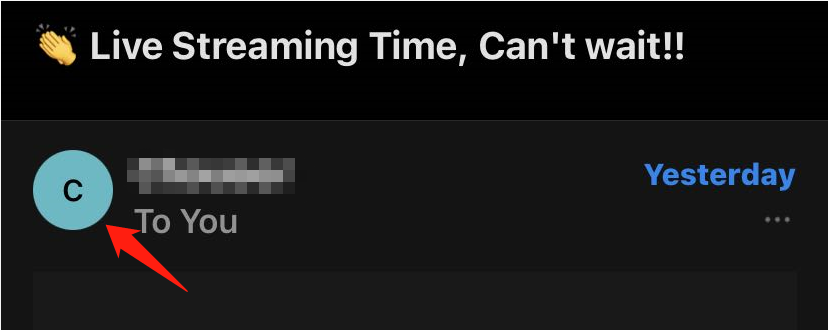
I am using KLAVIYO to do email marketing and want to change this avatar, so when my customers see my email they will see my logo.


Does anybody know where to set this in KLAVIYO?


    This topic has been closed for replies.
    Best answer by alex.hong

    Hi there @homerunpet,

    Welcome to the Community.

    If you would like to change the profile picture when sending an email, i.e. the image of your profile that will be shown in your recipients' inbox, then you need to update the profile picture with the Email Service Provider you registered with, for example, Google In such case, you can refer to this article.

    Also on iOS devices, if you are viewing your mail it will set the initials of the sender as a default contact photo. For example, receiving mail from Abcd@xyz. com would show an A if you did not add this email contact to your device or if the sender’s email doesn’t come with a profile photo.


    Thanks,

    Alex

    5 replies

    alex.hong
    alex.hongAnswer
    Klaviyo Alum
    March 23, 2022

    Hi there @homerunpet,

    Welcome to the Community.

    If you would like to change the profile picture when sending an email, i.e. the image of your profile that will be shown in your recipients' inbox, then you need to update the profile picture with the Email Service Provider you registered with, for example, Google In such case, you can refer to this article.

    Also on iOS devices, if you are viewing your mail it will set the initials of the sender as a default contact photo. For example, receiving mail from Abcd@xyz. com would show an A if you did not add this email contact to your device or if the sender’s email doesn’t come with a profile photo.


    Thanks,

    Alex

    Contributor II
    March 24, 2022

    Hi there @homerunpet,

    Welcome to the Community.

    If you would like to change the profile picture when sending an email, i.e. the image of your profile that will be shown in your recipients' inbox, then you need to update the profile picture with the Email Service Provider you registered with, for example, Google In such case, you can refer to this article.

    Also on iOS devices, if you are viewing your mail it will set the initials of the sender as a default contact photo. For example, receiving mail from Abcd@xyz. com would show an A if you did not add this email contact to your device or if the sender’s email doesn’t come with a profile photo.


    Thanks,

    Alex

    Thanks for your answer Alex

    But the article you referred to is not leading to the destination properly.

    alex.hong
    Klaviyo Alum
    March 24, 2022

    Thanks for catching that bug @homerunpet.

    The link should be updated now.


    Contributor I
    April 11, 2022

    Hey Alex,


    This doesn’t seem to make a difference, as we’ve already set the gmail avatar (appears when sending emails directly to customers) but our emails sent via Klaviyo are sent “via ksd1.klaviyomail.com”. Because of this, updating the gmail avatar makes no difference and our Klaviyo emails still appear with no avatar. Is this something that would be fixed with Gravatar as described here or is there another solution we’re not aware of? Thanks!


    alex.hong
    Klaviyo Alum
    April 11, 2022

    Hi there @Sascha,

    You'd need to first set up Brand Indicators for Message Identification (BIMI) to ensure your profile image is displayed in emails. Please refer to external documentation on this here: How to implement Brand Indicators for Message Identification (BIMI) on my emails.

    Applying BIMI involves setting up a dedicated sending domain within Klaviyo: How to Set Up a Dedicated Sending Domain.

    All the best,

    Alex

