Just a general question that seeks an answer. How do we ensure that flows don’t clash with each other? Can a single customer be in two flows at the same time? Or do we pull apart the waiting time and make sure there is enough resting period between each email, either campaign or flow so that the customer receives an adequate amount of emails.
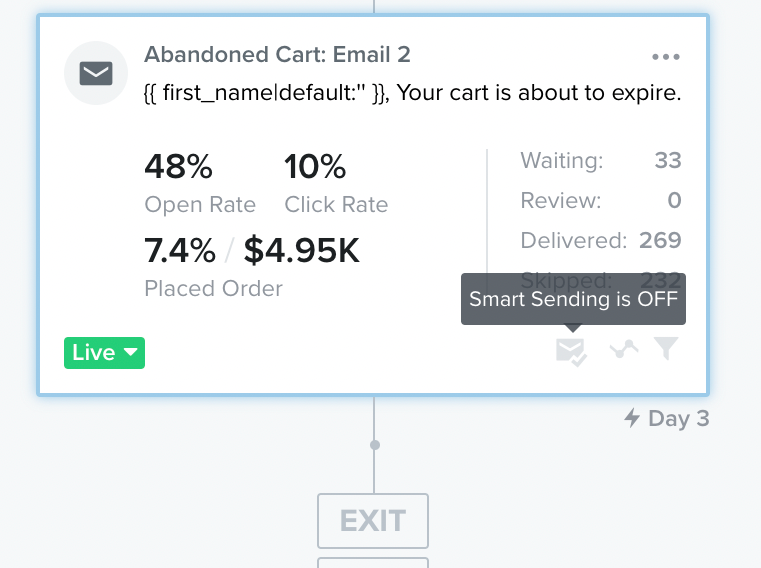
Yes, a customer can be in two flow at the same time. If you want to limit the number of emails sent to a person, I suggest that you turn on the Smart Sending Option.
When an email has Smart Sending enabled, Klaviyo will automatically check to see if that recipient has received a message from you within the last 16 hours before it sends. If this person has received another message from you too recently, they will be skipped from receiving the current message.
To activate it,
Click on an individual flow email
Click Smart Sending under Settings on the left-hand side
Tom Boeglin | Standard Ecom, agence CRM | On offre l'audit Klaviyo (gratuit, sans engagement). Pour en profiter, réservez un appel ici : https://calendly.com/standardecom/klaviyo | Nos clients : The Bradery, Chloé, JIMMY FAIRLY et +50 autres
Yes, a customer can be in two flow at the same time. If you want to limit the number of emails sent to a person, I suggest that you turn on the Smart Sending Option.
When an email has Smart Sending enabled, Klaviyo will automatically check to see if that recipient has received a message from you within the last 16 hours before it sends. If this person has received another message from you too recently, they will be skipped from receiving the current message.
To activate it,
Click on an individual flow email
Click Smart Sending under Settings on the left-hand side
Tom Boeglin | Standard Ecom, agence CRM | On offre l'audit Klaviyo (gratuit, sans engagement). Pour en profiter, réservez un appel ici : https://calendly.com/standardecom/klaviyo | Nos clients : The Bradery, Chloé, JIMMY FAIRLY et +50 autres
@Tomb made great points on using Smart Sending! Just to add, here is a great resource on How Contacts Move Through a Flow for general information regarding Flows!