


Contributor I
April 19, 2022
Solved

Need some help with sending customers to the right page.

  • April 19, 2022
  • 7 replies
  • 252 views

Hi all,

I hope you are doing well


This is my first time using any kind of email marketing software so this question might be dumb.


So, I am a dropshipper with a lot of SKU’s and I am trying to set up an abandoned cart flow. 

I am using Pagefly to create some of my landing pages and when I set up my email template with “dynamic” product blocks it takes me to the regular Shopify product page and not my custom landing page I made with Pagefly.

I tried with “static” product blocks but the “auto-generate links” also sends me to the product page and not the custom landing page.

And if I understand correctly adding my website link manually will send all my customers to the same page no matter what product they have abandoned, if so that’s also not an option.

So my question is then, how can I send my customers to my custom landing pages with the correct product that they have left in the cart?


Thanks in advance.
    This topic has been closed for replies.
    Best answer by KatherineB

    Hi Alex,

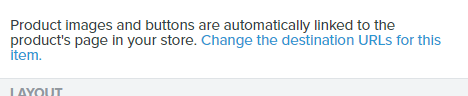
    If you use the static product blocks, you can change the link for each product by clicking on the block, then clicking on the small text “Change the destination URLs for this item." This will open up a space for you to update the URL for that product. 

    7 replies

    Contributor I
    April 20, 2022

    ..

    Hey,

    I am not sure if something wrong on my end but I don’t see your comment, only an empty box.


    KatherineB
    Partner - Platinum
    Champion & Partner
    April 20, 2022

    Hi Alex,

    If you use the static product blocks, you can change the link for each product by clicking on the block, then clicking on the small text “Change the destination URLs for this item." This will open up a space for you to update the URL for that product. 

    Katherine - &BAM | 2023 Klaviyo Champion and Elite Partner
    stephen.trumble
    Klaviyo Alum
    April 20, 2022

    Hey @Alex9898989 

    My apologies, we were having some challenges with the backend of the community last night. Sorry the message got lost in the mix somehow. However, @KatherineB responded with the same suggestion i was trying to share with you! 

    Thank you both for being part of the Klaviyo Community!

    -Stephen
    Contributor I
    April 20, 2022

    Hi again! 

    Thanks for the help from both of you, but I can’t find the text in your screenshot. I dragged a product block on my template and selected static but I can’t find that text.


    KatherineB
    Partner - Platinum
    Champion & Partner
    April 20, 2022

    @Alex9898989 Apologies - it looks like you’re using the new Klaviyo editor and my instructions were for the classic one. In the screenshot you shared, above the grey button that says “Add products” there is a text box where you can add the link for your product. 


    Katherine - &BAM | 2023 Klaviyo Champion and Elite Partner
    Contributor I
    April 20, 2022

    Thank you so much for helping me Kathrine!


    But wouldn't this add multiple products to the same email template?

    I want them separately, so if a customer abandoned product A they get an email with product A.

    And if they abandon product B, they get an email with product B.

    I don't want them in the same email.


    Again, thanks for helping me.

    KatherineB
    Partner - Platinum
    Champion & Partner
    April 21, 2022

    @Alex9898989 this will work if you don’t have a ton of products with custom pages:


    You can use show/hide block functionality based on the product that someone abandoned so only the relevant product will show in the email. https://help.klaviyo.com/hc/en-us/articles/115005258208-How-to-Show-or-Hide-Template-Blocks-Based-on-Dynamic-Variables 

    Or another thought I just had - can you set up page redirects so your Shopify product pages redirect to your pagefly custom pages? You can’t do that with Klaviyo as far as I know, but perhaps that’s another option work exploring.

    Katherine - &BAM | 2023 Klaviyo Champion and Elite Partner