Contributor I
May 30, 2022
Solved

Removing Popup Button From Website

  • May 30, 2022
  • 1 reply
  • 1520 views

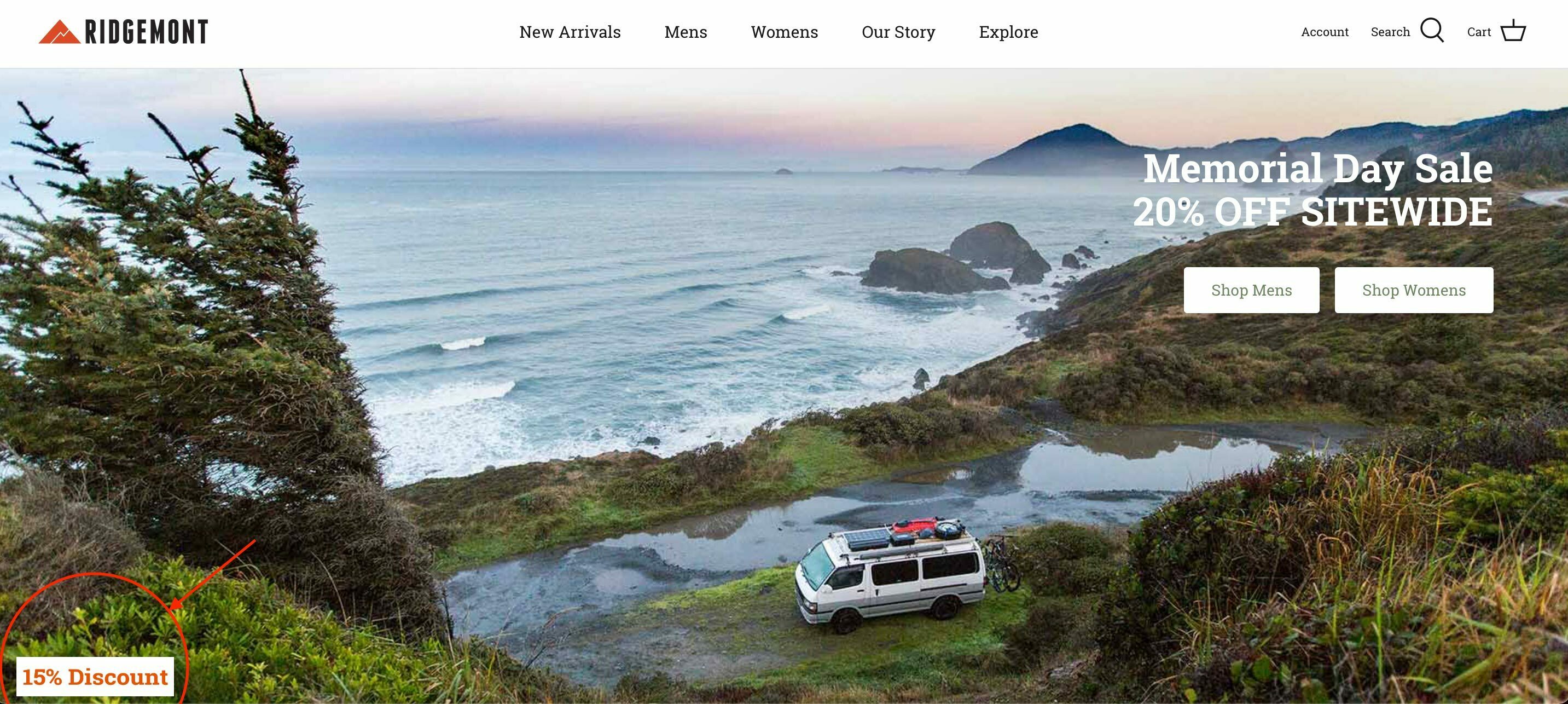
We have a popup signup form on our website and a button has appeared on the homepage which links to this form. We would like this removed however there does not seem to be a setting to remove this?

Does anyone know how this can be removed?


Image showing popup form button to be removed.


This topic has been closed for replies.
Best answer by Tomb

Hello,

I hope you’re doing well ?

I believe that this is a teaser. To deactivate it, I suggest that you go on your Klaviyo account and click on “Signup Forms”, then select your pop-up. 

At the top of the editor, you’ll see 3 different steps : the Email Opt-in (your pop-up), the Success step (the confirmation message) and finally a Teaser.

If you click on this final step, you’ll be able to deactivate it.

I hope this was helpful.
 

And if you want to optimize your Klaviyo account, you can schedule a free consultation call on my calendar : https://calendly.com/standardecom/klaviyo


Cheers,

Tom

1 reply

Tomb
Partner - Platinum
TombAnswer
Partner - Platinum
May 30, 2022

Hello,

I hope you’re doing well ?

I believe that this is a teaser. To deactivate it, I suggest that you go on your Klaviyo account and click on “Signup Forms”, then select your pop-up. 

At the top of the editor, you’ll see 3 different steps : the Email Opt-in (your pop-up), the Success step (the confirmation message) and finally a Teaser.

If you click on this final step, you’ll be able to deactivate it.

I hope this was helpful.
 

And if you want to optimize your Klaviyo account, you can schedule a free consultation call on my calendar : https://calendly.com/standardecom/klaviyo


Cheers,

Tom

Tom Boeglin | Standard Ecom, agence CRM | On offre l'audit Klaviyo (gratuit, sans engagement). Pour en profiter, réservez un appel ici : https://calendly.com/standardecom/klaviyo | Nos clients : The Bradery, Chloé, JIMMY FAIRLY et +50 autres