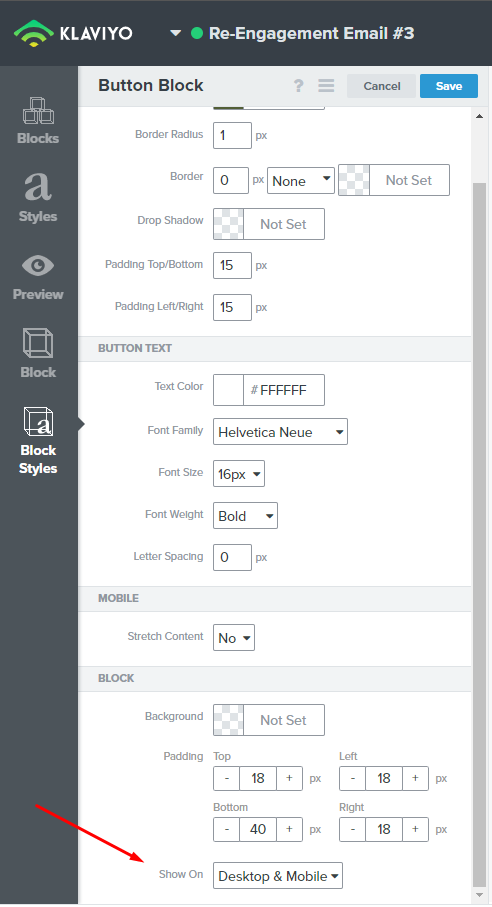
Hey sanchin16. While editing a block, click on Block Styles on the far left, scroll to the bottom and you should be able to see the option ‘Show On’, which allows you to hide or show blocks on mobile or desktop (or both).
Hey sanchin16. While editing a block, click on Block Styles on the far left, scroll to the bottom and you should be able to see the option ‘Show On’, which allows you to hide or show blocks on mobile or desktop (or both).
@NJVasic is 100% correct! You can control which device your content blocks are shown on. You can also use dynamic variables to show or hide template blocks and customize who can see your content even further! When you click on the template block you want to set show/hide conditions to, you can click on the “?” at the tip of the editor and enter in a profile property or event variable.
The article I linked before will walk you through how to set this up step by step including where to find the correct variables for who you want to see your content. Also check out these other Community post about show/hide blocks.
Thank you both for being amazing members of the Klaviyo Community, we appreciate you!