Contributor I
November 16, 2021
Solved

Text Alignment Issue

  • November 16, 2021
  • 5 replies
  • 1204 views

Align Left not working. Clicking the Align Left icon aligns the text as expected in the editing window, but not in the template. In fact, it seems to force justify the text.

    This topic has been closed for replies.
    Best answer by alex.hong

    Hi there @twofivedesigns,

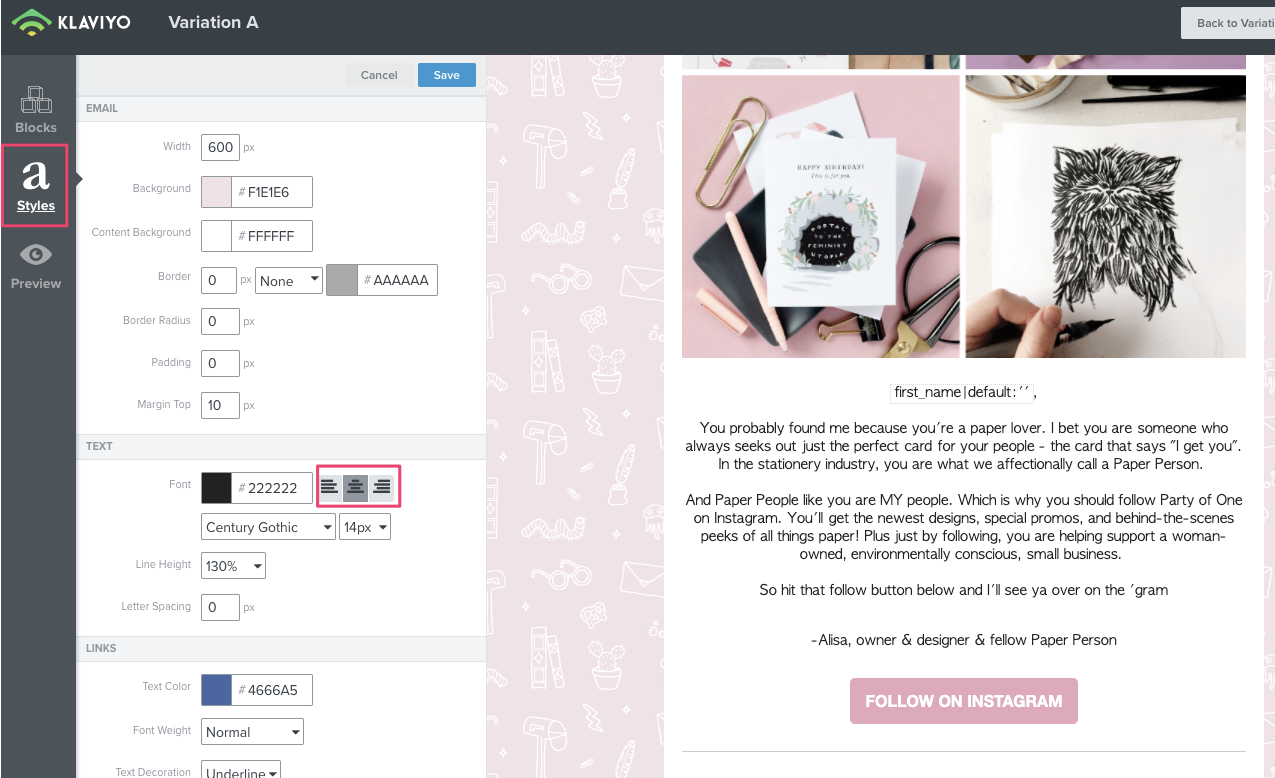
    Can you confirm if you've set the alignment in Styles to be centered or left:
    ?name=inline815400639.png


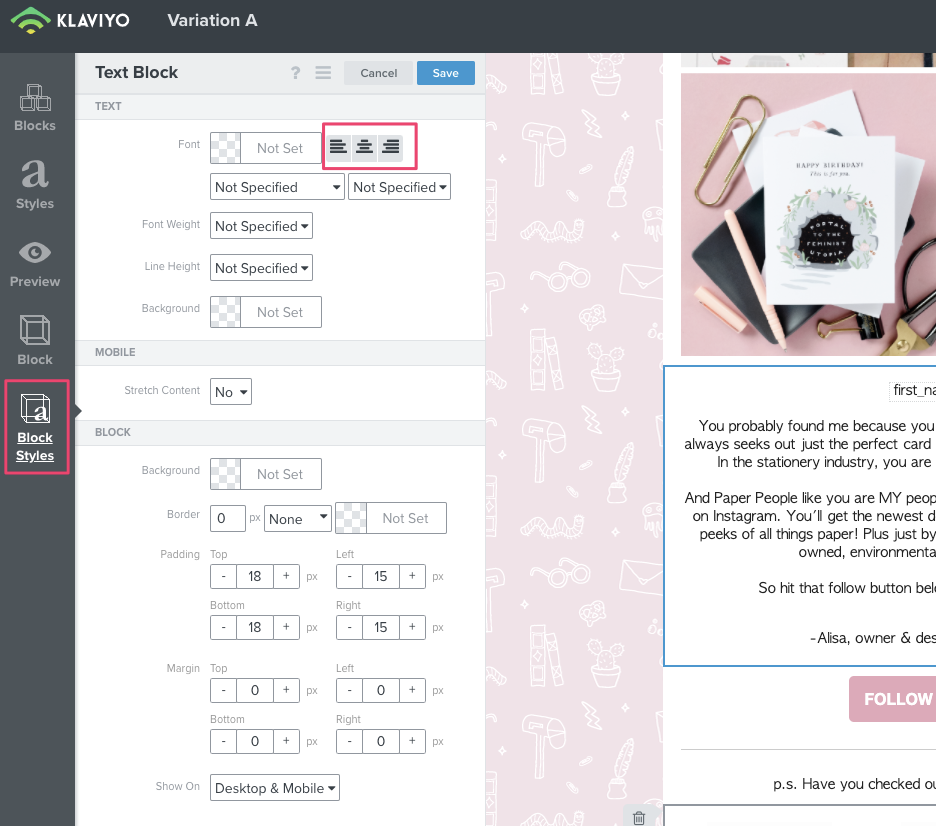
    My recommendation is to update it to be left aligned and if you want a specific block to be centered align, that can be updated in Block Styles instead.
    ?name=inline1064997071.png

    Thank you!
    Alex

    5 replies

    Mailbox Manny
    Partner - Silver
    Partner - Silver
    November 17, 2021

    Hey Glenn,

    Welcome to the community!

    Interesting scenario, would you be able to post screenshots of what’s happening?  Diagnosing design elements is always tough through text :)

    Also, if it’s for a text block, click the show script button and let’s see if there’s code in there that may be messing with the alignment.  

    Subscribe. Segment. Send. Repeat.
    gparadiseAuthor
    Contributor I
    November 17, 2021


    Contributor I
    May 11, 2022

    Having the same issue, no code appears to be blocking the left alignment. In fact, trying to write in code to make it left align does not work either. Appears to be quite glitchy.

    alex.hong
    alex.hongAnswer
    Klaviyo Alum
    May 12, 2022

    Hi there @twofivedesigns,

    Can you confirm if you've set the alignment in Styles to be centered or left:
    ?name=inline815400639.png


    My recommendation is to update it to be left aligned and if you want a specific block to be centered align, that can be updated in Block Styles instead.
    ?name=inline1064997071.png

    Thank you!
    Alex

    Contributor I
    September 1, 2022

    Same issue. I checked styles and no problems there….