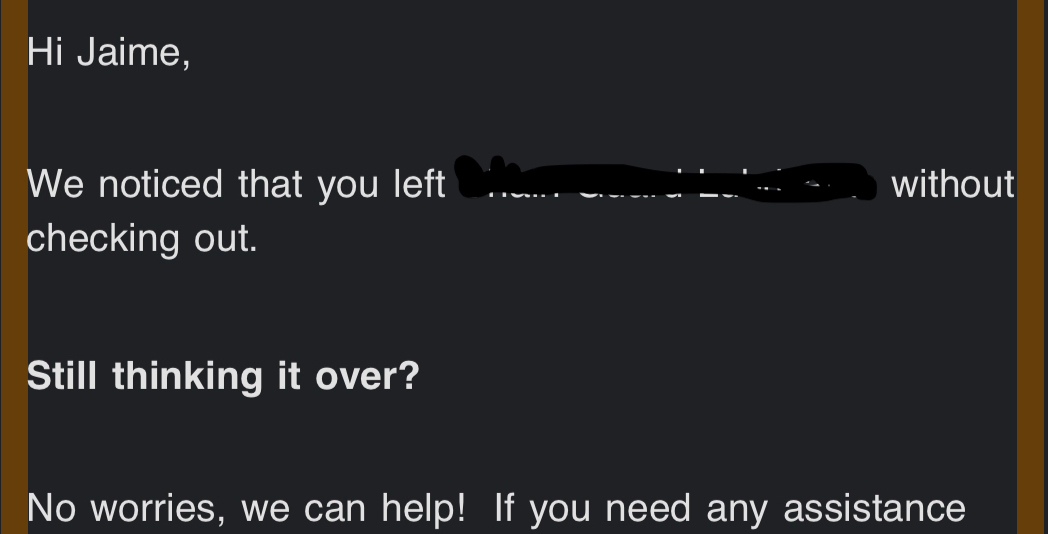
I have tried everything from padding the block, indenting the text to changing the padding of the border and nothing is working. Does anyone know how I can make the words not appear so close to the edge of the screen? Regardless if there is a border there, the text appears this way.
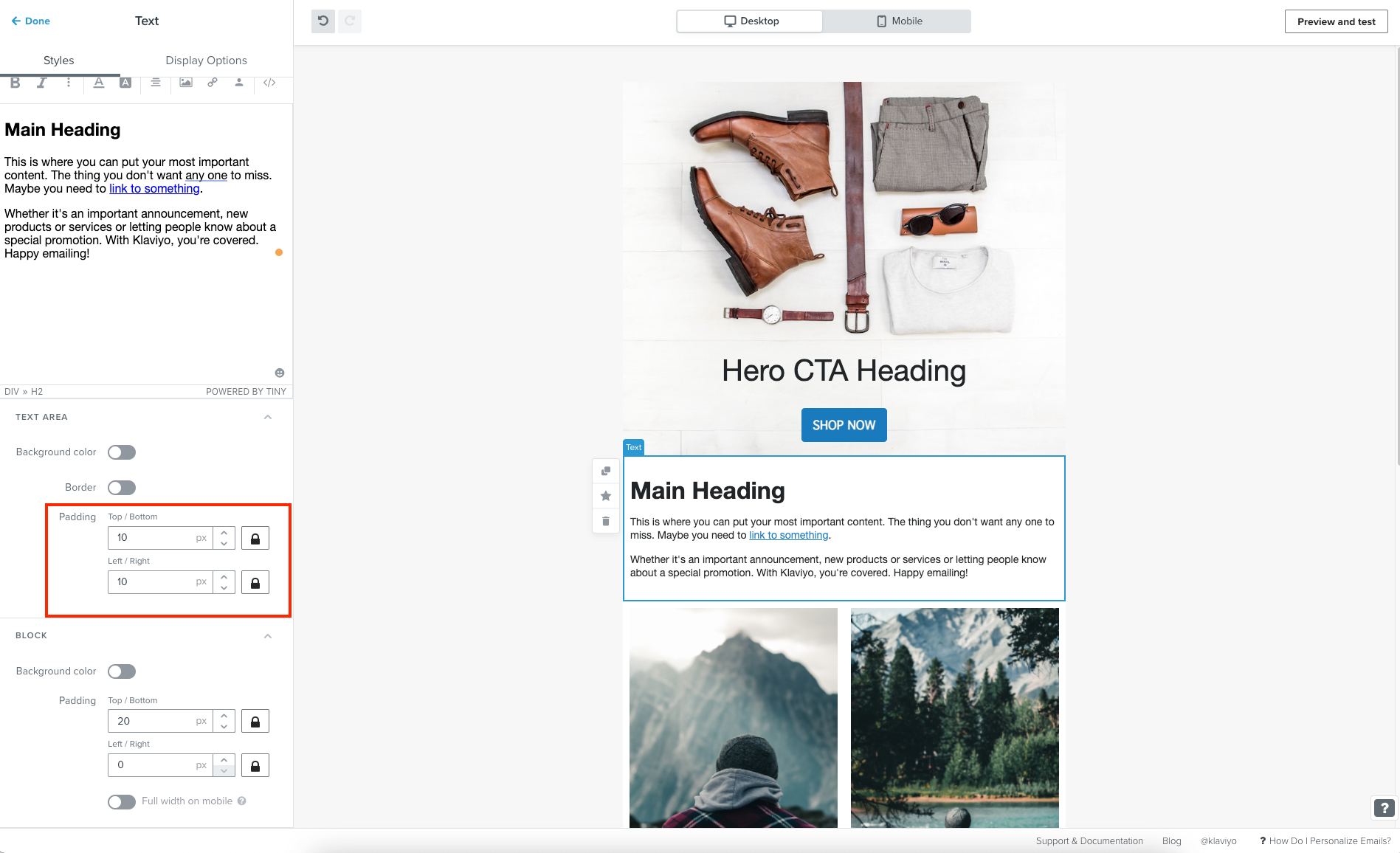
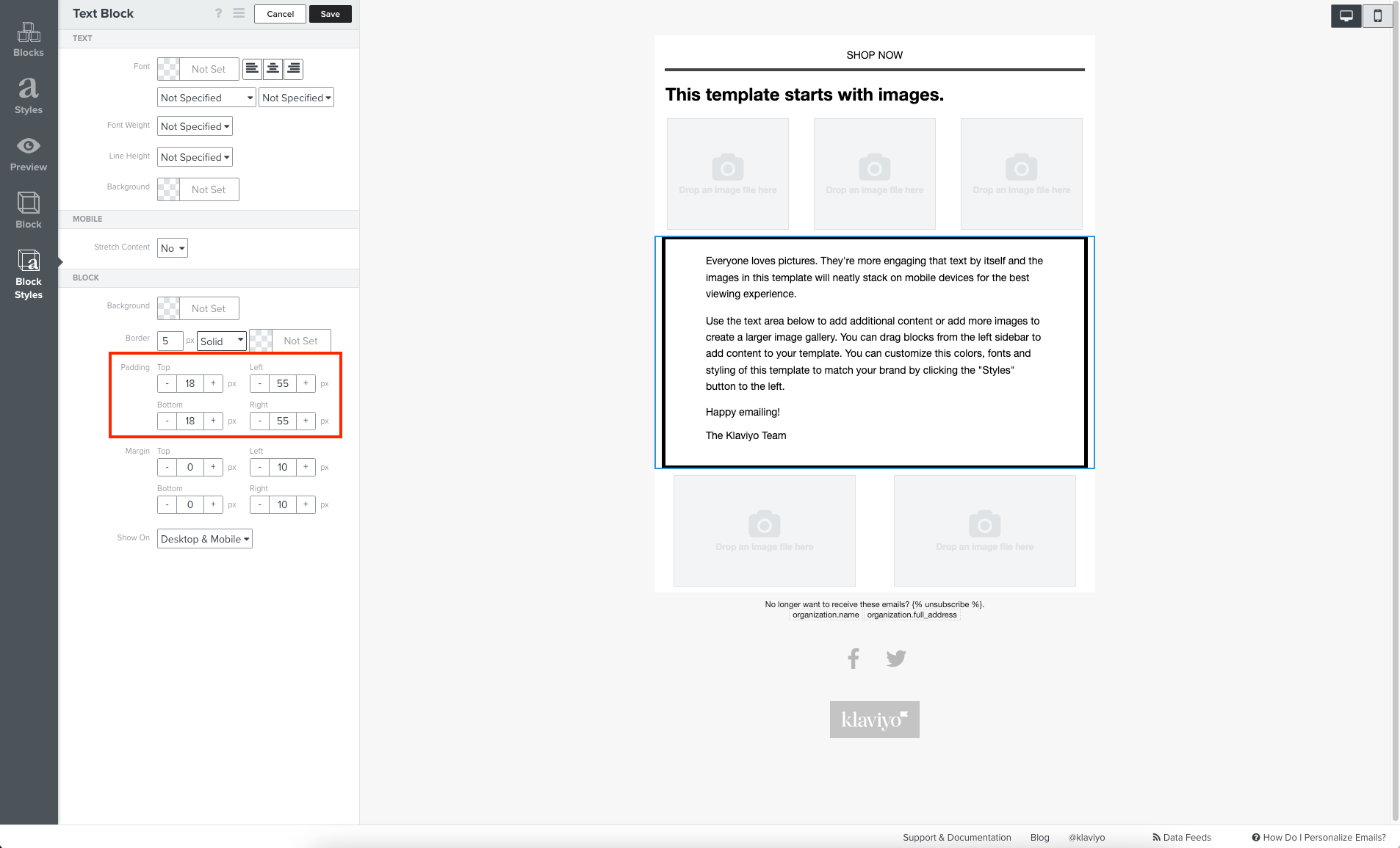
In case you may have been adjusting the wrong padding, if you’re using the new editor you’ll want to be adjusting the padding under the block style’s text area setting. Similarly, in our classic editor, it would simply be block padding under the block’s style.
New Editor
Classic Editor
You’ll also want to keep in mind that the margins you set will also be different depending on if you’re viewing your email on a desktop or mobile device. This means that if you’re seeing this occur on mobile, you’ll want to adjust the mobile padding. In both editors, you can find this setting under the template’s style under its mobile settings.
I would also suggest taking a look at some additional resource we have available within our Help Center that goes over our template builder and its various settings:
In case you may have been adjusting the wrong padding, if you’re using the new editor you’ll want to be adjusting the padding under the block style’s text area setting. Similarly, in our classic editor, it would simply be block padding under the block’s style.
New Editor
Classic Editor
You’ll also want to keep in mind that the margins you set will also be different depending on if you’re viewing your email on a desktop or mobile device. This means that if you’re seeing this occur on mobile, you’ll want to adjust the mobile padding. In both editors, you can find this setting under the template’s style under its mobile settings.
I would also suggest taking a look at some additional resource we have available within our Help Center that goes over our template builder and its various settings: