

Contributor I
April 28, 2022
Solved

VIEWED PRODUCT TRACKING FOR SHOPIFY /MINIMAL THEME

  • April 28, 2022
  • 2 replies
  • 157 views

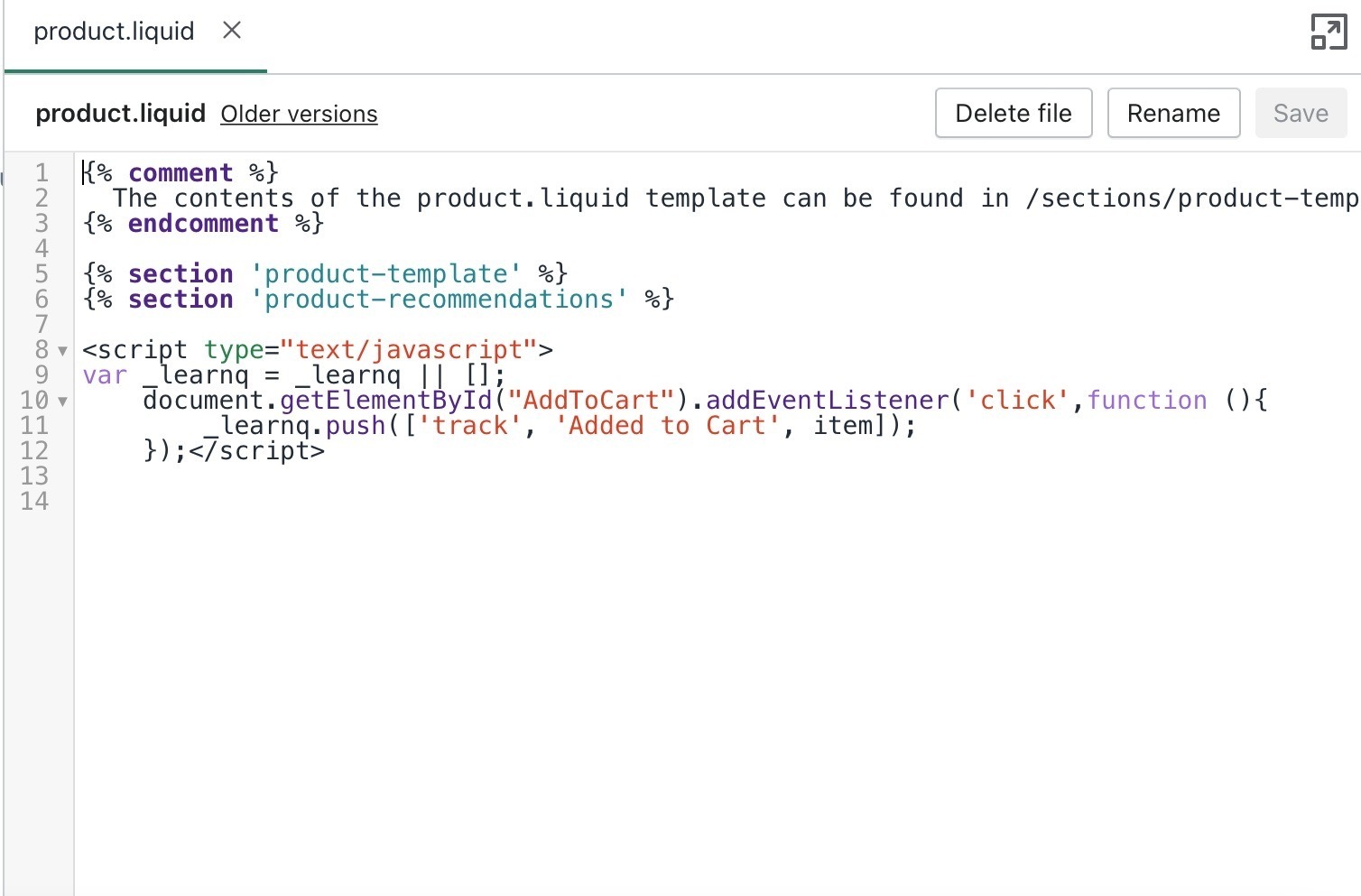
Hi, This is my product.liquid on my Shopify minimal theme. It doesn't have the vied product tracking. Do I need to add it myself? And does it go before “add to cart” or after. 
 

    This topic has been closed for replies.
    Best answer by David To

    Hello @Kayla,

    Welcome to the Klaviyo Community!

    I think taking a look at the How to enable onsite tracking for Shopify Help Center article can be helpful in this case!

    Essentially, Viewed Product tracking isn’t enabled by default when integrating with Klaviyo. Depending on when the integration was created, you’ll need to manually install it above the Add to Cart code as mentioned in the Guide to Creating an "Added to Cart" Event for Shopify Help Center article if you were following those installation instructions. Alternatively, if you integrated recently (since April 19, 2022), you’ll have the option during the integration process to enable both web tracking and viewed product tracking by default  via the Klaviyo app embed in Shopify.

    I hope this helps!

    David

    2 replies

    David To
    Klaviyo Employee
    David ToAnswer
    Klaviyo Employee
    April 28, 2022

    Hello @Kayla,

    Welcome to the Klaviyo Community!

    I think taking a look at the How to enable onsite tracking for Shopify Help Center article can be helpful in this case!

    Essentially, Viewed Product tracking isn’t enabled by default when integrating with Klaviyo. Depending on when the integration was created, you’ll need to manually install it above the Add to Cart code as mentioned in the Guide to Creating an "Added to Cart" Event for Shopify Help Center article if you were following those installation instructions. Alternatively, if you integrated recently (since April 19, 2022), you’ll have the option during the integration process to enable both web tracking and viewed product tracking by default  via the Klaviyo app embed in Shopify.

    I hope this helps!

    David

    Problem Solver II
    May 2, 2022

    You need to add it manually

