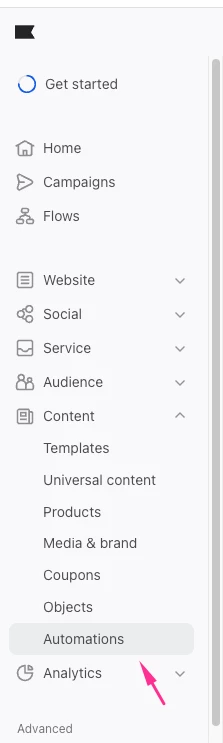
Can you please navigate to Automations section in Klaviyo. Look for any active WhatsApp automation that uses a Message response trigger type rather than Always on. That's the one responding to your marketing message replies.
One important thing to know before you edit: once an automation is on, you must turn it off to edit it, which causes it to immediately drop everyone currently in the automation. So make your edits quickly and turn it back on. Klaviyo Article here
Once you've turned it off, click into the automation and you'll see the message step. Update the message text there, adjust your choices, or change the recommendation, then save and turn the automation back on.
I hope this helps, and,, thank you for sharing your question here in the community.
Cheers,
Arpit
Arpit Banjara - Lead Email Marketing Specialist at Flowium
Can you please navigate to Automations section in Klaviyo. Look for any active WhatsApp automation that uses a Message response trigger type rather than Always on. That's the one responding to your marketing message replies.
One important thing to know before you edit: once an automation is on, you must turn it off to edit it, which causes it to immediately drop everyone currently in the automation. So make your edits quickly and turn it back on. Klaviyo Article here
Once you've turned it off, click into the automation and you'll see the message step. Update the message text there, adjust your choices, or change the recommendation, then save and turn the automation back on.
I hope this helps, and,, thank you for sharing your question here in the community.
Cheers,
Arpit
Arpit Banjara - Lead Email Marketing Specialist at Flowium
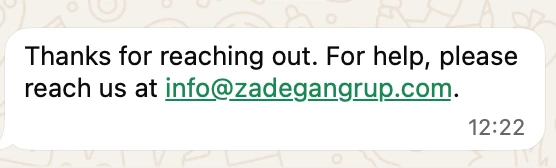
that is weird. Can you go to Settings> whatsapp> keyword responses and check there? this is where certain keyword replies are configured at the channel level rather than inside Automations
The other place worth checking is your Flows. If someone set up a WhatsApp flow triggered by a "Received SMS/WhatsApp" type event or a custom metric, the reply could be firing from there instead.
If you've checked both of those and still can't find where it's coming from, it's possible the reply is being handled at the Meta/WhatsApp Business level rather than inside Klaviyo at all. In that case, you'd need to log into your Meta Business account and check your WhatsApp Business settings for any configured auto-replies or greeting messages.