Volt Safety
Contributor I
Contributor I
April 4, 2022
Solved

Woocommerce Adding Images to placed order email

  • April 4, 2022
  • 2 replies
  • 783 views

We are having trouble adding images to our email order confirmation. The trigger for this is Placed Order.


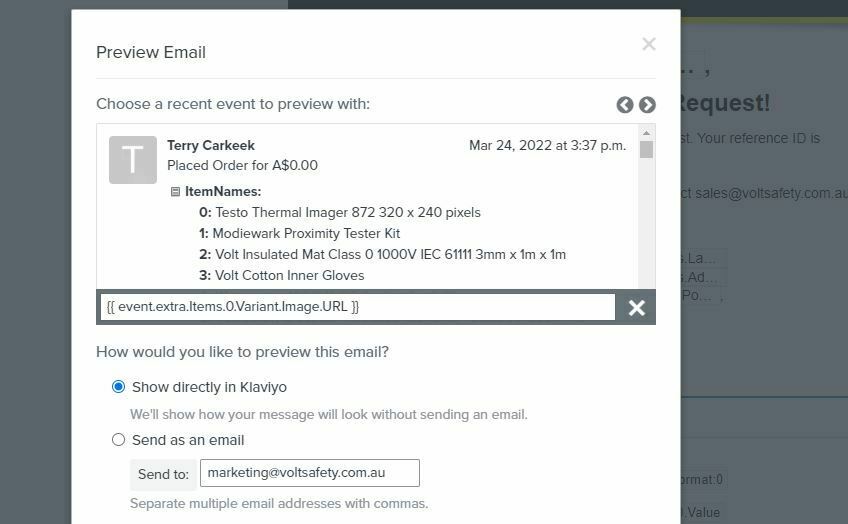
We are able to add the tag to get a single image, I.e the first image on an order but it duplicates on the first image on orders where there are multiple different products.

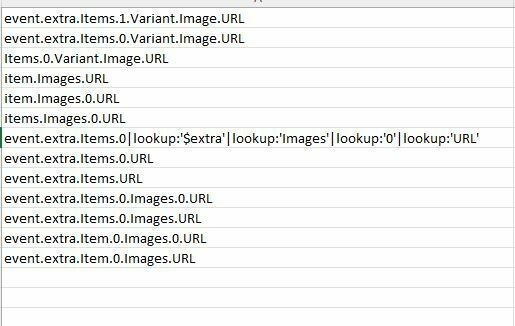
I have attached of all the different tags we have tried with no success. 


This topic has been closed for replies.
Best answer by David To

Hello @Volt Safety,

Welcome to the Klaviyo Community!

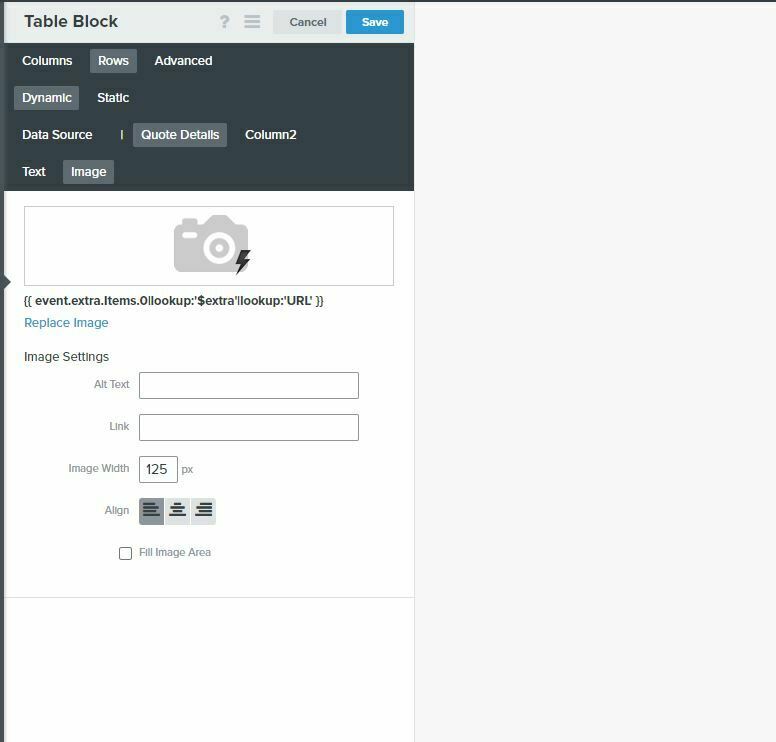
I’d be curious to know if your Placed Order event is passing an alternative image URL that you could use as opposed to the {{ event.extra.Items.0|lookup:'$extra'|lookup:'Images'|lookup:'0'|lookup:'URL' }} method you’re using. For example, in the Community post below, @soukraco was able to use the {{ event.extra.Items.0.Variant.Image.URL }} variable instead. 

Another thing you may want to check is making sure you’re setting up the dynamic table block’s Data Source appropriately and using the correct variable in your dynamic table block accounting for the data source. The data you enter into the Row Collection field will be the variable array you want to repeat. The Row Alias would be the specific part of the array you want repeated. For example, given the {{ event.extra.line_items.0.product.images.2.src }} variable, if my Row Collection was set as event.extra.line_items and the Row Alias was items, the variable I would need to use to pull in the image in the dynamic table block would be  {{ item.product.images.2.src }}.

Overall, the variable you’ll want to use and how you set up your dynamic table block would depend entirely on how your data is being passed to Klaviyo. To learn more about leveraging event data to personalize emails, i would suggest taking a look at the following Help Center articles we offer:

I hope this helps!

David

2 replies

David To
Klaviyo Employee
David ToAnswer
Klaviyo Employee
April 5, 2022

Hello @Volt Safety,

Welcome to the Klaviyo Community!

I’d be curious to know if your Placed Order event is passing an alternative image URL that you could use as opposed to the {{ event.extra.Items.0|lookup:'$extra'|lookup:'Images'|lookup:'0'|lookup:'URL' }} method you’re using. For example, in the Community post below, @soukraco was able to use the {{ event.extra.Items.0.Variant.Image.URL }} variable instead. 

Another thing you may want to check is making sure you’re setting up the dynamic table block’s Data Source appropriately and using the correct variable in your dynamic table block accounting for the data source. The data you enter into the Row Collection field will be the variable array you want to repeat. The Row Alias would be the specific part of the array you want repeated. For example, given the {{ event.extra.line_items.0.product.images.2.src }} variable, if my Row Collection was set as event.extra.line_items and the Row Alias was items, the variable I would need to use to pull in the image in the dynamic table block would be  {{ item.product.images.2.src }}.

Overall, the variable you’ll want to use and how you set up your dynamic table block would depend entirely on how your data is being passed to Klaviyo. To learn more about leveraging event data to personalize emails, i would suggest taking a look at the following Help Center articles we offer:

I hope this helps!

David

Volt Safety
Contributor I
Contributor I
April 6, 2022

Hi David, 


Thank you!  I followed your steps and the steps outlined in How to Build Dynamic Blocks in a Flow.


My correct URL was below..


item|lookup:'$extra'|lookup:'Images'|lookup:'0'|lookup:'URL'  }}