




How I design emails that survive dark mode (and what I actually test before sending)
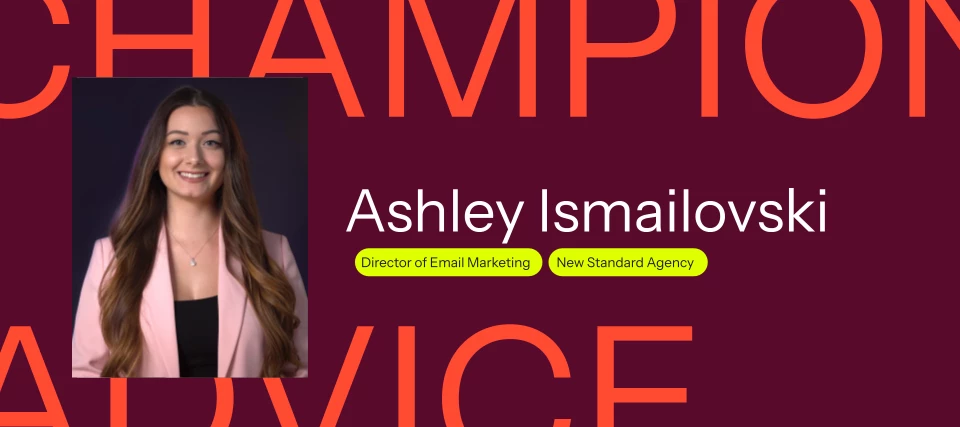
Have you ever opened a test email in dark mode and thought, "That looks nothing like the version I designed"?
I know I have.
One minute, everything looks perfect in the email editor, and the next, your logo disappears into the background, your carefully chosen brand colors look completely different, and your CTA button suddenly blends into the rest of the email.
The frustrating part is that you didn't necessarily do anything wrong.
Dark mode has become a standard viewing preference for many subscribers, but inbox providers still handle it very differently, and that variation is the root of most dark mode frustration. Some invert colors aggressively, some partially adjust elements, and others ignore certain styling altogether.
Over the years, I've spent more time than I'd like troubleshooting dark mode issues, and I've learned that success isn't about making every email look identical everywhere. It's about making sure your message stays readable, recognizable, and trustworthy, no matter how someone views it. If you want a thorough breakdown of what causes rendering issues across inboxes, Klaviyo's dark mode email design best practices guide is the reference I keep coming back to.
Why dark mode looks different in every inbox
One of the biggest misconceptions I see is that dark mode works the same way across every inbox.
Gmail, Outlook, Apple Mail, and mobile apps all handle dark mode differently. Some inbox providers fully invert colors. Others selectively adjust text and backgrounds. Some allow designers more control, while others make their own decisions regardless of what you intended.
When brands ask me why their design changed after sending, I usually explain that dark mode isn't a single setting. It's a collection of different rendering behaviors across dozens of email environments.
That reality changes how I approach email design. Instead of chasing perfection everywhere, I focus on building emails that remain functional and easy to read even when colors shift.
The most common dark mode problems (and how I fix them)
1. Disappearing logos
This is probably the complaint I hear most.
A dark logo placed on a transparent background can completely disappear when an inbox preview switches the email background to a dark color. Likewise, white logos can vanish if the inbox provider unexpectedly changes a dark background to something lighter. Klaviyo's email images best practices article covers why your choice of transparent vs. opaque backgrounds matters more than most designers expect.
What I usually do:
- Add padding around logos
- Use transparent PNGs sparingly
- Consider subtle outlines or native backgrounds around the logo
- Test logos on both light and dark backgrounds before sending
Side note: Have you found a logo treatment that consistently works across inboxes? I'd love to hear what's working for others.
2. Invisible text
I've seen beautiful email designs become unreadable because text colors were automatically adjusted.
Light gray text may look elegant on a white background, but it often becomes difficult to read when inboxes start modifying colors. This community thread on text color changing in dark mode on mobile gets into the specifics — hex vs. named colors, inline styles, and which high-contrast approaches actually hold.
What helps:
- Prioritize high-contrast text colors
- Use live text instead of text embedded in images whenever possible
- Avoid relying on subtle color differences for readability
This isn't just a dark mode issue, either. It also improves accessibility for all subscribers. Klaviyo's accessibility best practices for emails and forms is worth a read alongside this — the contrast and live text guidance overlaps significantly with dark mode resilience.
3. Unexpected color inversion
Brand colors can be especially vulnerable.
I've seen reds become pinks, blues become purples, and carefully selected palettes take on completely different appearances after dark mode adjustments. This community thread on optimizing email for dark mode specifically addresses what happens to brand colors like maroon when they invert — and when you might want to rethink your color use entirely rather than try to force it.
While some inversion is unavoidable, I've found that simpler color systems generally hold up better than color combinations that rely on one exact representation.
Instead of asking, "Will this color remain exactly the same?" I ask: "Will this still feel like our brand if it changes slightly?"
That mindset tends to lead to more resilient designs.
4. Broken buttons and backgrounds
Buttons can be surprisingly unpredictable.
Depending on the inbox provider, button backgrounds, borders, and text colors may all be treated differently. There's an important distinction worth knowing here: CSS-based button blocks behave differently than image-based buttons in dark mode, and Klaviyo's email template editor guide explains exactly how each type renders. I've also seen entire email backgrounds invert unexpectedly — and the most reliable fix I've found isn't CSS but rather using a section background image to lock your brand color in place, which Klaviyo's background image guide walks through.
My approach: when I'm building campaigns, I try to avoid designs that depend on a single color relationship to remain usable. If a button only works when one exact background color is present, it may not survive dark mode.
What's actually worth your time to fix in dark mode
This is where I think many marketers waste time. Not every dark mode issue deserves hours of troubleshooting.
My general rule is simple:
Prioritize:
- Readability
- Brand recognition
- Clear CTAs
- Mobile usability
Don't obsess over:
- Minor color shifts
- Pixel-perfect consistency
- Small visual differences between inboxes
In my experience, subscribers care much more about being able to read and interact with your email than whether a brand color changed by a few shades.
Design habits that reduce dark mode problems
Over time, I've developed a few habits that consistently reduce problems.
Use high contrast everywhere
Good contrast protects your design in both light and dark environments.
Before sending, I ask myself:
- Is the text easy to read?
- Is the CTA obvious?
- Can someone quickly identify the hierarchy of information?
If the answer is yes, the email usually performs better regardless of inbox behavior. Klaviyo frames dark mode, mobile-first design, and accessibility as a connected set of considerations — which matches how I've come to think about it.
Keep layouts clean
Simple designs tend to survive dark mode more gracefully than heavily layered layouts.
Complex color relationships create more opportunities for rendering issues. Clean spacing, clear sections, and straightforward hierarchy often outperform visually complicated designs.
Favor live text
Whenever possible, I use live text instead of placing important messaging inside images.
Live text adapts more effectively across devices and viewing modes while improving accessibility and deliverability. Klaviyo's guide to understanding fonts in email is a useful reference here — it covers fallback fonts and rendering behavior that becomes especially relevant when dark mode adjusts how text displays.
This is also why I avoid building an entire campaign around one or more large graphics. It's tempting, because an image renders exactly how you designed it, but it backfires in dark mode: if that image inverts strangely or doesn't load, the entire message goes with it. A heavy image-to-text ratio can also work against your deliverability, since inbox providers tend to treat all-image emails with more suspicion. Live text keeps the message intact when visuals shift, and it keeps that ratio healthy.
CTA and button considerations
Buttons deserve extra attention because they're often the most important element in the email.
When designing CTAs, I focus on:
- Strong contrast between the button and the surrounding content
- Sufficient padding
- Readable button text
- Clear visual hierarchy
I also test buttons on mobile devices because dark mode issues often become more noticeable on smaller screens.
Don't forget mobile
Most subscribers are opening emails on their phones.
That's why I never consider testing complete until I've checked:
- Apple Mail
- Gmail mobile
- Outlook mobile
The iOS dark mode + Gmail/Outlook combination is one of the hardest to handle — this community thread on iOS dark mode with Gmail and Outlook is worth bookmarking if you're regularly building for those environments. Klaviyo's mobile email optimization guide is also a solid reference for the media query and stacking behavior that interacts with dark mode at the device level.
Some of the toughest dark mode rendering issues I've encountered appeared only on mobile devices.
Have you noticed certain inboxes causing more trouble than others?
My pre-send dark mode checklist
Before launching a campaign, I run through this quick review:
Dark mode QA checklist
- Logo remains visible
- Body text remains readable
- Headings maintain contrast
- Buttons are easy to identify
- Images still make sense on dark backgrounds
- Mobile rendering looks acceptable
- Brand colors remain recognizable
- Alt text is included where needed
This usually catches the biggest problems without adding significant time to the workflow.
The testing workflow I run before every send
I've learned that testing early is much easier than fixing issues after a campaign is built.
My typical process looks like this:
- Build the email.
- Preview desktop and mobile versions using Klaviyo's preview and test email tool.
- Send test emails to multiple inboxes, use a third-party testing tool, or use Klaviyo's built-in inbox testing.
- Review light mode and dark mode.
- Fix major readability issues.
- Launch.
For flow emails specifically, Klaviyo's guide to testing and previewing flow messages covers the preview workflow for automated sends, which has a few extra steps worth knowing.
The goal isn't perfection. The goal is confidence that subscribers can read, trust, and engage with the message.
For technically inclined readers
- How to create a hybrid email template — add dark mode CSS while keeping drag-and-drop editing
- How to export the HTML for an email template — for testing in Litmus, Email on Acid, or similar tools
- How to import a custom HTML template — for full dark mode control via custom HTML
- Troubleshooting custom CSS, JavaScript, and HTML in Klaviyo — useful if your dark mode overrides aren't behaving as expected
What actually matters when your emails go into dark mode
Dark mode isn't going away, and neither are the challenges that come with it.
The good news is that most issues become much more manageable once you stop trying to control every possible rendering outcome.
I've found that focusing on readability, contrast, branding, and testing delivers the biggest improvements with the least amount of frustration.
Some color shifts are unavoidable. Some inbox behaviors are outside our control. That's okay.
Now I'd love to hear from the community:
What dark mode issue drives you the craziest?
Have you discovered any tricks, workarounds, or testing workflows that consistently help?
Drop your thoughts below. The more we share, the easier dark mode becomes for all of us.
Looking forward to learning from everyone's experiences!